
Bantr: Offline & Unlimited TTS for Mac vs Seeddance
Side-by-side comparison to help you choose the right product.

Bantr: Offline & Unlimited TTS for Mac
Bantr is an offline Mac TTS app offering unlimited, natural-sounding voiceovers with no subscriptions and complete.
Last updated: February 28, 2026

Seeddance
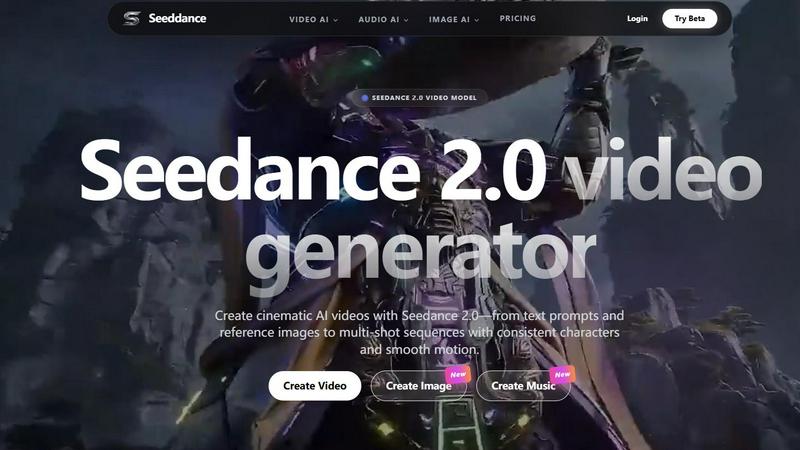
Seeddance is an all-in-one AI platform that generates cinematic videos, images, and audio to replace your entire creative stack.
Last updated: April 13, 2026
Visual Comparison
Bantr: Offline & Unlimited TTS for Mac

Seeddance
Feature Comparison
Bantr: Offline & Unlimited TTS for Mac
Extensive Voice Library
Bantr offers an impressive selection of over 150 expressive voices, allowing users to choose from a diverse range of vocal styles and tones. This extensive library caters to various applications, ensuring that users can find the perfect voice for their specific needs.
Completely Offline Functionality
Unlike many TTS solutions that require an active internet connection, Bantr operates entirely offline. This feature not only protects user privacy by eliminating the risk of data collection but also guarantees that users can generate speech anytime, anywhere without relying on cloud services.
One-Time Payment Model
With Bantr, users make a single purchase to gain lifetime access to the software, including all future updates. This model removes the burden of subscription fees and ensures that users can enjoy all enhancements and new features without additional costs.
Custom Voice Cloning
Bantr is set to introduce an exciting feature that allows users to clone custom voices and emotions using brief audio samples. This capability will enable more personalized and expressive TTS outputs, enhancing the overall user experience and application versatility.
About Seeddance
Seedance 2.0 Video Generator
The flagship feature, Seedance 2.0, is a state-of-the-art AI video model that transforms text descriptions or uploaded reference images into smooth, cinematic videos. It excels at maintaining consistent characters, styles, and environments across multiple shots, enabling the creation of short narrative sequences. This model is engineered for high-definition output suitable for professional social media content, advertisements, and creative storytelling, offering users granular control over the visual narrative through detailed prompting and image guidance.
Multi-Model AI Suite (Kling 3, Vidu Q3, Grok)
Seeddance aggregates leading third-party AI models alongside its proprietary technology, providing users with a versatile toolbox. Newly integrated models like Kling 3 allow users to animate still images with high-quality motion and optional native audio. Simultaneously, Vidu Q3 and Grok Imagine Video enable ultra-fast conversion of any image into a cinematic video clip within seconds. This multi-model approach ensures users have access to the most advanced and varied generation techniques for different creative needs.
AI-Powered Viral Effects Library
The platform hosts an extensive and growing collection of over 60 one-click AI video effects designed specifically for creating engaging, shareable social media content. Users can easily apply effects like "AI Hugging," "AI Kissing," or "AI Dance" to their photos and videos, instantly generating trendy, viral-style clips without any manual editing or complex software knowledge. This feature democratizes the creation of popular internet meme formats and attention-grabbing content.
Integrated Creative Workflow (Image & Audio AI)
Seeddance is a true all-in-one platform, integrating complementary AI tools to support the entire video creation pipeline. Its AI Image Generator creates reference images, keyframes, and style guides to steer Seedance 2.0 scenes. The AI Audio Generator provides text-to-music composition, sound effects, and voice cloning capabilities to pair perfectly with generated videos. This seamless integration allows for a cohesive production process from initial concept to final, polished audiovisual asset within a single environment.
Use Cases
Bantr: Offline & Unlimited TTS for Mac
Educational Content Creation
Educators can leverage Bantr to create engaging audio materials for students, turning text-based lessons into interactive learning experiences. This tool is particularly beneficial for developing resources for diverse learning styles, including auditory learners.
Video Production
Content creators can use Bantr to generate high-quality voiceovers for videos, tutorials, and animations. The natural-sounding speech improves viewer engagement, making it an essential tool for anyone involved in multimedia production.
Accessibility Support
Bantr serves as a valuable resource for individuals with reading difficulties, such as dyslexia. By converting written text into spoken word, the application aids comprehension and enhances learning experiences for users who may struggle with traditional reading methods.
Game Development
Developers can utilize Bantr to create interactive dialogue for game characters, enriching the gaming experience with realistic voiceovers. This feature allows for a more immersive gameplay environment, making characters more relatable and engaging for players.
Seeddance
Social Media Marketing & Viral Content Creation
Marketing teams and social media managers can leverage Seeddance to rapidly produce a high volume of eye-catching, platform-optimized content. The platform's viral effects library and ability to generate unique, cinematic clips from simple text prompts allow for the creation of trending Reels, TikTok videos, and Instagram ads that stand out in crowded feeds, driving engagement and brand awareness efficiently.
Independent Filmmaking & Storyboarding
Independent filmmakers and animators can use Seedance 2.0's multi-shot consistency to prototype scenes, visualize concepts, and create dynamic storyboards. By generating consistent characters and environments across different shots, creators can pre-visualize complex sequences, experiment with narrative flow, and present compelling pitch materials without the need for expensive filming or traditional animation.
Personalized Content & Digital Gifts
Individuals can create unique, personalized video messages and digital gifts. By using the image-to-video features or viral effects, users can animate personal photos—making a family portrait dance, creating a heartfelt hugging video from a couple's photo, or generating a short cinematic clip from a memorable vacation picture—resulting in highly shareable and emotionally resonant digital creations.
Rapid Prototyping for Advertising & E-commerce
E-commerce brands and advertising agencies can utilize Seeddance for rapid prototyping of commercial concepts. The platform enables the quick generation of product demonstration videos, lifestyle imagery, and background music from text descriptions. This allows teams to test creative directions, gather feedback, and iterate on ad campaigns faster and at a lower cost before committing to full-scale production.
Overview
About Bantr: Offline & Unlimited TTS for Mac
Bantr is a cutting-edge text-to-speech (TTS) application tailored for Mac users, leveraging Apple's MLX framework to provide a robust offline experience. This groundbreaking software distinguishes itself from conventional TTS tools, which often rely on cloud services and impose subscription-based limitations. With Bantr, users can enjoy a private and completely unlimited experience, ensuring that their data remains secure and their usage unrestricted. Designed for a diverse range of users, including educators, content creators, and software developers, Bantr excels in generating high-quality voice synthesis suitable for various applications, such as educational materials, video voiceovers, and interactive content. The application boasts over 150 expressive voices, offering a natural and engaging auditory experience. Users benefit from a one-time payment model, which not only enhances accessibility but also includes ongoing updates and feature enhancements without any additional costs. Bantr is more than just a TTS application; it is an evolving platform that is committed to incorporating user feedback and continually improving its capabilities, making it an invaluable tool for anyone in need of dependable TTS functionality.
About Seeddance
Seeddance is a comprehensive, all-in-one AI creative platform designed to empower creators, marketers, and storytellers by consolidating a full suite of generative AI tools into a single, intelligent interface. Its core value proposition is replacing disparate creative software with a unified platform that enables the production of viral-ready, cinematic content. At the heart of the platform is the Seedance 2.0 model, a next-generation AI video generator capable of producing high-definition videos from text prompts or reference images with impressive motion coherence and multi-shot consistency for characters and scenes. Beyond video, Seeddance expands its utility with integrated AI-powered image generation, text-to-music and audio tools, and a vast library of over 60 one-click viral effects—such as making photos dance, hug, or kiss. The platform continuously integrates cutting-edge models like Kling 3 for bringing images to life with motion and audio, and Vidu Q3 & Grok Imagine Video for rapid image-to-cinematic clip conversion. Seeddance is built for users seeking an efficient, powerful, and versatile creative suite to produce engaging content for social media, advertising, and digital storytelling without the complexity of managing multiple standalone applications.
Frequently Asked Questions
Bantr: Offline & Unlimited TTS for Mac FAQ
What operating systems does Bantr support?
Bantr is compatible with macOS 15 and above, specifically designed for Mac devices equipped with Apple Silicon (M1, M2, M3, M4, M5).
How does Bantr ensure user privacy?
Bantr operates entirely offline, which means it does not rely on cloud services that may collect user data. This approach guarantees that your information remains private and secure.
Are there any subscription fees associated with Bantr?
No, Bantr follows a one-time payment model, allowing users to enjoy lifetime access without any recurring fees or subscriptions. All future updates are included with the initial purchase.
What features can we expect in future updates?
Upcoming features for Bantr include custom voice cloning, the ability to upload documents in various formats (pdfs, epubs, docx), multi-speaker dialogue generation, support for additional languages, and improved project management tools, all based on user feedback.
Seeddance FAQ
What is Seedance 2.0?
Seedance 2.0 is the proprietary, next-generation AI video model at the core of the Seeddance platform. It is specifically designed to generate high-quality, cinematic-style videos from textual prompts or reference images. Its advanced architecture emphasizes strong motion coherence and, critically, multi-shot consistency, allowing for the generation of sequential video clips where characters, art styles, and environments remain stable, enabling basic narrative storytelling.
Is Seedance 2.0 free to try?
Yes, Seeddance offers a free tier that provides access to core features of the Seedance 2.0 model and other tools, allowing users to test the platform's capabilities. However, free usage is subject to limitations. Paid subscription plans unlock significant advantages, including higher video resolutions, longer generation durations, the ability to run batch generations, access to priority processing queues, and expanded commercial usage rights.
Can I use generated content commercially?
Commercial usage rights for content generated on Seeddance depend on your specific subscription plan. Generally, paid subscribers are granted broader licenses that permit commercial use of the assets they create. Users on the free tier are typically restricted to personal, non-commercial use only. It is essential to review the platform's current Terms of Service for the definitive and detailed licensing agreements applicable to each plan.
How does content safety and moderation work?
Seeddance 2.0 and the broader platform are designed to offer creative flexibility while enforcing a comprehensive content policy. The system includes safeguards to prohibit the generation of illegal or harmful content. Users are required to have the necessary rights to any content they upload for reference or modification. The platform employs a combination of automated systems and human review to uphold community standards and ensure a safe creative environment for all users.
Alternatives
Bantr: Offline & Unlimited TTS for Mac Alternatives
Bantr: Offline & Unlimited TTS for Mac is an advanced text-to-speech application tailored for Mac users, enabling them to generate high-quality voice synthesis without relying on internet connectivity. It falls under the category of AI assistants, specifically designed to enhance productivity and creativity for various users, including educators, developers, and content creators. Users often seek alternatives to Bantr due to factors such as pricing, specific feature sets, platform compatibility, or personal preferences regarding voice quality and user interface. When selecting an alternative, it is crucial to consider factors like voice variety, ease of use, offline capabilities, and the overall cost structure to ensure that the chosen solution aligns with individual needs and expectations.
Seeddance Alternatives
Seeddance is a comprehensive AI creative platform specializing in AI video and image generation. It falls within the categories of AI assistants and generative media tools, offering users the ability to create cinematic videos from text prompts or images while maintaining consistency across multiple shots. Users often explore alternatives to Seeddance for various reasons. These can include seeking different pricing models or free tiers, requiring specific features not available in its suite, or needing compatibility with other platforms and workflows. The search for a different user interface or output style also drives this exploration. When evaluating an alternative, key considerations should include the core generative capabilities for video and images, the quality and consistency of outputs, and the overall cost structure. It is also crucial to assess the tool's ease of use, available support and tutorials, and how well it integrates into your existing creative or professional process.