
Gomotion vs SimpleDraw
Side-by-side comparison to help you choose the right product.

Gomotion
Gomotion uses AI to create stunning motion graphics effortlessly, transforming text and images into captivating.
Last updated: February 28, 2026
SimpleDraw
SimpleDraw is a free online tool for creating precise floor plans and scale drawings without any software installation.
Last updated: March 1, 2026
Visual Comparison
Gomotion

SimpleDraw
Feature Comparison
Gomotion
Transform Words Into Motion
Gomotion enables users to animate text from simple prompts, eliminating the need for complex keyframes. By merely describing how they want their text to move, users can instantly generate animated titles, captions, and logos, achieving a cinematic quality that is perfect for product demonstrations and creators seeking hassle-free professional results.
Discover the Narrative Mode
The Narrative Mode of Gomotion allows creators to develop end-to-end ads by turning scripts into fully animated stories. This feature synchronizes images and videos with the script, enabling users to create engaging advertisements or short videos in just minutes, enhancing storytelling and marketing efficiency.
Design for Any Screen
Gomotion is designed to cater to every screen size, ensuring that animations are optimized for mobile devices, tablets, and desktop displays. This versatility allows users to create visually appealing content suitable for various platforms, whether it is a product teaser for Instagram or TikTok, ensuring a flawless viewing experience across all devices.
Complex Animations
With Gomotion, users can create intricate animations such as animated charts and simulations from any data set. This feature is ideal for explainers, presentations, and simulations, making complex information easier to understand and visually engaging for audiences, thus enhancing the impact of communication.
SimpleDraw
Accurate Measurements & Scale Drawing
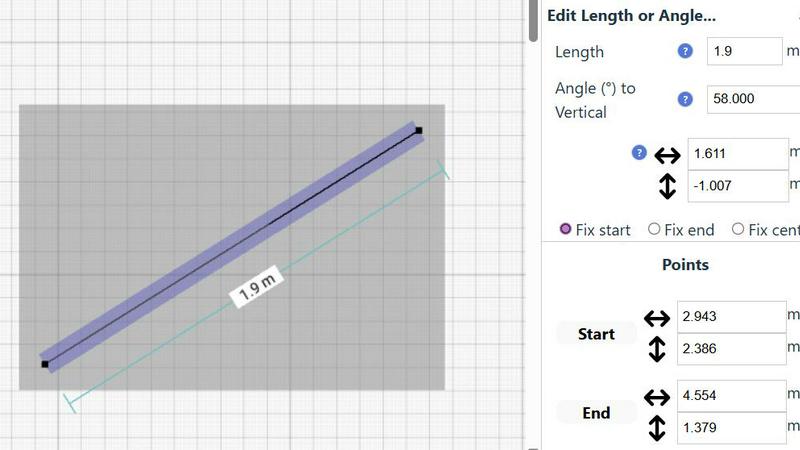
SimpleDraw ensures precise measurements and smart alignment, allowing users to create drawings that are not only accurate but also to scale. This feature is essential for anyone looking to maintain fidelity in their designs, whether for personal projects or professional use.
Specialized Floor Plan Creator
With a dedicated Floor Plan Mode, users can create detailed floor plans with walls, doors, windows, and furniture using just a click. This mode provides real-time measurements as adjustments are made, making it easier to visualize spaces before committing to changes.
Smart Alignment System
The smart alignment system assists users in placing points and lines exactly where they want them. By using visual indicators, the tool helps ensure that each element is positioned accurately, which is particularly beneficial for intricate designs where precision is paramount.
Comprehensive Measurement System
SimpleDraw features a comprehensive measurement system that allows users to toggle between metric and standard US units. Dynamic contextual measurements are displayed as the user works on their drawings, providing immediate feedback to achieve the desired outcomes.
Use Cases
Gomotion
Product Demonstrations
Marketers and creators can utilize Gomotion to craft dynamic product demonstration videos that showcase features and benefits in an engaging manner. By using the text-to-animation feature, they can instantly create captivating visuals that retain viewer attention and convey messages effectively.
Social Media Campaigns
Gomotion streamlines the process of creating visually appealing animations for social media campaigns. Users can quickly generate eye-catching content that aligns with their branding, ensuring higher engagement rates across platforms like Instagram, Facebook, and TikTok.
Educational Content
Educators and content creators can leverage Gomotion to produce animated educational videos that simplify complex concepts. The ability to create animated charts and simulations allows for a more engaging learning experience, catering to diverse learning styles and improving information retention.
Corporate Presentations
Businesses can enhance their corporate presentations with Gomotion by incorporating animations that illustrate key points and data clearly. This feature helps in making presentations more interactive and visually appealing, ultimately increasing audience engagement and understanding.
SimpleDraw
Kitchen & Bathroom Floor Plans
Users planning renovations can utilize SimpleDraw to create accurate measurements and visualize layouts for kitchens and bathrooms before commencing work. This helps in making informed decisions about space utilization and design aesthetics.
Room Layouts & Furniture Planning
Whether designing a bedroom, living room, or office, SimpleDraw enables users to plan room layouts effectively. Users can ascertain whether furniture will fit in the designated spaces, preventing costly mistakes before purchases are made.
House & Apartment Plans
SimpleDraw is perfect for creating complete floor plans suitable for home projects, rental listings, or effective space planning. It allows for the detailed representation of various architectural features in a straightforward manner.
Community-Driven Development
SimpleDraw is evolving based on real user feedback, allowing the community to actively shape future features. This collaborative approach enhances the tool's functionality and ensures it meets the diverse needs of its user base.
Overview
About Gomotion
Gomotion is a cutting-edge AI-powered motion design tool that transforms the animation creation process, making it accessible to a diverse audience, including marketers, content creators, and graphic designers. By merging the advanced capabilities of traditional software like After Effects with a user-friendly interface, Gomotion serves as a vital link between creativity and technology. Users can effortlessly generate captivating brand animations through simple text or image prompts, allowing even individuals with limited design experience to produce professional-quality results. The core value proposition of Gomotion lies in its ability to streamline the animation process, significantly reducing the time and resources typically required for high-quality motion design. With Gomotion, users can create stunning visuals that enhance engagement and storytelling, making it an essential tool for anyone looking to elevate their brand’s visual presence and captivate their audience.
About SimpleDraw
SimpleDraw is an innovative online tool designed for users seeking to create precise and accurate scale drawings effortlessly. This versatile platform caters to a broad audience, including amateur DIY enthusiasts, professional designers, and individuals looking to visualize home renovations. With its user-friendly interface, SimpleDraw allows anyone to produce detailed floor plans and technical drawings without the complexity often associated with traditional CAD software. Its main value proposition lies in simplicity and accessibility; the tool is completely free to use, requiring no registration or downloads. By focusing on providing powerful yet intuitive tools, SimpleDraw empowers users to achieve a level of precision that pen-and-paper methods cannot match. Whether you are designing a kitchen layout or planning a complete home renovation, SimpleDraw offers the ideal solution for accurate and functional design capabilities.
Frequently Asked Questions
Gomotion FAQ
What types of animations can I create with Gomotion?
Gomotion allows users to create a wide variety of animations, including animated text, logos, charts, and full advertising videos. Its features cater to both simple and complex animation needs, making it versatile for various projects.
Is Gomotion suitable for beginners?
Yes, Gomotion is designed with a user-friendly interface that makes it accessible for users with little to no design experience. Its intuitive features, such as text-to-animation, enable beginners to create professional animations with ease.
Can I use Gomotion for branding purposes?
Absolutely. Gomotion provides tools for users to import their brand assets easily, allowing for the creation of animations that align with their brand identity. This feature is particularly useful for marketers and businesses looking to maintain brand consistency.
What devices are compatible with Gomotion?
Gomotion is optimized for all screen sizes, ensuring compatibility across devices such as smartphones, tablets, and desktop computers. This allows users to create and view animations seamlessly, regardless of the platform they are using.
SimpleDraw FAQ
Is SimpleDraw really free to use?
Yes, SimpleDraw is completely free to use without any hidden fees. There is no need for registration or downloads, making it accessible to everyone.
Do I need any design experience to use SimpleDraw?
No prior design experience is necessary. SimpleDraw is designed for both beginners and experienced users, with an intuitive interface that makes drawing simple and accessible.
Can I save my drawings with SimpleDraw?
While SimpleDraw allows you to create and edit drawings easily, specific saving features may vary. Users are encouraged to check the platform for updates regarding saving or exporting options.
Does SimpleDraw support collaboration?
Currently, SimpleDraw focuses on individual use, but users can join the community via Discord to share feedback and request collaborative features in future updates.
Alternatives
Gomotion Alternatives
Gomotion is an innovative AI-powered motion design tool that falls within the category of design software, specifically focused on creating dynamic animations and motion graphics. It caters to marketers, content creators, and graphic designers by simplifying the animation process, enabling users to produce professional-quality visuals without extensive design experience. Users often seek alternatives to Gomotion for various reasons, including pricing structures, specific feature sets, or compatibility with their existing platforms and workflows. When selecting an alternative to Gomotion, it is essential to consider factors such as ease of use, the range of available templates, customization options, and the quality of exported visuals. Users should also evaluate the support and resources provided by the alternative, as well as how well it integrates with other tools they may already be using. Ultimately, the right choice will depend on individual needs and preferences, ensuring that the selected tool effectively enhances their creative process.
SimpleDraw Alternatives
SimpleDraw is a free, web-based tool that falls under the category of design software, specifically focused on creating accurate scale drawings and detailed floor plans. It is designed for a diverse range of users, from DIY enthusiasts to professional designers, allowing anyone to produce precise technical drawings without the steep learning curve often associated with complex CAD programs. Users commonly seek alternatives to SimpleDraw for various reasons, including the need for additional features, compatibility with different platforms, or specific pricing structures that align better with their requirements. When searching for an alternative, it's essential to consider factors such as ease of use, accessibility, the range of design tools offered, and whether the software meets your particular design needs without sacrificing functionality.