
BarBrain vs LunoKid
Side-by-side comparison to help you choose the right product.

BarBrain
BarBrain streamlines inventory management for hospitality, reducing counting time by over 75% while ensuring accurate and reliable data.
Last updated: April 4, 2026

LunoKid transforms chores into engaging adventures, helping kids build habits and earn rewards through fun interactions.
Last updated: March 1, 2026
Visual Comparison
BarBrain

LunoKid
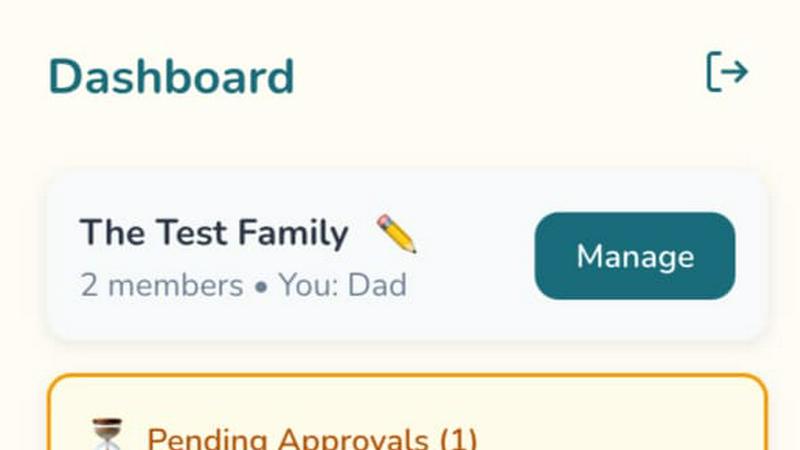
Feature Comparison
BarBrain
Parallel Counting on Multiple Devices
BarBrain allows simultaneous use on multiple iOS and Android devices, enabling staff to count inventory in parallel. This feature significantly reduces the time spent on inventory tasks, making it an efficient solution for busy hospitality environments.
Extensive Product Catalog
With over 30,000 products in its catalog, BarBrain supports a wide variety of inventory items, from spirits and wines to food and essential supplies. This extensive range ensures that users can track and manage all their inventory seamlessly, regardless of the product type.
Automated Inventory Reports
After each inventory count, BarBrain generates a comprehensive and finished inventory report automatically. This eliminates the need for manual data entry or post-count processing, saving time and reducing the risk of human error.
Food Level Slider for Opened Items
BarBrain simplifies the process of tracking food and beverage products with an intuitive fill-level slider for opened items. This feature enables staff to quickly and accurately record both opened and unopened units with just a single tap, enhancing inventory accuracy.
About LunoKid
Gamified Chore Management
LunoKid transforms everyday chores into an exciting game for kids. Parents can set up tasks with clear instructions and point values, making it easy for children to understand what they need to do and how much they can earn.
Virtual Pet Companion
The app includes a virtual pet named Luno that grows and evolves based on the completion of chores. This feature not only motivates children to complete tasks but also adds an element of companionship, making chores feel less like a chore.
AI Homework Helper
The "Ask Luno" feature offers an AI-powered homework assistant that helps kids tackle academic challenges. Instead of providing direct answers, it encourages critical thinking and problem-solving skills, enhancing the learning experience.
Custom Reward System
Parents can set up personalized rewards for their children based on the points they earn. This flexible system allows families to create a rewards structure that aligns with their values and encourages kids to stay engaged with their responsibilities.
Use Cases
BarBrain
Independent Bars
For independent bar owners, BarBrain offers a streamlined inventory management solution that saves time and reduces costs. By digitizing inventory processes, bars can focus more on customer service and less on administrative tasks.
Multi-Location Restaurants
Restaurants operating multiple locations benefit from BarBrain's ability to unify inventory management across sites. This feature provides a comprehensive overview of inventory usage and cost across all locations, allowing for better strategic planning and resource allocation.
Hotels and Hospitality Groups
Hotels can leverage BarBrain to maintain accurate inventory of food and beverage products across several departments. This comprehensive oversight ensures that hotels can efficiently manage resources and reduce waste, thus improving profitability.
Event Venues
Event venues with fluctuating inventory needs can utilize BarBrain to adapt their inventory management processes to a variety of events. This flexibility ensures that venues can manage supplies efficiently and respond to changing demands in real time.
LunoKid
Encouraging Responsibility in Children
Parents can use LunoKid to teach their children about responsibility by assigning them specific tasks. As kids complete these chores, they develop a sense of ownership and accountability for their assigned duties.
Fostering Healthy Routines
LunoKid helps families establish consistent daily habits by making task completion a fun activity. Children are more likely to engage with routines when they are gamified, leading to better overall organization within the household.
Managing Tasks in Multi-Child Households
In families with multiple children, LunoKid offers a fair and efficient way to track chores. Each child can have their own set of tasks and rewards, ensuring that everyone is treated equally and understands their responsibilities.
Supporting Homework and Learning
With the AI homework helper feature, children struggling with schoolwork can find support and guidance within the app. This not only aids in their academic development but also encourages them to take initiative in their learning process.
Overview
About BarBrain
BarBrain is a revolutionary inventory management software specifically designed for the hospitality industry, addressing the unique challenges faced by bar and restaurant owners. Traditional inventory methods often involve tedious hours spent counting stock and reconciling spreadsheets, leading to inefficiencies and inaccuracies. BarBrain streamlines this process, allowing users to conduct inventory counts in a fraction of the time, enhancing operational efficiency. The software provides precise calculations for cost per drink and dish, flags waste and shrinkage in real time, and consolidates supplier orders into one accessible platform. With BarBrain, operators benefit from a user-friendly interface that requires no extensive training. Whether managing a single bar or a multi-location restaurant group, BarBrain equips users with the critical data needed to protect profit margins, eliminate costly errors, and optimize inventory management.
About LunoKid
LunoKid is an innovative mobile application designed to transform household chores into an engaging and rewarding experience for children aged 5 to 12. By gamifying the process of completing daily tasks, LunoKid not only instills a sense of responsibility in kids but also alleviates the stress parents face in managing household chores. The app features a virtual pet named Luno, who serves as both a companion and motivator, evolving based on children's activities. Parents can assign tasks with specific point values, which kids can earn by completing chores. This system encourages children to take initiative while fostering good habits without the need for constant reminders. Additionally, the app includes an AI-powered homework helper that promotes problem-solving skills. LunoKid is particularly beneficial for multi-child households, busy families, and those looking to create structured routines in a fun and interactive manner, bridging the gap between parental expectations and children's desires.
Frequently Asked Questions
BarBrain FAQ
How does BarBrain improve inventory accuracy?
BarBrain enhances inventory accuracy by eliminating manual entry errors and providing real-time data on stock levels, ensuring users have access to reliable information for decision-making.
Is BarBrain easy to implement?
Yes, BarBrain is designed for easy implementation. Users can quickly set up their accounts, and the software's intuitive interface minimizes the need for extensive training.
Can I use BarBrain on multiple devices?
Absolutely! BarBrain supports simultaneous use on multiple iOS and Android devices, facilitating parallel counting and enhancing team efficiency during inventory tasks.
What types of products can I manage with BarBrain?
BarBrain's extensive catalog allows users to manage a wide range of products, including beverages, food items, and housekeeping supplies, making it suitable for various aspects of the hospitality industry.
LunoKid FAQ
What age is LunoKid for?
LunoKid is designed for children aged 5 to 12, making it suitable for early elementary through pre-teenage years, focusing on a developmental stage where responsibility can be cultivated.
Is LunoKid safe for kids?
Yes, LunoKid is designed with child safety in mind. It includes kid-friendly features and a secure environment, ensuring that children can use the app safely without exposure to inappropriate content.
How is LunoKid different from a sticker chart?
Unlike traditional sticker charts, LunoKid offers an interactive and engaging experience through gamification. Children earn points and rewards in a dynamic environment, making the completion of chores more exciting and motivating.
Can multiple kids use one parent account?
Absolutely! LunoKid is designed for multi-child households, allowing parents to manage tasks for several children from a single account, making chore management streamlined and efficient.
Alternatives
BarBrain Alternatives
BarBrain is a specialized inventory management tool designed specifically for the hospitality industry, helping bar and restaurant owners streamline their stock counting and management processes. By addressing the unique challenges faced in this sector, BarBrain transforms the traditionally tedious and time-consuming task of inventory management into a more efficient and accurate experience. This software allows operators to focus on their core business rather than getting bogged down by ineffective and generic solutions. Users often seek alternatives to BarBrain for various reasons, including pricing considerations, specific feature needs, or compatibility with existing platforms. When exploring alternatives, it is essential to look for solutions that cater to the distinctive requirements of the hospitality industry, such as ease of use, real-time data insights, and the ability to manage perishable goods effectively. A suitable alternative should not only meet functional needs but also provide a user-friendly experience that aligns with the operational workflows of bars and restaurants.
LunoKid Alternatives
LunoKid is an innovative app that falls under the category of educational tools designed to make household chores more engaging for children aged 5 to 12. By gamifying daily tasks, it helps foster responsibility and accountability in kids while providing parents with a manageable way to assign chores. As users explore the app, they often seek alternatives for various reasons, including pricing, specific feature sets, and compatibility with different platforms. It is essential to consider factors such as user interface, educational value, and how well the alternative can motivate children when making a choice. When searching for alternatives to LunoKid, users should look for apps that offer engaging features, similar gamified experiences, and the ability to track progress effectively. It is also beneficial to consider whether the alternative provides support for multiple children and how it incorporates educational elements that align with the values parents want to instill in their kids. Ultimately, the best choice will depend on individual family needs and preferences.