
DR Checker vs SERPView
Side-by-side comparison to help you choose the right product.
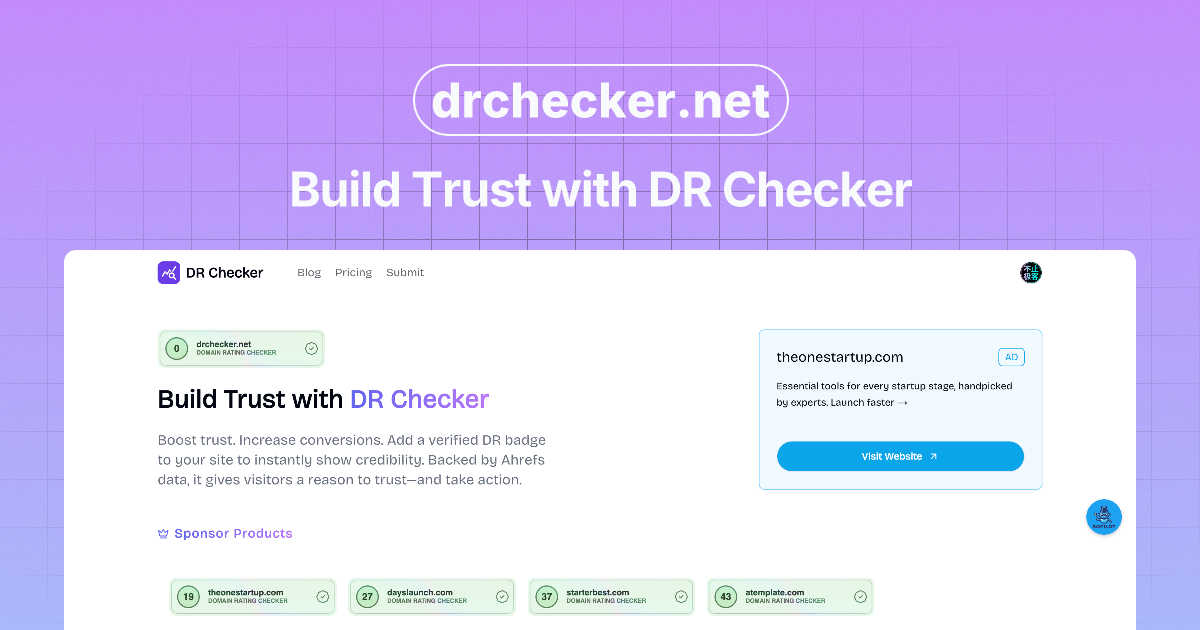
DR Checker enhances your online credibility by assessing and verifying domain reputation effortlessly.

SERPView
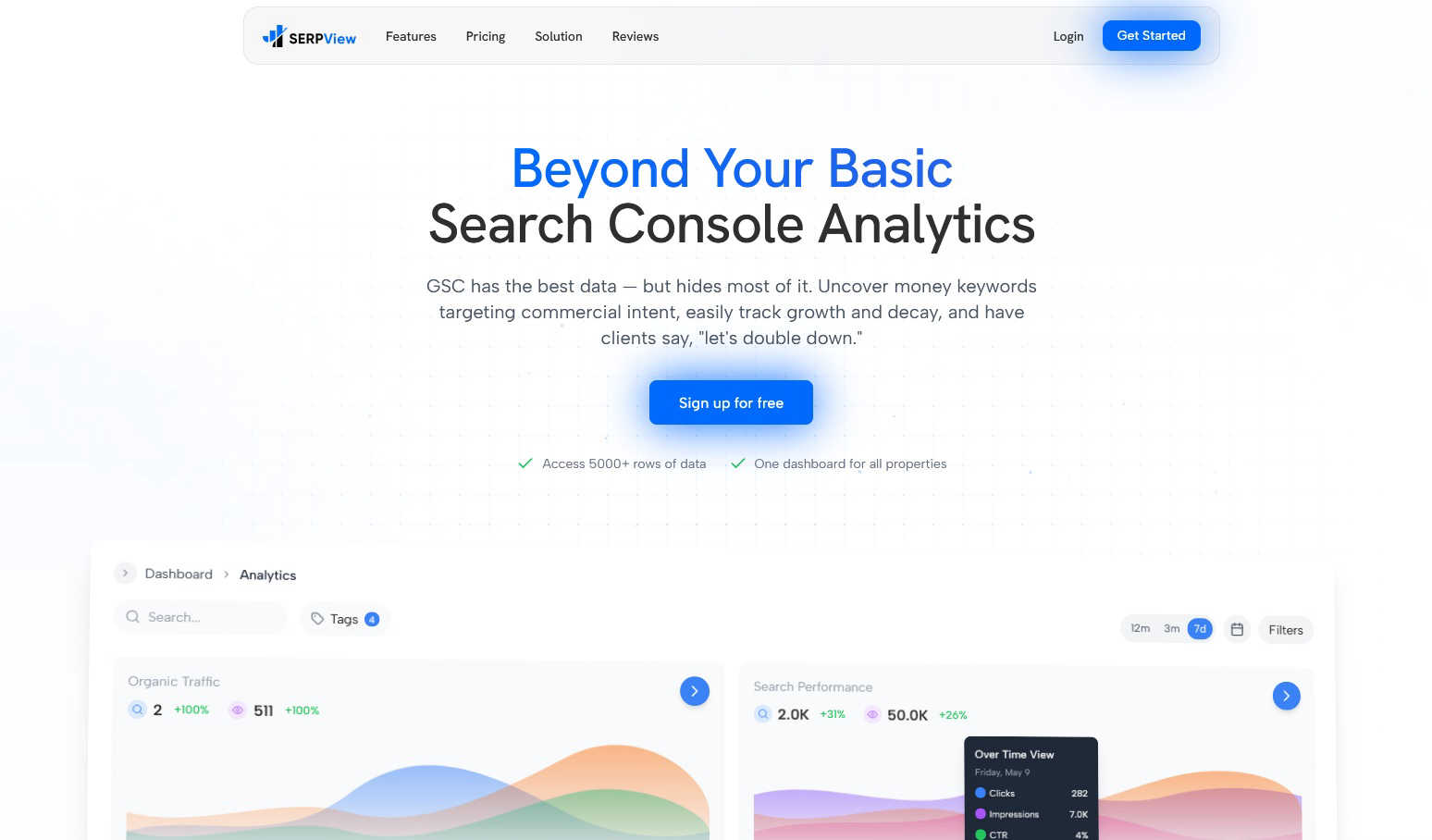
SERPView unlocks hidden Google Search Console insights for advanced SEO performance tracking and keyword analysis.
Last updated: March 1, 2026
Visual Comparison
DR Checker
SERPView
Feature Comparison
DR Checker
Comprehensive Link Scanning
DR Checker employs advanced crawling technology to thoroughly scan websites for broken links, invalid URLs, and other problematic connections. This feature helps identify issues that can negatively impact user experience and SEO performance.
Actionable Insights
The platform provides users with detailed reports and actionable insights, enabling them to understand the issues affecting their website. These insights guide users in making informed decisions to rectify problems and enhance website reliability.
User-Friendly Interface
Despite its sophisticated capabilities, DR Checker boasts an intuitive and user-friendly interface. This design ensures that both technical experts and non-technical users can navigate the platform effortlessly, making it accessible for everyone.
Real-Time Monitoring
DR Checker offers real-time monitoring of links and connections, allowing users to stay updated on their website's health. This proactive approach enables immediate action to be taken on any newly detected issues, thus safeguarding the integrity of the website.
About SERPView
Expanded Data Access & Performance Tracking
SERPView fundamentally removes the data ceiling imposed by Google Search Console, allowing users to export and analyze up to 50,000 rows of historical performance data. This feature enables comprehensive tracking of clicks, impressions, click-through rate (CTR), and average position across an entire site's keyword portfolio without sampling or arbitrary limits. Users can perform deep-dive analyses over extended periods, identify long-term trends, and make strategic decisions based on complete datasets rather than fragmented snapshots, ensuring no critical insight is overlooked due to platform constraints.
Unified Multi-Property Dashboard
This feature consolidates data from multiple Google Search Console properties and websites into a single, centralized interface. Users can connect various domains, subdomains, and URL-prefix properties to view aggregated or comparative analytics without manually logging in and out of different accounts. It streamlines workflow for agencies and businesses managing numerous sites, providing a holistic view of organic search performance and enabling efficient cross-property benchmarking and reporting from one location.
Advanced Keyword & Page Analysis
SERPView provides specialized modules for dissecting keyword and page performance beyond surface-level metrics. The Keyword Analysis tool helps identify "money keywords" with commercial intent and tracks precise ranking fluctuations. Simultaneously, the Page Analysis feature pinpoints top-performing and underperforming content, revealing optimization opportunities by showing which pages drive traffic and which lag in rankings, facilitating targeted content audits and updates.
Mobile vs. Desktop & International SEO Insights
The platform offers dedicated comparative analytics for device and geographical performance. Users can segment data to analyze how their site performs on mobile versus desktop devices, identifying potential UX or technical SEO issues specific to each. Furthermore, the International SEO Insights feature breaks down traffic and rankings by country, allowing marketers to tailor their global SEO strategy, understand regional market penetration, and optimize for specific locales.
Use Cases
DR Checker
Website Maintenance for Businesses
Businesses can utilize DR Checker to maintain their websites by regularly scanning for broken links and invalid URLs. This helps ensure a seamless user experience and enhances the overall credibility of the business's online presence.
SEO Optimization for Digital Marketers
Digital marketers can leverage DR Checker to optimize their SEO strategies. By identifying broken links and invalid URLs, marketers can improve their website rankings and enhance organic search visibility, ultimately driving more traffic.
Quality Assurance for Developers
Web developers can use DR Checker as part of their quality assurance processes. By integrating link scanning into their workflow, developers can ensure that newly built or updated websites are free from broken links before they go live.
Security Enhancement for Online Platforms
Online platforms can utilize the real-time monitoring feature of DR Checker to enhance their security. By identifying potentially malicious links, platforms can take swift action to protect their users and maintain a secure browsing environment.
SERPView
SEO Agency Reporting and Client Management
SEO agencies utilize SERPView to manage reporting for multiple clients efficiently. By connecting all client GSC properties to one dashboard, agencies can automate data aggregation, create customized reports with advanced filters, and provide clients with clear, actionable insights into campaign performance, keyword progress, and ROI, all while saving countless hours previously spent on manual data compilation from disparate sources.
In-depth Content Strategy Optimization
Content managers and SEO specialists use SERPView's Page and Keyword Analysis features to audit and refine their content strategy. By identifying which pages rank for valuable commercial keywords and which high-potential keywords are not being targeted, they can prioritize content updates, plan new topic clusters, and re-optimize underperforming articles to better align with search intent and drive more qualified organic traffic.
Technical SEO and Site Health Monitoring
Technical SEO experts leverage the platform's expanded data access and filtering to diagnose site-wide issues. By analyzing performance drops across large sets of keywords or pages, correlating them with Google algorithm updates via annotations, and comparing mobile vs. desktop performance disparities, they can pinpoint technical problems like indexing errors, mobile usability issues, or penalties impacting search visibility.
Global Enterprise SEO Strategy
Large organizations with international websites use SERPView's unified dashboard and country-specific insights to coordinate global SEO efforts. Teams can track performance across different regional domains and languages from a single platform, allocate resources based on regional opportunity, and ensure local SEO strategies are data-informed and aligned with overarching business goals.
Overview
About DR Checker
DR Checker is an innovative web-based service meticulously designed to bolster both website performance and security by identifying and addressing problematic links. It caters specifically to website owners, developers, and digital marketers who are invested in maintaining a robust online presence. DR Checker scans websites meticulously to detect issues such as broken links, invalid URLs, and potentially harmful connections that may adversely affect user experience or search engine optimization (SEO) rankings. The platform provides actionable insights that empower users to uphold a clean and trustworthy online environment. By leveraging advanced crawling technology, DR Checker ensures comprehensive reports that highlight critical issues including 404 errors, expired domains, and links leading to suspicious sites. The intuitive interface of DR Checker simplifies website maintenance, making it accessible for both technical and non-technical users. This emphasis on user-friendliness and detailed reporting positions DR Checker as an essential tool in the digital toolkit of any entity looking to optimize their website efficiently.
About SERPView
SERPView is a sophisticated, cloud-based analytics and reporting platform engineered to unlock the full potential of data from Google Search Console (GSC). It is designed explicitly for SEO professionals, digital marketers, and website owners who find the native GSC interface limiting for deep, strategic analysis. The core value proposition of SERPView lies in its ability to transcend the inherent restrictions of Google's platform, most notably by providing access to over 50,000 rows of performance data compared to GSC's 1,000-row cap. This allows for comprehensive, unfiltered insights into keyword rankings, page performance, and search traffic trends. Beyond sheer data volume, SERPView aggregates multiple GSC properties into a single, unified dashboard, eliminating the need to switch between accounts manually. The platform enriches this data with advanced analytical features such as granular mobile versus desktop performance breakdowns, international SEO tracking, query counting, and visual annotations for Google algorithm updates. By transforming raw, siloed GSC data into actionable, shareable intelligence, SERPView empowers users to make data-driven decisions, identify untapped opportunities, and significantly enhance their overall organic search strategy and reporting efficiency.
Frequently Asked Questions
DR Checker FAQ
What types of problems can DR Checker identify?
DR Checker can identify various issues including broken links, invalid URLs, 404 errors, and links to potentially harmful or expired domains, thus covering a broad spectrum of website health concerns.
How often should I use DR Checker?
It is recommended to use DR Checker regularly, such as monthly or bi-weekly, to ensure ongoing website health. Frequent scans can help catch issues early before they impact user experience or SEO.
Is DR Checker suitable for all types of websites?
Yes, DR Checker is designed to be versatile and can be used for all types of websites, from personal blogs to large e-commerce platforms, making it a valuable tool for any online presence.
Does DR Checker offer customer support?
Yes, DR Checker typically provides customer support to assist users with any questions or issues they may encounter while using the tool, ensuring a smooth user experience.
SERPView FAQ
How is SERPView different from Google Search Console?
SERPView is not a replacement for Google Search Console but a powerful analytics layer built on top of it. While GSC provides the raw data directly from Google, SERPView removes its limitations, such as the 1,000-row data cap and lack of multi-property aggregation. It offers advanced analytics, historical data access, custom reporting, and features like query counting and update annotations that are not available in the native GSC interface, transforming data into actionable business intelligence.
What data does SERPView access, and is it secure?
SERPView accesses data via the official Google Search Console API, using secure OAuth 2.0 authentication. It only reads performance data (clicks, impressions, CTR, position, queries, pages) that you already have access to in your GSC account. The platform does not have permission to modify any settings on your Google properties or websites. Data is encrypted in transit and at rest, adhering to industry-standard security practices to ensure your information remains protected.
Can I track historical data that wasn't collected before I signed up?
SERPView can access and import the 16 months of historical performance data that Google Search Console retains via its API. Once you connect your GSC property, the platform will pull in all available historical data up to that limit. For ongoing tracking, SERPView will continuously sync new data, building a comprehensive, long-term performance database for your site moving forward.
Is SERPView suitable for beginners in SEO?
Yes, while SERPView offers deep analytical capabilities for experts, its intuitive dashboard and visual reporting make it accessible for beginners. Users unfamiliar with GSC's complexities can benefit from the organized presentation of key metrics, clear visualizations of trends, and guided insights that highlight opportunities. It serves as an educational tool that helps newer marketers understand SEO performance more clearly than the native GSC interface.