
Sketch To vs Vailo AI
Side-by-side comparison to help you choose the right product.
Sketch To
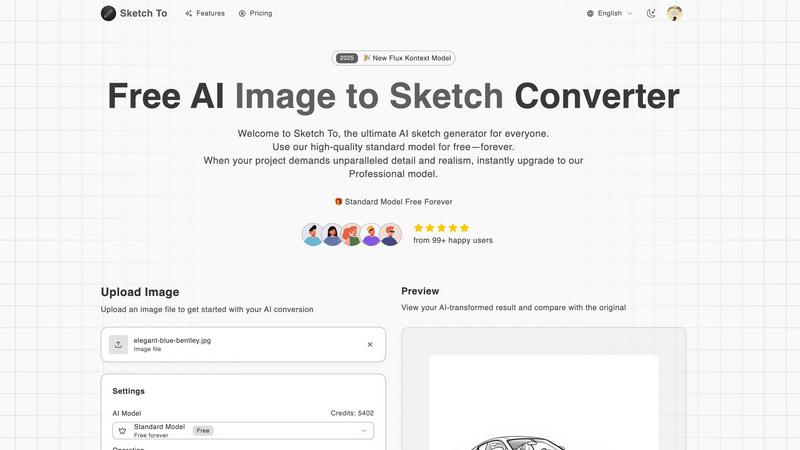
Sketch To uses advanced AI to instantly convert images into sketches or sketches into realistic images.
Last updated: March 2, 2026

Vailo AI
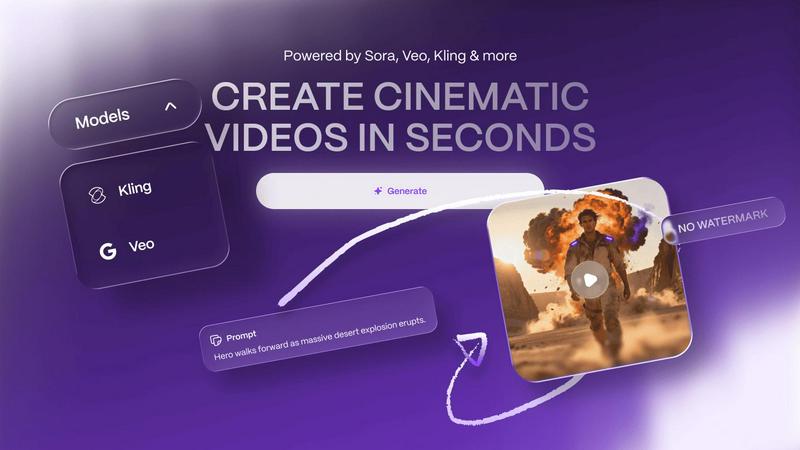
Vailo AI effortlessly creates stunning, watermark-free videos and images from your text and images, no design skills.
Last updated: February 28, 2026
Visual Comparison
Sketch To
Vailo AI
Feature Comparison
Sketch To
Dual AI Model Architecture
Sketch To's foundational feature is its two-tiered AI system, designed to cater to different user needs and project requirements. The Standard Model is a powerful, credit-based engine perfect for personal projects, social media content, and educational purposes, offering users trial credits to begin exploration. The Professional Model represents the pinnacle of the platform's technology, utilizing advanced algorithms to deliver world-class realism, intricate detail, and superior accuracy, making it suitable for commercial artwork, professional portfolios, and any project where premium quality is non-negotiable.
Extensive Artistic Style Library
The platform provides users with a diverse and expanding selection of predefined artistic styles to apply during conversion. This library includes, but is not limited to, Pencil Sketch, Charcoal Sketch, Ink Sketch, Colored Pencil, Comic Sketch, Concept Art, Figure Sketch, Watercolor, and Digital Sketch styles. This variety allows for precise creative direction, enabling users to match the output to a specific aesthetic, whether aiming for a classic hand-drawn look or a modern digital illustration effect, without requiring manual artistic skill.
Instant High-Resolution Processing
Leveraging a powerful cloud-based AI processing engine, Sketch To delivers conversion results within seconds, irrespective of the model selected. This instant processing is coupled with the ability to output creations in high resolution. The generated sketches and images are suitable for both digital use and professional print applications, ensuring that users receive a final product that maintains quality and clarity across various mediums and sizes.
Intuitive Comparison and Preview Interface
A key operational feature is the interactive preview panel that allows users to directly compare the AI-transformed result with the original uploaded file. Utilizing a "drag to compare" slider mechanism, creators can meticulously evaluate the conversion's accuracy, detail preservation, and artistic effect. This immediate visual feedback loop is crucial for iterative creative work and ensures user satisfaction before downloading the final high-resolution file.
Vailo AI
User-Friendly Workspace
Vailo AI provides an intuitive user interface that consolidates all necessary tools into one platform. This eliminates the hassle of switching between different applications, allowing users to focus on their creative process.
Advanced Video Generation
Vailo AI can generate high-quality videos from simple textual prompts or static images, enabling users to create cinematic content quickly and efficiently without needing extensive video production expertise.
Extensive Editing Tools
The platform includes a robust suite of editing tools for both images and videos. Users can modify their creations to fit their specific needs, ensuring that the final product aligns with their vision.
Premium Model Access
With Vailo AI, users gain access to multiple premium AI models, providing them with the capability to produce studio-level work. This feature is particularly beneficial for professionals seeking high-quality results without the traditional barriers of entry.
Use Cases
Sketch To
Professional Design and Concept Art
Graphic designers, concept artists, and architects can use the Sketch to Image AI capability to rapidly visualize and render preliminary sketches into polished, realistic images or detailed scenes. This accelerates the concept development phase, provides compelling visuals for client presentations, and can serve as a base for further digital painting or 3D modeling, significantly enhancing workflow efficiency and creative communication.
Social Media and Content Creation
Content creators, marketers, and social media managers can utilize the Image to Sketch conversion to generate unique, eye-catching artwork from standard photographs. Transforming product photos, portraits, or travel images into elegant pencil or comic sketches can greatly increase engagement on platforms like Instagram, Pinterest, and Facebook, providing a consistent stream of original, artistic content that stands out in crowded feeds.
Educational and Artistic Development
Students, art enthusiasts, and hobbyists can employ the Standard Model as an educational tool to study the relationship between light, shadow, and form in different artistic mediums. By converting personal photos into various sketch styles, users can analyze artistic techniques, gain inspiration for traditional drawing, and experiment with their creative vision in a low-stakes, accessible digital environment, fostering artistic growth.
Personalized Gift and Merchandise Creation
Individuals and small businesses can create personalized gifts, custom illustrations, and merchandise by converting cherished photographs into stylized sketches. A family portrait can be transformed into a classic charcoal drawing, or a pet photo into a whimsical watercolor sketch, which can then be printed on canvases, mugs, or t-shirts, offering a unique and sentimental product for personal use or sale.
Vailo AI
Content Creation for Marketing
Businesses can leverage Vailo AI to produce engaging advertisements and promotional videos quickly. By simply inputting text or images, marketing teams can generate compelling content that resonates with their audience.
Social Media Content Generation
Content creators and influencers can use Vailo AI to create eye-catching short-form videos and images for social media platforms. This allows them to maintain an active online presence without investing significant time and resources.
Storyboarding and Pre-Production
Filmmakers and animators can utilize Vailo AI to generate animated storyboards, facilitating the pre-production process. This feature streamlines planning and helps visualize scenes before actual filming begins.
Product Showcasing
E-commerce businesses can create dynamic product showcases with Vailo AI, showcasing their items through engaging videos and images. This enhances customer interaction and can lead to increased sales conversions.
Overview
About Sketch To
Sketch To is a sophisticated, cloud-based artificial intelligence platform engineered for bidirectional artistic transformation between photographs and sketches. It serves as a comprehensive digital atelier, enabling users to convert standard images into a wide array of sketched artistic styles and, uniquely, to transform rudimentary or detailed sketches into photorealistic images. The tool is architected for a broad spectrum of users, from casual hobbyists and students to professional illustrators, graphic designers, and architects, democratizing advanced artistic conversion technology. Its core value proposition lies in its dual AI model system: a robust Standard Model available with free trial credits for everyday creative exploration, and a high-fidelity Professional Model engineered for commercial-grade output requiring exceptional detail, texture, and realism. Operating entirely online, Sketch To eliminates the need for complex software installation or high-end hardware, providing instant, accessible processing powered by a powerful cloud infrastructure. By bridging the gap between photographic reality and artistic interpretation, and vice versa, Sketch To establishes itself as an essential, versatile resource for modern digital creativity and professional visual asset creation.
About Vailo AI
Vailo AI is a pioneering generative-AI studio that aims to democratize the creation of high-quality video and image content. By offering a unified platform, Vailo AI enables users to transform textual prompts or static images into cinematic-grade videos in mere seconds. This innovative tool is designed for a diverse range of creative professionals and businesses, including content creators, filmmakers, graphic designers, and marketing teams. Vailo AI's core value proposition lies in its ability to consolidate multiple advanced AI capabilities into a single, user-friendly workspace, allowing users to produce studio-level content such as user-generated content (UGC) advertisements, dynamic product showcases, animated storyboards, and short-form social media clips. The platform eliminates the need for traditional physical cameras, production crews, and complex editing software, making high-quality content creation accessible to everyone. With a free tier that does not impose watermarks, Vailo AI ensures immediate accessibility. The latest V2 iteration introduces a professional-grade interface and a comprehensive suite of tools for both image and video manipulation, along with access to multiple top-tier AI models for generating and refining content.
Frequently Asked Questions
Sketch To FAQ
What is the difference between the Standard and Professional models?
The Standard Model is designed for general use, offering high-quality conversions suitable for personal projects, social media, and hobbies. It operates on a credit system. The Professional Model utilizes more advanced AI algorithms to deliver superior detail, enhanced texture accuracy, and greater realism, making it the preferred choice for commercial work, professional art, and any application where the highest fidelity is required. The Pro model typically consumes more credits per conversion due to its increased computational complexity.
How do I get started with Sketch To for free?
New users can sign up for an account on the Sketch To platform to receive complimentary trial credits. These credits can be used to experience the Standard Model's Image to Sketch and Sketch to Image conversion capabilities. Simply upload a file, select your desired style, and generate a conversion to explore the tool's functionality without an initial financial commitment.
What file formats and sizes does Sketch To support?
Sketch To supports common image file formats for upload, including JPG, PNG, and others as indicated. There is a maximum file size limit for uploads, typically around 5MB for the initial input, to ensure swift processing. The final output is provided as a high-resolution image file suitable for download and use in various digital and print contexts.
Can I use Sketch To for commercial projects?
Yes, Sketch To can be used for commercial projects. It is explicitly recommended to use the Professional Model for commercial purposes due to its superior output quality and detail, which meets higher professional standards. Users should ensure they have the appropriate rights to the original images they are converting. Outputs from the Professional Model are designed to be of sufficient quality for inclusion in commercial artwork, marketing materials, and products.
Vailo AI FAQ
What types of media can I create with Vailo AI?
You can create a variety of media types, including high-quality videos and images, animated storyboards, and promotional content, all tailored to meet your creative needs.
Is there a free version of Vailo AI?
Yes, Vailo AI offers a free tier that allows users to start creating with 40 credits, enabling access to all image and video tools without any watermarks.
Can I edit my existing images or videos on Vailo AI?
Absolutely. Vailo AI provides robust editing tools that allow users to modify their existing images and videos, enhancing them to fit their specific requirements.
Do I need any prior design experience to use Vailo AI?
No prior design experience is required to use Vailo AI. The platform is designed to be user-friendly, making it accessible to anyone, regardless of their skill level.
Alternatives
Sketch To Alternatives
Sketch To is an AI-powered online tool within the image and photo editing category, specializing in the bidirectional conversion between photographs and artistic sketches. Its core function leverages advanced artificial intelligence to provide users with a straightforward method for creative transformation without requiring installed software. Users may seek alternatives to Sketch To for various reasons, including specific budgetary constraints, the need for different artistic styles beyond photorealistic or sketch outputs, or a requirement for tools integrated into a larger creative suite. Platform dependency, such as needing a desktop application or a mobile app, and varying demands for output resolution and commercial licensing are also common factors driving the search for other options. When evaluating an alternative, key considerations should include the primary artistic direction of the tool—whether it focuses on sketches, paintings, or other effects—its pricing model and transparency, the quality and speed of AI processing, and the suitability of its license for intended use, be it personal, professional, or commercial. The availability of a free tier for testing and the overall user experience are also critical decision points.
Vailo AI Alternatives
Vailo AI is a generative AI platform that specializes in transforming text and images into high-quality video content. Positioned within the creative studio category, it serves a diverse range of professionals, including filmmakers, marketers, and graphic designers, by streamlining the video production process. Users often seek alternatives due to varying needs such as pricing, feature sets, and platform compatibility. As the landscape of generative AI evolves, factors like ease of use, access to different AI models, and the capabilities of text and image manipulation become crucial in selecting the right tool for creative endeavors. When exploring alternatives, it is important to consider the specific functionalities that align with your creative projects. Look for platforms that offer a user-friendly interface, a variety of AI models to suit different artistic styles, and robust support for both video and image generation. Evaluating customer support, scalability, and integration capabilities with existing workflows can also help ensure that the chosen alternative meets your unique requirements and enhances your content creation process.