
Hush Touch | Voice-to-Text for MacOS vs WearView
Side-by-side comparison to help you choose the right product.

Hush Touch | Voice-to-Text for MacOS
Hush Touch is an offline voice-to-text app for Mac that learns your vocabulary and ensures accurate transcription.
Last updated: February 26, 2026

WearView
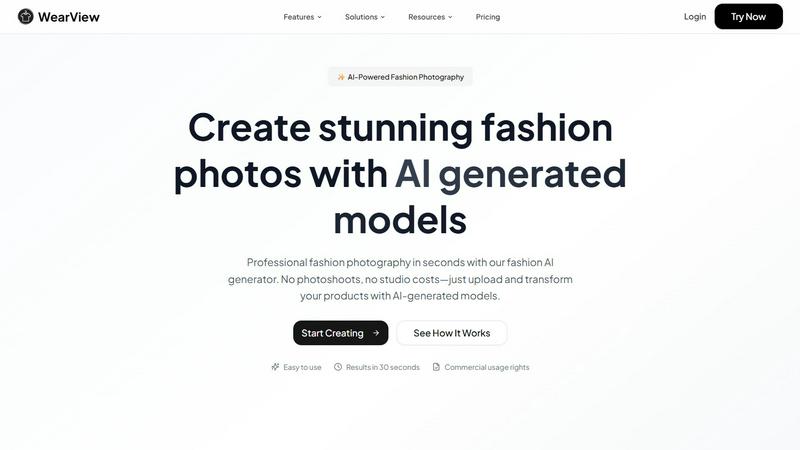
WearView instantly transforms flat clothing photos into realistic AI model visuals for fashion e-commerce.
Last updated: March 1, 2026
Visual Comparison
Hush Touch | Voice-to-Text for MacOS

WearView
Feature Comparison
Hush Touch | Voice-to-Text for MacOS
Dual-Engine Recognition
Hush Touch employs a dual-engine recognition system that combines the capabilities of DictationTranscriber and SFSpeechRecognizer. This powerful blend ensures natural flow and accurate punctuation while boosting your custom vocabulary. The final text output benefits from an additional pass by Apple Intelligence, enhancing overall transcription accuracy.
Smart Text Processing
This feature allows Hush Touch to process your speech intelligently, removing filler words and correcting common mistakes in real time. The app can detect recurring phrases and format lists automatically, making dictation smoother and output more polished without requiring extensive manual editing.
Custom Vocabulary Learning
Hush Touch supports a custom vocabulary of up to 500 terms, which can learn from your corrections over time. This feature is especially beneficial for users who frequently utilize specialized terminology, including medical terms, technical jargon, or brand names, ensuring that the app recognizes your unique language.
Context Modes & Hands-Free Dictation
With four distinct context modes—General, Email, Code, and Notes—Hush Touch provides tailored dictation experiences for various writing tasks. It also supports hands-free operation, allowing users to initiate dictation using Siri or a hotkey, with automatic text insertion after a brief pause, enhancing convenience and workflow efficiency.
WearView
AI Virtual Try-On Studio
This core feature allows users to visualize how different outfits appear on various AI-generated models with photorealistic accuracy. Users can upload a garment image and seamlessly superimpose it onto a chosen model, enabling instant virtual fitting sessions. This technology provides a dynamic way to present products, offering customers a more realistic and engaging shopping experience that closely mirrors an in-store try-on, thereby reducing uncertainty and potential returns.
Product to Model Transformation
This functionality is designed to transform basic product photos, such as flat lays or images on mannequins, into complete lifestyle shots on human models. The AI intelligently interprets the garment's fit, drape, and texture, rendering it naturally on the model's body within a selected pose and background. It effortlessly bridges the gap between simple e-commerce catalog images and aspirational, context-rich photography that tells a brand story and connects emotionally with consumers.
AI Model Creation and Consistency
WearView provides tools to generate unique, diverse AI models from textual descriptions, offering full control over ethnicity, age, body type, and style. Crucially, the platform's Brand Consistency feature ensures that once a specific AI model persona is created, it can be reliably reproduced and used across multiple campaigns and photoshoots. This allows brands to build a recognizable and cohesive visual identity without the variability and scheduling challenges associated with human models.
AI Pose Control and Video Animation
Beyond static imagery, WearView offers precise AI Pose Control, enabling users to direct and adjust model poses, angles, and compositions to create catalog-ready or creatively specific imagery. Furthermore, the AI Fashion Video Generator brings static photos to life by animating models in dynamic motion. This feature is essential for creating engaging short-form video content for social media, advertisements, and website banners, adding a layer of depth and movement to digital fashion presentations.
Use Cases
Hush Touch | Voice-to-Text for MacOS
Drafting Emails
Hush Touch is ideal for busy professionals who need to draft emails quickly. By dictating their messages, users can maintain productivity and focus on their thoughts without the distraction of typing, all while enjoying the app's intelligent text processing features.
Creating Notes
Students and professionals can leverage Hush Touch to take notes during lectures or meetings. The app captures spoken information accurately, allowing users to concentrate on the content rather than the mechanics of writing, ultimately improving retention and understanding.
Writing Documents
Writers and content creators can use Hush Touch to compose articles, reports, or other lengthy documents. The adaptive learning and custom vocabulary features ensure that the output aligns with their unique style and terminology, making writing more efficient and enjoyable.
Transcribing Meetings
Hush Touch is an excellent tool for transcribing meetings or interviews. Users can simply dictate the conversation as it unfolds, with the app capturing key points, action items, and follow-up tasks accurately, thus streamlining communication and documentation processes.
WearView
E-commerce Product Listing Enhancement
Online retailers can use WearView to rapidly generate large volumes of professional, on-model photos for their entire product catalog. This transforms basic inventory images into compelling lifestyle visuals that showcase fit and style, significantly improving product page aesthetics. Enhanced listings lead to higher customer confidence, reduced perceived risk, and directly contribute to increased conversion rates and average order values, as demonstrated by platform metrics.
Agile Fashion Marketing and Campaigns
Marketing teams and agencies can leverage WearView to produce visual assets for time-sensitive campaigns, seasonal launches, or promotional events with unprecedented speed. The ability to generate diverse model shots in seconds allows for rapid A/B testing of visuals, creation of targeted ads for different demographics, and consistent output across email marketing, social media, and digital ads without the lead times and costs of traditional photoshoots.
Inclusive and Diverse Brand Representation
Brands committed to inclusivity can utilize the AI Model Creation feature to effortlessly generate a wide spectrum of models representing various ethnicities, ages, and body types. This enables brands to authentically reflect their diverse customer base in their imagery, fostering a stronger connection with broader audiences and aligning with modern consumer expectations for representation and authenticity in advertising.
Cost-Effective Content for Small Businesses and Startups
Independent designers, small fashion labels, and startup e-commerce stores can achieve a high-end visual presence without the prohibitive upfront investment of a professional photoshoot. WearView democratizes quality, allowing small businesses to create a polished, competitive brand image, test new designs visually before production, and allocate their limited budgets to other critical areas of growth while maintaining professional content standards.
Overview
About Hush Touch | Voice-to-Text for MacOS
Hush Touch is an innovative voice-to-text application designed specifically for macOS users, offering a seamless and private dictation experience. This app distinguishes itself by operating entirely on-device, ensuring that your voice data remains secure and confidential. With a lightweight installation package of just 5.5 MB, Hush Touch integrates effortlessly into everyday writing workflows, whether you're drafting emails, creating notes, or composing documents. The application harnesses the power of two Apple transcription engines, enhancing accuracy and fluency in real-time transcription. Hush Touch is ideal for professionals, students, and anyone who values efficiency and privacy in their dictation processes. By learning your vocabulary and preferences over time, it delivers polished text output while eliminating filler words and improving punctuation. With a one-time purchase of $20 for a lifetime license, Hush Touch is an economically sensible choice for users seeking reliable voice dictation without recurring subscription costs.
About WearView
WearView is an advanced, AI-powered virtual try-on and fashion photography platform engineered to transform the operational and creative workflows of the fashion and e-commerce industries. At its core, WearView specializes in converting standard flat-lay or on-hanger product images into high-quality, photorealistic visuals featuring AI-generated models wearing the garments. This technology eliminates the traditional, resource-intensive requirements of professional photoshoots, such as hiring models, photographers, securing studio space, and managing lengthy post-production editing. The platform is designed for a broad spectrum of users, including fashion retailers, independent designers, e-commerce brands, digital marketers, and content creators who seek to produce compelling, diverse, and scalable visual content efficiently. Its primary value proposition lies in dramatically reducing visual production costs by up to 90% and accelerating time-to-market by a factor of ten, while simultaneously enhancing key business metrics like conversion rates, average order value, and ad engagement. By democratizing access to studio-quality imagery, WearView empowers businesses of all sizes to maintain a competitive edge with a consistent, professional, and inclusive visual identity across all digital marketing channels.
Frequently Asked Questions
Hush Touch | Voice-to-Text for MacOS FAQ
Is Hush Touch really a one-time purchase?
Yes, Hush Touch is available for a one-time fee of $20, which grants users a lifetime license. There are no hidden fees or subscription costs, making it a cost-effective choice for voice dictation software.
How does Hush Touch ensure my privacy?
Hush Touch processes all voice data entirely on your Mac, meaning there is no cloud dependency or data collection involved. This on-device processing ensures your dictation remains private and secure.
Can I customize the vocabulary in Hush Touch?
Absolutely! Hush Touch allows users to create a custom vocabulary of up to 500 terms and learns from corrections made during dictation. This feature is particularly useful for professionals who use specialized language.
What are the system requirements for Hush Touch?
Hush Touch is specifically designed for macOS, ensuring compatibility with the latest Apple hardware and software updates. Users should have a Mac capable of running the latest version of macOS to ensure optimal performance.
WearView FAQ
How does WearView's AI ensure the clothing looks realistic on the model?
WearView employs sophisticated generative AI and computer vision algorithms trained on vast datasets of fashion imagery. The technology analyzes the uploaded garment's cut, fabric texture, patterns, and lighting. It then accurately simulates how the material would drape, fold, and interact with the virtual model's body shape and pose, including shadows and natural wrinkles, to produce a photorealistic composite that maintains the integrity of the original product's design.
Who owns the rights to the images generated by WearView?
WearView provides users with full commercial rights to all images generated on the platform. There are no ongoing usage fees, licensing complexities, or royalty payments. Every photograph or video created is the permanent intellectual property of the user, free to be used across websites, social media, paid advertising, print catalogs, and any other marketing channel in perpetuity.
What kind of input photo do I need to use WearView?
The platform is designed for flexibility. You can upload a photo of your clothing item in almost any state: laid flat on a surface, on a hanger, on a mannequin, or even on a person. While a clear, well-lit photo on a neutral background yields the best results, the AI is robust enough to work with various starting points, eliminating the need for professional photography equipment for the initial product shot.
Can I create videos with WearView?
Yes, in addition to static images, WearView includes an AI Fashion Video Generator feature. This tool can animate your AI-generated model shots, creating short, dynamic video clips that show models in motion. This is particularly valuable for creating engaging content for social media platforms like TikTok, Instagram Reels, and video advertisements, adding a modern and interactive element to your fashion marketing.
Alternatives
Hush Touch | Voice-to-Text for MacOS Alternatives
Hush Touch | Voice-to-Text for MacOS is a sophisticated voice-to-text application designed specifically for the macOS platform. It belongs to the AI Assistants category, providing users with a seamless dictation experience that prioritizes privacy by operating entirely offline. Users often seek alternatives to Hush Touch due to varying needs such as pricing, feature sets, platform compatibility, or specific functionalities that may better suit their unique workflows. When searching for alternatives, it is essential to consider factors such as the application’s ease of use, accuracy of transcription, and whether it operates offline or requires cloud connectivity. Additionally, users may want to evaluate the pricing model, including whether a one-time purchase or subscription service is more advantageous for their dictation needs. Understanding these aspects will aid in selecting the most suitable voice-to-text solution.
WearView Alternatives
WearView is an AI-powered virtual try-on and fashion visualization platform, categorized under AI assistants for creative and e-commerce workflows. It specializes in transforming flat product photos into realistic on-model imagery, helping brands create professional lifestyle content efficiently and at scale. Users may explore alternatives for various reasons, including budget constraints, specific feature requirements not fully met by a single platform, or the need for integration with particular e-commerce ecosystems or existing design software. The search often stems from a desire to compare core capabilities, pricing models, and the overall value proposition within this niche. When evaluating alternatives, key considerations should include the accuracy and photorealism of the virtual try-on output, the diversity and customizability of AI models, support for different content formats like images and video, ease of use, and the total cost of ownership. The ideal platform aligns with your production volume, quality standards, and operational workflow.