
CleanPaste.org vs Hush Touch | Voice-to-Text for MacOS
Side-by-side comparison to help you choose the right product.
CleanPaste.org
CleanPaste.org instantly removes invisible characters and AI watermarks from your text for free and without limits.
Last updated: March 2, 2026

Hush Touch | Voice-to-Text for MacOS
Hush Touch is an offline voice-to-text app for Mac that learns your vocabulary and ensures accurate transcription.
Last updated: February 26, 2026
Visual Comparison
CleanPaste.org
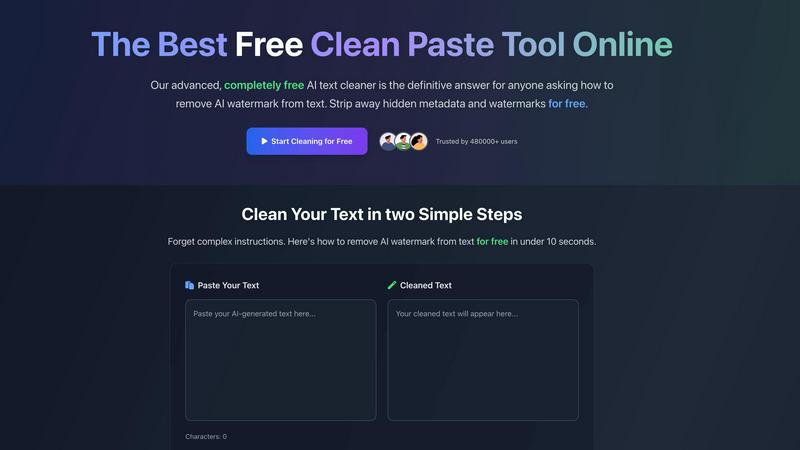
Hush Touch | Voice-to-Text for MacOS

Feature Comparison
CleanPaste.org
Instant Processing
With CleanPaste.org, users experience instant processing of their text. Simply paste your content into the tool and click the clean button to remove invisible characters and hidden metadata. The entire process is completed in seconds, making it highly efficient for users who need quick results.
Watermark Removal Mode
The dedicated watermark removal mode of CleanPaste.org allows users to strip AI watermarks seamlessly. This feature ensures that the original content remains unchanged while eliminating any traces of AI influence, thus enhancing the text's authenticity and helping it pass detection tests.
Comprehensive Character Stripping
CleanPaste.org employs sophisticated algorithms to deeply scan and eliminate all types of invisible characters, including zero-width spaces and hidden formatting artifacts. This comprehensive character stripping feature guarantees that your text is free from any unwanted elements that could hinder its readability or originality.
User-Friendly Interface
The user-friendly interface of CleanPaste.org makes it accessible for everyone, regardless of technical expertise. Users can easily navigate the platform, paste their text, and utilize all features without any prior experience. This simplicity enhances the overall user experience and encourages more people to take advantage of the tool.
Hush Touch | Voice-to-Text for MacOS
Dual-Engine Recognition
Hush Touch employs a dual-engine recognition system that combines the capabilities of DictationTranscriber and SFSpeechRecognizer. This powerful blend ensures natural flow and accurate punctuation while boosting your custom vocabulary. The final text output benefits from an additional pass by Apple Intelligence, enhancing overall transcription accuracy.
Smart Text Processing
This feature allows Hush Touch to process your speech intelligently, removing filler words and correcting common mistakes in real time. The app can detect recurring phrases and format lists automatically, making dictation smoother and output more polished without requiring extensive manual editing.
Custom Vocabulary Learning
Hush Touch supports a custom vocabulary of up to 500 terms, which can learn from your corrections over time. This feature is especially beneficial for users who frequently utilize specialized terminology, including medical terms, technical jargon, or brand names, ensuring that the app recognizes your unique language.
Context Modes & Hands-Free Dictation
With four distinct context modes—General, Email, Code, and Notes—Hush Touch provides tailored dictation experiences for various writing tasks. It also supports hands-free operation, allowing users to initiate dictation using Siri or a hotkey, with automatic text insertion after a brief pause, enhancing convenience and workflow efficiency.
Use Cases
CleanPaste.org
For Students
Students frequently use CleanPaste.org to ensure their essays and research papers are free from invisible characters and hidden metadata. By cleaning their drafts, they can submit work that appears entirely authentic and original, boosting their confidence during evaluations.
For Content Creators & Bloggers
Content creators and bloggers rely on CleanPaste.org to maintain their brand's voice and authenticity. By removing AI watermarks and invisible characters, they can ensure their content resonates naturally with their audience, enhancing engagement and trust.
For Professionals
Professionals in various fields utilize CleanPaste.org to polish their text, such as emails or reports. The tool helps them produce clean, professional documents free from unwanted characters, ultimately improving communication and presentation.
For Non-Native English Speakers
Non-native English speakers often use AI tools to aid in drafting text. CleanPaste.org is invaluable for them, as it helps remove AI traces and ensures that their writing sounds more natural and human-like, making it easier to communicate effectively.
Hush Touch | Voice-to-Text for MacOS
Drafting Emails
Hush Touch is ideal for busy professionals who need to draft emails quickly. By dictating their messages, users can maintain productivity and focus on their thoughts without the distraction of typing, all while enjoying the app's intelligent text processing features.
Creating Notes
Students and professionals can leverage Hush Touch to take notes during lectures or meetings. The app captures spoken information accurately, allowing users to concentrate on the content rather than the mechanics of writing, ultimately improving retention and understanding.
Writing Documents
Writers and content creators can use Hush Touch to compose articles, reports, or other lengthy documents. The adaptive learning and custom vocabulary features ensure that the output aligns with their unique style and terminology, making writing more efficient and enjoyable.
Transcribing Meetings
Hush Touch is an excellent tool for transcribing meetings or interviews. Users can simply dictate the conversation as it unfolds, with the app capturing key points, action items, and follow-up tasks accurately, thus streamlining communication and documentation processes.
Overview
About CleanPaste.org
CleanPaste.org is an innovative online tool specifically developed to eliminate AI watermarks, hidden metadata, and invisible characters from text. The platform is designed for a wide range of users, including students, content creators, and professionals who seek to enhance their writing's authenticity and originality. By employing advanced algorithms, CleanPaste.org processes text in mere seconds, ensuring that users can maintain the integrity of their content while effectively bypassing AI detection tools. The service is completely free, requiring no sign-up or payment, which significantly increases its accessibility and appeal. With over 480,000 satisfied users, CleanPaste.org has established itself as a reliable resource for anyone aiming to ensure their writing is perceived as entirely human-generated. This tool not only promotes textual clarity but also empowers users to present their ideas without the fear of being flagged for AI-generated content.
About Hush Touch | Voice-to-Text for MacOS
Hush Touch is an innovative voice-to-text application designed specifically for macOS users, offering a seamless and private dictation experience. This app distinguishes itself by operating entirely on-device, ensuring that your voice data remains secure and confidential. With a lightweight installation package of just 5.5 MB, Hush Touch integrates effortlessly into everyday writing workflows, whether you're drafting emails, creating notes, or composing documents. The application harnesses the power of two Apple transcription engines, enhancing accuracy and fluency in real-time transcription. Hush Touch is ideal for professionals, students, and anyone who values efficiency and privacy in their dictation processes. By learning your vocabulary and preferences over time, it delivers polished text output while eliminating filler words and improving punctuation. With a one-time purchase of $20 for a lifetime license, Hush Touch is an economically sensible choice for users seeking reliable voice dictation without recurring subscription costs.
Frequently Asked Questions
CleanPaste.org FAQ
How does CleanPaste.org remove invisible characters?
CleanPaste.org uses advanced algorithms to detect and strip invisible characters, zero-width spaces, hidden metadata, and AI watermarks from your text. Users simply paste their content and click clean, with all processing occurring instantly and efficiently.
Is CleanPaste.org truly free? What's the catch?
Yes, CleanPaste.org is completely free to use. There are no hidden fees, usage limits, or premium features that require payment. The platform is designed to provide everyone with a reliable tool for removing invisible characters and AI watermarks without any barriers.
What types of hidden characters does CleanPaste.org remove?
The tool effectively removes all types of invisible characters, including zero-width spaces, hidden metadata, AI watermarks, and any formatting artifacts that may detract from the clarity of your text. Every feature is available to users at no cost.
How can I be sure my text is completely clean after using CleanPaste.org?
After using CleanPaste.org, users can verify the cleanliness of their text by pasting it into an AI detection tool or a text editor. The absence of invisible characters and watermarks will be evident, confirming that the content appears entirely human-generated and original.
Hush Touch | Voice-to-Text for MacOS FAQ
Is Hush Touch really a one-time purchase?
Yes, Hush Touch is available for a one-time fee of $20, which grants users a lifetime license. There are no hidden fees or subscription costs, making it a cost-effective choice for voice dictation software.
How does Hush Touch ensure my privacy?
Hush Touch processes all voice data entirely on your Mac, meaning there is no cloud dependency or data collection involved. This on-device processing ensures your dictation remains private and secure.
Can I customize the vocabulary in Hush Touch?
Absolutely! Hush Touch allows users to create a custom vocabulary of up to 500 terms and learns from corrections made during dictation. This feature is particularly useful for professionals who use specialized language.
What are the system requirements for Hush Touch?
Hush Touch is specifically designed for macOS, ensuring compatibility with the latest Apple hardware and software updates. Users should have a Mac capable of running the latest version of macOS to ensure optimal performance.
Alternatives
CleanPaste.org Alternatives
CleanPaste.org is a free online tool designed to remove invisible characters, AI watermarks, and hidden metadata from text. It belongs to the category of AI Assistants, catering to a wide range of users, including students, content creators, and professionals who seek to enhance the originality and human-like quality of their writing. As the need for authentic content grows, many users seek alternatives for various reasons, including pricing, additional features, platform compatibility, or specific use cases that may not be fully addressed by CleanPaste.org. When choosing an alternative, users should consider key factors such as the effectiveness of watermark removal, the user interface and ease of use, any additional features like plagiarism checks, and the level of customer support available. It is also important to evaluate the security and privacy policies of any alternative tool to ensure that their content remains confidential and protected.
Hush Touch | Voice-to-Text for MacOS Alternatives
Hush Touch | Voice-to-Text for MacOS is a sophisticated voice-to-text application designed specifically for the macOS platform. It belongs to the AI Assistants category, providing users with a seamless dictation experience that prioritizes privacy by operating entirely offline. Users often seek alternatives to Hush Touch due to varying needs such as pricing, feature sets, platform compatibility, or specific functionalities that may better suit their unique workflows. When searching for alternatives, it is essential to consider factors such as the application’s ease of use, accuracy of transcription, and whether it operates offline or requires cloud connectivity. Additionally, users may want to evaluate the pricing model, including whether a one-time purchase or subscription service is more advantageous for their dictation needs. Understanding these aspects will aid in selecting the most suitable voice-to-text solution.