
conceptviz vs Image3D AI
Side-by-side comparison to help you choose the right product.

conceptviz
ConceptViz instantly creates clear, customized science and math diagrams for educators and researchers.
Last updated: February 28, 2026

Image3D AI
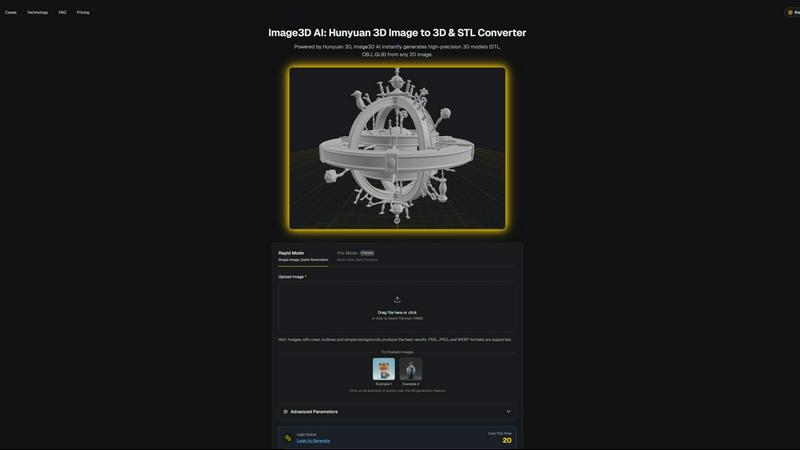
Image3D AI effortlessly converts 2D images into high-quality 3D models for printing and game development in minutes.
Last updated: March 1, 2026
Visual Comparison
conceptviz
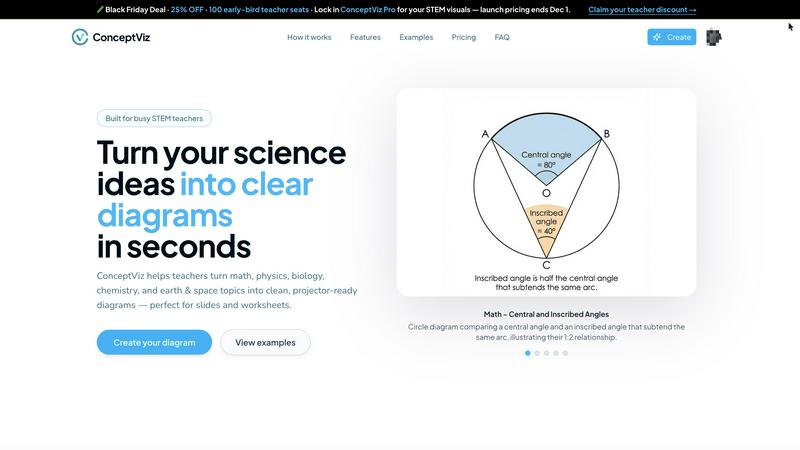
Image3D AI
Feature Comparison
conceptviz
Subject & Grade Presets
ConceptViz offers a structured starting point with pre-configured settings for core STEM subjects including Physics, Biology, Chemistry, Earth & Space, and Math. These presets are further tuned to align with specific educational levels, such as elementary, middle, and high school grade bands. This feature eliminates guesswork, ensuring that the generated diagrams use appropriate terminology, complexity, and visual representations for the target audience. Users do not need any prior design or drawing skills, as the presets handle the foundational stylistic and contextual parameters automatically.
Projector-Ready Clarity Design
Every diagram generated by ConceptViz is built with the practical realities of a classroom in mind. The tool employs design principles that guarantee optimal visibility. This includes the use of thick, high-contrast lines, legible label fonts, and simple, uncluttered backgrounds with minimal visual noise. This intentional design ensures that diagrams remain sharp and readable from any seat in a lecture hall, preventing the common issue of visuals becoming blurry or indistinct when projected, thereby making lessons accessible to all students.
Slide & Worksheet Integration
ConceptViz is built for seamless workflow integration. Diagrams are automatically generated in a widescreen aspect ratio that fits perfectly into standard presentation software like PowerPoint and Google Slides. They are also provided with clean white or light backgrounds ideal for printing on worksheets or lab reports without consuming excessive printer ink. Users can download high-resolution PNG files and directly paste them into their existing teaching materials, saving considerable time on formatting and resizing.
Plain-English Prompt Generation
The core of ConceptViz's user experience is its simple, natural language input system. Users can generate complex scientific diagrams by typing a short descriptive prompt. For example, "labeled plant cell cross-section for 8th grade" or "convex lens ray diagram with object between F and 2F." The AI interprets these instructions to produce an accurate visual, allowing educators to create diagrams that match their exact teaching narrative without navigating complex drawing tools or menus.
Image3D AI
Rapid Mode
Rapid Mode allows users to generate 3D models quickly from a single image. This feature is particularly useful for those needing immediate results, making it ideal for quick iterations during the design process. Users can upload images and receive a 3D model in about 60 seconds, streamlining workflows.
Pro Mode
For users requiring higher precision and detail, Pro Mode supports multi-view inputs to create intricate 3D models. This feature is essential for accurately capturing the dimensions and textures of real-world objects, providing a more comprehensive representation suitable for professional applications.
Multi-Format Exports
Image3D AI offers the flexibility to export generated 3D models in various formats, including STL, OBJ, and GLB. This multi-format export capability ensures that users can seamlessly integrate their 3D assets into different platforms, whether for 3D printing, game development, or web applications.
PBR Material Generation
The platform includes PBR (Physically Based Rendering) material generation, which enhances the realism of 3D models by simulating how materials interact with light. This feature is crucial for users in gaming and e-commerce, where visual fidelity is paramount for user engagement.
Use Cases
conceptviz
Enhancing Classroom Lesson Plans
Educators can use ConceptViz to rapidly create custom diagrams that directly illustrate key concepts in their daily lessons. Instead of relying on generic textbook images, a teacher can generate a specific diagram, such as "energy transformation in a roller coaster for middle school," to make abstract ideas like potential and kinetic energy tangible. These clear, tailored visuals can be inserted into slide decks to create more engaging, coherent, and professional presentations that improve student understanding and retention.
Creating Assessments and Worksheets
ConceptViz is invaluable for designing quizzes, tests, and homework assignments. Teachers can generate unique, accurate diagrams to accompany questions, ensuring visual consistency and avoiding copyright issues. For instance, creating a series of mitosis stage diagrams for a biology test or different free-body diagrams for a physics exam. This allows for the creation of high-quality, original educational materials that are perfectly aligned with the taught curriculum and learning objectives.
Supporting Student Projects and Lab Reports
Students and university researchers can utilize ConceptViz to produce professional-quality figures for their reports, theses, and presentation posters. A graduate student can describe a complex experimental setup, like an "acid-base titration apparatus with burette and flask," and receive a clean, labeled diagram to include in their paper. This empowers learners to communicate their scientific work clearly and effectively, meeting academic standards without requiring advanced graphic design software skills.
Developing Standardized Curriculum Resources
School districts, curriculum developers, and textbook publishers can employ ConceptViz to produce a bank of consistent, high-quality visual assets. By using standardized prompts and grade-level presets, they can ensure that diagrams across different chapters, subjects, and even schools maintain a uniform style and accuracy. This supports the scalable creation of coherent educational resources, from digital learning modules to printed workbooks, all featuring clear and reliable scientific visuals.
Image3D AI
Game Development
Game developers can utilize Image3D AI to generate high-quality, game-ready 3D assets from concept art and sketches. By streamlining the modeling process, developers can focus on creating immersive experiences without getting bogged down in the intricacies of traditional modeling.
E-commerce
E-commerce professionals can convert product images into interactive 3D models that can be showcased in online stores. This capability allows customers to engage with products in a more dynamic way, enhancing the shopping experience and potentially increasing conversion rates.
3D Printing
Image3D AI serves as an effective image to STL converter, producing high-precision files suitable for 3D printing. This feature is beneficial for designers and makers who need ready-to-print models without extensive manual intervention, saving time and resources.
Architecture and Design
Architects and designers can rapidly generate architectural models from concept sketches or images, significantly reducing the time required to create models from scratch. This efficiency allows for quicker iterations and more effective collaboration with clients and stakeholders.
Overview
About conceptviz
ConceptViz is a specialized diagram creation platform engineered for the unique demands of STEM (Science, Technology, Engineering, and Mathematics) education and research. It serves as a dedicated tool for educators, students, and researchers who require precise, clear, and pedagogically effective visual aids. The core function of ConceptViz is to transform complex scientific and mathematical concepts into projector-ready diagrams through an intuitive, text-based interface. Users simply describe the visual they need in plain English, and the tool generates a high-quality, tailored diagram. Its primary value proposition is a significant reduction in lesson preparation time, eliminating the need to scour the internet for imperfect or copyright-restricted images. Furthermore, it ensures visual clarity and consistency, with outputs specifically designed to remain legible on classroom projectors and in printed materials. By providing accurate, customizable visuals that align directly with curriculum standards and teaching methodologies, ConceptViz empowers educators to enhance student comprehension and engagement, allowing them to focus on instruction rather than graphic design.
About Image3D AI
Image3D AI is a groundbreaking AI-powered tool designed to transform the way users create 3D models from 2D images. By harnessing the advanced capabilities of Tencent's Hunyuan 3D engine, this innovative platform allows users to convert static images into high-quality, production-ready 3D assets in mere seconds. Catering to a diverse audience, including 3D printing aficionados, game developers, architects, and e-commerce professionals, Image3D AI effectively simplifies the intricate process of 3D modeling. Users can generate high-fidelity models from single images or multiple view inputs, ensuring flexibility in their creative endeavors. With functionalities such as multi-format exports and PBR material generation, Image3D AI is tailored to meet various application demands, making it an essential tool for anyone looking to produce customized 3D assets efficiently.
Frequently Asked Questions
conceptviz FAQ
What subjects and grade levels does ConceptViz support?
ConceptViz is specifically designed for STEM education, with dedicated presets and capabilities for Physics, Biology, Chemistry, Earth & Space Science, and Mathematics. It supports a wide range of educational levels, from elementary school (K-12) fundamentals, such as parts of a plant or states of matter, through middle and high school curricula, and up to university-level research concepts. The tool's prompt system allows for granular control to match the complexity required for each grade band.
Do I need any design experience to use ConceptViz?
No, absolutely no design or drawing experience is required. ConceptViz is built for educators and researchers, not graphic designers. The entire process is driven by describing what you need in simple, plain English. The platform's AI handles the technical aspects of layout, scaling, labeling, and styling based on your subject and grade-level selection, allowing you to focus solely on the educational content.
What file formats are the diagrams available in, and how do I use them?
ConceptViz provides diagrams as high-resolution PNG image files. This format is universally compatible and maintains quality when resized. The diagrams are pre-formatted in a widescreen aspect ratio ideal for direct insertion into presentation slides (PowerPoint, Google Slides, Keynote) and feature print-friendly backgrounds for use on worksheets. You simply download the generated image and paste or import it into your preferred document or presentation software.
Is there a free trial or a free plan available?
Yes, ConceptViz offers a free tier that allows users to create diagrams without requiring a credit card. This free plan includes access to core features and provides 4K Ultra HD resolution downloads, enabling users to fully test the platform's capabilities and integrate it into their teaching or research workflow before considering a paid subscription or lifetime deal purchase.
Image3D AI FAQ
What types of images work best for generating 3D models?
Images with clear outlines and simple backgrounds produce the best results. High-contrast images are preferable, while blurry or low-light images should be avoided.
How long does it take to generate a 3D model?
In Rapid Mode, a single image can be processed and converted into a 3D model in approximately 60 seconds. The time may vary based on the complexity of the input and the selected generation mode.
Can I use Image3D AI for professional projects?
Yes, Image3D AI is designed for a variety of professional applications, including game development, e-commerce, 3D printing, and architectural design, making it a versatile tool for professionals across industries.
What file formats can I export my 3D models in?
Users can export their 3D models in several formats, including STL for 3D printing, OBJ for traditional 3D editing, and GLB for modern web and augmented reality applications, ensuring compatibility with various software.
Alternatives
conceptviz Alternatives
ConceptViz is a specialized AI-powered diagram creation tool within the broader categories of educational technology, data visualization, and design software. It is engineered to help STEM educators and researchers transform intricate scientific and mathematical concepts into clear, projector-ready visual aids with minimal effort. Users may explore alternatives for several common reasons. These include seeking different pricing models or free tiers, requiring integration with specific platforms like learning management systems, needing more advanced or general-purpose design capabilities, or looking for tools that cater to different subject areas beyond STEM. The specific needs of an individual or institution often drive the search for a different solution. When evaluating an alternative, key considerations should include the tool's subject matter specialization, the quality and clarity of its output for educational settings, the ease and speed of the creation workflow, and the cost relative to the required features. The ideal alternative should effectively balance time savings with the ability to produce pedagogically sound visuals that enhance student comprehension.
Image3D AI Alternatives
Image3D AI is a groundbreaking software tool that belongs to the design tools category, specifically focusing on transforming 2D images into high-quality 3D models suitable for various applications like 3D printing and game development. Users who seek alternatives to Image3D AI often do so due to a variety of reasons, including pricing constraints, specific feature requirements, or compatibility with different platforms. As the landscape of 3D modeling tools continues to evolve, users may also seek solutions that better align with their unique workflows and project demands. When considering alternatives, it is essential to evaluate factors such as the range of supported export formats, the quality of generated models, ease of use, and the availability of additional features like material generation and operational modes. Furthermore, understanding the target user demographic and specific use cases can help in identifying a tool that meets both current and future needs.