
DocuExtractor vs FilexHost
Side-by-side comparison to help you choose the right product.

DocuExtractor
DocuExtractor automates data extraction from receipts and invoices, transforming them into structured formats without.
Last updated: February 28, 2026

FilexHost
FilexHost simplifies file hosting and sharing with instant URLs and built-in viewers for various file types.
Last updated: February 26, 2026
Visual Comparison
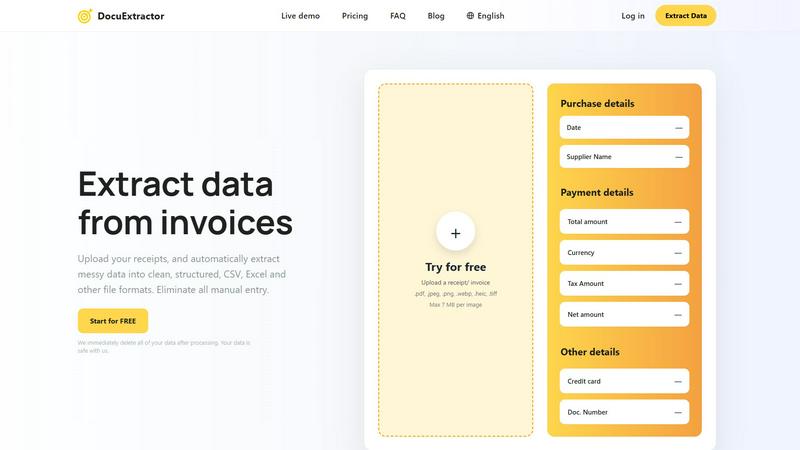
DocuExtractor
FilexHost

Feature Comparison
DocuExtractor
Advanced Optical Character Recognition (OCR)
DocuExtractor employs cutting-edge OCR technology to accurately extract text from scanned documents and images. This feature ensures that users receive high-quality data conversion with an impressive accuracy rate of 99.6%, enabling reliable data handling for financial records.
Multi-format Document Support
The software allows users to upload various document types, including PDFs, JPGs, and even HEIC files. This versatility streamlines the data extraction process, accommodating diverse document needs, and enhancing user experience by facilitating easy uploads.
Batch Processing Capability
DocuExtractor offers a batch processing feature that enables users to upload multiple documents simultaneously. This capability drastically reduces the time spent on data extraction, making it possible for finance professionals to handle large volumes of documents efficiently.
Instant Data Download
Once the data extraction process is complete, users can instantly download their results in CSV or Excel format. This feature not only saves time but also ensures that the extracted data is immediately ready for further analysis or integration into accounting software.
FilexHost
Instant Subdomains
FileXHost provides users with instant subdomains for their uploaded files, formatted as your-file.filex.host. This feature eliminates the hassles of domain setup, allowing for immediate sharing of files right after upload.
Free SSL Encryption
Every link generated by FileXHost is secured with free SSL encryption. This ensures that all file transfers are secure, protecting sensitive information from unauthorized access and enhancing user trust in the platform.
Smart View Modes
FileXHost's smart view modes allow users to choose between direct rendering of files or a download page. This flexibility ensures that recipients can either view files inline or download them for offline access, catering to different user preferences.
Optional Password Protection
To enhance security, FileXHost offers optional password protection for shared links. Users can set expiry settings for their files ranging from 24 hours to an indefinite period, allowing them to control access and ensure privacy.
Use Cases
DocuExtractor
Streamlining Accounting Processes
Accountants can utilize DocuExtractor to convert invoices and receipts into structured data quickly. This reduces the time spent on manual entry, allowing them to focus on analyzing financial data rather than data input.
Enhancing Bookkeeping Efficiency
Bookkeepers can benefit from the automation of data extraction, which simplifies the reconciliation of bank statements and financial documents. With accurate data available instantly, they can maintain accurate records without the burden of manual processing.
Facilitating Financial Audits
During audits, financial professionals can use DocuExtractor to quickly gather necessary documents and extract relevant data. This expedites the auditing process and ensures that all financial information is accurately represented and easily accessible.
Supporting Tax Preparation
Tax professionals can leverage the software to efficiently organize and extract data from various financial documents, such as receipts and invoices, making tax preparation smoother and ensuring compliance with financial regulations.
FilexHost
Professional Report Sharing
Professionals can utilize FileXHost to share client reports or presentations quickly. The drag-and-drop feature allows for instant uploads, while the secure, shareable links streamline the distribution process, eliminating the need for lengthy email attachments.
Web Development Hosting
Developers can host landing pages or mock APIs effortlessly on FileXHost. The platform's ability to render HTML files as live websites simplifies the testing and demonstration of web projects to clients or stakeholders.
Digital Product Distribution
Creators can distribute digital products such as eBooks, music, or art files without the hassle of email attachment limits. The built-in support for various media types ensures that products are presented professionally and can be accessed easily.
Team Collaboration
FileXHost serves as a valuable tool for teams needing to collaborate on projects. By providing a central repository for files, team members can upload, share, and access necessary documents without complicated permission requests or delays.
Overview
About DocuExtractor
DocuExtractor is an advanced document conversion software tailored for accountants and bookkeepers. It revolutionizes the way financial professionals handle data by enabling the seamless extraction of critical information from various document types, such as invoices, bank statements, and receipts. With its sophisticated Optical Character Recognition (OCR) technology, DocuExtractor guarantees an impressive accuracy rate of 99.6%, significantly minimizing the time and effort typically spent on manual data entry. This allows users to redirect their focus towards more strategic financial tasks. The platform supports multiple document formats, including PDF and JPG, ensuring that users can easily upload their files and receive organized data in formats like CSV and Excel. Additionally, DocuExtractor prioritizes data security by immediately deleting processed documents, reassuring users about the confidentiality of their information.
About FilexHost
FileXHost is an innovative file hosting and sharing solution designed to simplify the way users manage and distribute files online. With its intuitive "Drop & Share" functionality, FileXHost allows users to upload a wide range of file types—from documents and images to entire websites—without the need for cumbersome setups or configurations. It caters to professionals, developers, and creators alike, enabling them to share files quickly and securely. The platform's core value proposition lies in its speed and ease of use, allowing users to generate instant secure URLs for sharing files without requiring recipients to navigate complex access requests. With built-in security features like free SSL encryption and customizable sharing settings, FileXHost ensures that users can deliver their files confidently, knowing they are protected and presented beautifully.
Frequently Asked Questions
DocuExtractor FAQ
How secure is my data with DocuExtractor?
DocuExtractor takes data security seriously. All processed documents are deleted immediately after extraction, ensuring that your data remains confidential and secure throughout the entire process.
What types of documents can I upload?
Users can upload a range of document types, including PDFs, JPGs, and HEIC files. This flexibility allows for easy handling of various financial documents for effective data extraction.
Is there a limit on document size or number of uploads?
Yes, there is a limit of 7 MB per individual document upload. However, users can upload multiple files in batches, facilitating efficient processing of larger volumes of documents.
What file formats can I download my data in?
Once the data extraction is complete, users can download their extracted information in CSV or Excel format, making it easy to integrate the data into accounting software or perform further analysis.
FilexHost FAQ
What is FileXHost?
FileXHost is a file hosting and sharing platform that allows users to upload various file types and generate secure, shareable links instantly. Ideal for professionals, developers, and creators, it emphasizes ease of use and security.
Is it really free?
Yes, FileXHost offers a free plan that allows users to host up to 1,000 files, with a maximum size of 25MB per file. However, this plan includes ads and has a 7-day expiry for hosted files.
What file types are supported?
FileXHost supports a wide range of file types, including PDFs, Excel sheets, images, audio and video files, ZIP archives, and HTML projects, ensuring versatility for various user needs.
How do I update my site?
To update your site, simply upload the new version of your file or website ZIP. FileXHost will generate a new secure link while maintaining the original format and accessibility for recipients.
Alternatives
DocuExtractor Alternatives
DocuExtractor is a sophisticated document conversion software tailored for accountants and bookkeepers. It enables users to seamlessly transform various financial documents, including invoices and receipts, into structured data formats like CSV and Excel. This tool is designed to enhance productivity by leveraging advanced Optical Character Recognition (OCR) technology, which automates the extraction of critical information with impressive accuracy. Users often seek alternatives to DocuExtractor for several reasons, including pricing considerations, feature sets that may better align with their specific needs, or compatibility with existing platforms. When evaluating potential alternatives, it is essential to consider factors such as data accuracy, ease of use, batch processing capabilities, and customization options to ensure that the chosen solution effectively meets business requirements and enhances workflow efficiency.
FilexHost Alternatives
FilexHost is a user-friendly file hosting and sharing platform designed to simplify the process of sharing various file types, including documents, media, and websites. By employing a drag-and-drop interface, users can quickly upload files and generate secure, shareable URLs without the need for complex configurations or user accounts. This service falls under the category of productivity and management tools, catering to individuals and professionals alike. Despite its advantages, users often seek alternatives to FilexHost for several reasons, including pricing structures, specific feature sets, and compatibility with different platforms. When exploring alternatives, it is essential to consider factors such as storage capacity, file size limits, security features, and user experience. Additionally, evaluating whether the service offers essential functionalities like password protection, analytics, and ease of access for recipients can aid in making an informed decision.