
DocuExtractor
DocuExtractor automates data extraction from receipts and invoices, transforming them into structured formats without.
Visit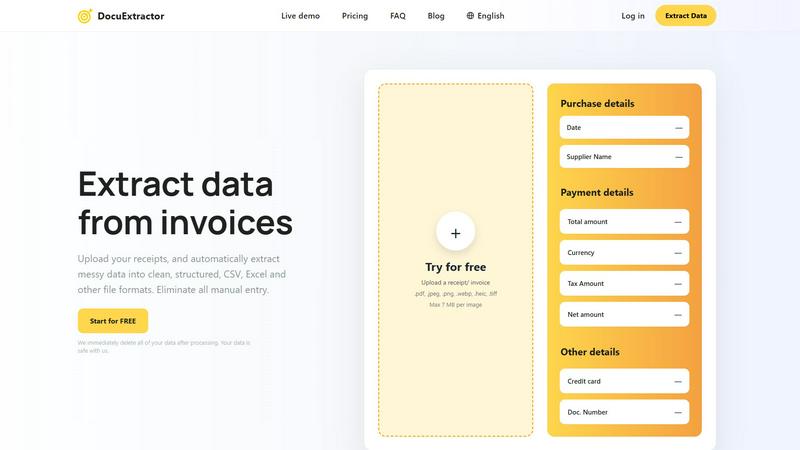
About DocuExtractor
DocuExtractor is an advanced document conversion software tailored for accountants and bookkeepers. It revolutionizes the way financial professionals handle data by enabling the seamless extraction of critical information from various document types, such as invoices, bank statements, and receipts. With its sophisticated Optical Character Recognition (OCR) technology, DocuExtractor guarantees an impressive accuracy rate of 99.6%, significantly minimizing the time and effort typically spent on manual data entry. This allows users to redirect their focus towards more strategic financial tasks. The platform supports multiple document formats, including PDF and JPG, ensuring that users can easily upload their files and receive organized data in formats like CSV and Excel. Additionally, DocuExtractor prioritizes data security by immediately deleting processed documents, reassuring users about the confidentiality of their information.
Features of DocuExtractor
Advanced Optical Character Recognition (OCR)
DocuExtractor employs cutting-edge OCR technology to accurately extract text from scanned documents and images. This feature ensures that users receive high-quality data conversion with an impressive accuracy rate of 99.6%, enabling reliable data handling for financial records.
Multi-format Document Support
The software allows users to upload various document types, including PDFs, JPGs, and even HEIC files. This versatility streamlines the data extraction process, accommodating diverse document needs, and enhancing user experience by facilitating easy uploads.
Batch Processing Capability
DocuExtractor offers a batch processing feature that enables users to upload multiple documents simultaneously. This capability drastically reduces the time spent on data extraction, making it possible for finance professionals to handle large volumes of documents efficiently.
Instant Data Download
Once the data extraction process is complete, users can instantly download their results in CSV or Excel format. This feature not only saves time but also ensures that the extracted data is immediately ready for further analysis or integration into accounting software.
Use Cases of DocuExtractor
Streamlining Accounting Processes
Accountants can utilize DocuExtractor to convert invoices and receipts into structured data quickly. This reduces the time spent on manual entry, allowing them to focus on analyzing financial data rather than data input.
Enhancing Bookkeeping Efficiency
Bookkeepers can benefit from the automation of data extraction, which simplifies the reconciliation of bank statements and financial documents. With accurate data available instantly, they can maintain accurate records without the burden of manual processing.
Facilitating Financial Audits
During audits, financial professionals can use DocuExtractor to quickly gather necessary documents and extract relevant data. This expedites the auditing process and ensures that all financial information is accurately represented and easily accessible.
Supporting Tax Preparation
Tax professionals can leverage the software to efficiently organize and extract data from various financial documents, such as receipts and invoices, making tax preparation smoother and ensuring compliance with financial regulations.
Frequently Asked Questions
How secure is my data with DocuExtractor?
DocuExtractor takes data security seriously. All processed documents are deleted immediately after extraction, ensuring that your data remains confidential and secure throughout the entire process.
What types of documents can I upload?
Users can upload a range of document types, including PDFs, JPGs, and HEIC files. This flexibility allows for easy handling of various financial documents for effective data extraction.
Is there a limit on document size or number of uploads?
Yes, there is a limit of 7 MB per individual document upload. However, users can upload multiple files in batches, facilitating efficient processing of larger volumes of documents.
What file formats can I download my data in?
Once the data extraction is complete, users can download their extracted information in CSV or Excel format, making it easy to integrate the data into accounting software or perform further analysis.
Explore more in this category:
Similar to DocuExtractor


AgencyFlo is the AI-native operating system for agencies - one platform for projects, time, CRM, proposals, contracts and invoicing.

AI-powered Upwork job feed. Every new job is scored against your profile and strategy in real time, and you get an instant notification


