
documentorium vs SupaSidebar
Side-by-side comparison to help you choose the right product.

documentorium
Documentorium is a specialized platform that generates professional contractor documents and PDFs through guided, trade-specific forms.
Last updated: March 26, 2026

SupaSidebar
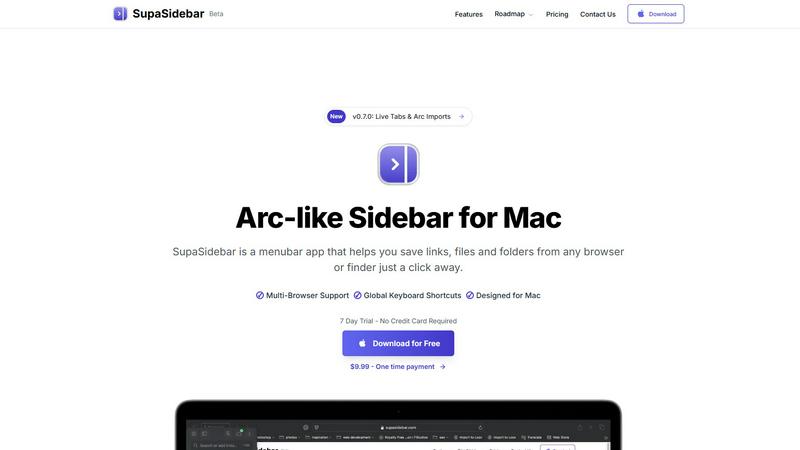
SupaSidebar is a Mac menubar app that provides instant keyboard-driven access to your saved links, files, and folders.
Last updated: February 28, 2026
Visual Comparison
documentorium

SupaSidebar
Feature Comparison
documentorium
Trade-Specific Template Library
Documentorium's foundation is its extensive catalog of over 200 pre-built document templates, meticulously organized across 26 trade categories. Unlike generic form builders, each template—whether for a plumbing invoice, an electrical service report, or a roofing proposal—contains fields, sections, and language specifically tailored to the practices, materials, and regulatory considerations of that particular trade. This specificity ensures that professionals capture all necessary information correctly the first time, reducing errors and omissions that can occur with blank-slate or off-the-shelf document creation.
Guided Form Interface
The platform utilizes an intuitive, step-by-step guided form interface for every document. This structured approach breaks down complex documents into manageable sections, prompting the user for specific information such as client details, scope of work, materials, labor rates, terms, and conditions. This guidance is invaluable for ensuring completeness and professionalism, effectively holding the user's hand through the creation process to produce a comprehensive document without the cognitive load of designing the layout or remembering every required field.
Instant PDF Generation and Professional Formatting
Upon completing a guided form, Documentorium automatically compiles the entered data into a clean, professionally formatted, and print-ready PDF document within seconds. This feature completely removes the burden of manual formatting, font selection, alignment, and layout design. The resulting PDFs are polished and branded, ready to be emailed directly to clients, printed for on-site use, or archived. This instant transformation from data entry to final product is a core time-saving benefit.
Document History and Prefill Capabilities
Every document created is saved within the user's account, creating a complete, searchable history of all business interactions. This archive is crucial for record-keeping, reference, and audit purposes. Furthermore, the system intelligently uses this history to prefill information in new documents. For repeat clients or similar projects, details like client name, address, and standard service descriptions can auto-populate, dramatically speeding up the creation of subsequent quotes, invoices, or work orders.
About SupaSidebar
Universal Browser Integration & Tab Syncing
SupaSidebar seamlessly integrates with all major web browsers, including Safari, Google Chrome, Arc, Firefox, and Brave. It aggregates your open tabs, browsing history, and bookmarks from every browser into a single, unified view. This real-time syncing feature eliminates the need to manually switch between browser windows to find a specific tab, effectively breaking down browser silos and providing a holistic overview of your web activity directly from the menu bar.
Global Keyboard Shortcuts & Command Panel
The application is built for efficiency with system-wide keyboard shortcuts that work instantly from any app. Users can save or copy the current website URL with dedicated shortcuts (Cmd+Ctrl+S / Cmd+Ctrl+C). The cornerstone is the powerful Command Panel (activated via Cmd+Ctrl+K), a spotlight-like interface that allows for rapid searching and launching of any item within the sidebar—be it a file, folder, website, or application—dramatically speeding up workflow navigation.
Native macOS Design & Local-Only Data
SupaSidebar is not a web wrapper or an electron app; it is built as a true native macOS application. This ensures exceptional performance, low system resource usage, and deep integration with macOS aesthetics and behaviors, such as natural swipe gestures. Crucially, all user data—links, files, and organizational structures—is stored exclusively on the user's local machine. Nothing is transmitted to external servers, guaranteeing complete privacy and data security.
Intelligent Organization with Spaces & Recents
The sidebar offers sophisticated organization through a system of "Spaces," allowing users to categorically separate work, personal, or project-specific resources. The "Recents" feature automatically tracks and surfaces every website visited across all browsers within the last 48 hours, acting as a powerful short-term memory aid. Users can also pin favorite items to the top of any list for instant access, ensuring critical resources are always immediately available.
Use Cases
documentorium
Creating Detailed Service Proposals and Bids
For contractors and installers, such as solar panel companies or roofing contractors, winning new projects often hinges on a professional, detailed proposal. Documentorium allows these professionals to quickly generate comprehensive bids that itemize materials, labor, timelines, and terms. Using a trade-specific proposal template ensures all technical and cost components are clearly presented, enhancing credibility and improving the chances of client acceptance compared to a handwritten quote or a poorly formatted Word document.
Streamlining Daily Work Orders and Service Reports
HVAC technicians, electricians, and plumbers on service calls can use Documentorium to generate precise work orders and service reports on the spot, either from a mobile device or back at the office. The guided forms ensure all diagnostic findings, parts used, labor performed, and recommendations are recorded accurately. The instant PDF can then be presented to the customer for signature upon job completion, providing immediate documentation and facilitating faster invoicing.
Managing Project Changes with Change Orders
During construction or renovation projects, changes to the original scope are common. Documentorium's change order templates provide a formal, clear mechanism for contractors to document any alterations, associated costs, and revised timelines. This formalizes client approval, protects the business from disputes about additional charges, and maintains a clear paper trail for the project's evolution, which is essential for contract management and financial clarity.
Issuing Professional Invoices and Warranties
After job completion, professionals need to issue clear invoices for payment and provide warranty documentation for their work. Documentorium automates this process, pulling data from the original quote or work order to quickly generate an accurate invoice with line-item details. Similarly, generating a standardized warranty document ensures clients receive consistent, legally-sound coverage information, reinforcing the professionalism and reliability of the service business.
SupaSidebar
Cross-Browser Research and Academic Work
Researchers, students, and analysts often work with dozens of open tabs across multiple browsers for literature review, data collection, and citation management. SupaSidebar consolidates all these disparate tabs and bookmarks into one searchable sidebar. This allows for instant retrieval of any source material without hunting through separate browser windows, significantly streamlining the research process and maintaining a coherent workflow.
Creative and Development Workflow Management
Developers, designers, and content creators juggle project files, design briefs, documentation, and communication tools. SupaSidebar acts as a project dashboard, where users can organize links to Figma files, GitHub repos, documentation, and local project folders into dedicated Spaces. The global command panel allows for launching apps or opening project assets mid-task without leaving the creative flow, enhancing productivity.
Power User and Multitasking Efficiency
For power users, consultants, and managers who multitask extensively across communication apps, web tools, and internal systems, constant app-switching is a major productivity drain. SupaSidebar mitigates this by providing a persistent, always-accessible hub. Keyboard shortcuts enable saving important links on-the-fly, and the unified view allows for quick context recovery, making it ideal for handling rapid-fire tasks and information requests.
Focused Work and Context Preservation
Professionals engaged in deep work sessions, such as writers or programmers, require minimal distractions. SupaSidebar supports this by allowing users to save relevant reference links, documents, or tools to the sidebar for later access without keeping distracting browser tabs open. When needed, the resource can be retrieved instantly via the menu bar or keyboard, helping to maintain a clean desktop and a focused mental state.
Pricing Comparison
documentorium
Documentorium employs a straightforward, all-inclusive annual subscription model. The pricing is simple: full access to the entire library of over 200 documents and forms across all 26 trade categories is available for $99 per year. There is only one plan, which includes every feature: the template catalog, guided forms, instant PDF generation, and complete document history. The company offers a 1-month free trial to new users, which requires no credit card to start, allowing service professionals to fully evaluate the platform's fit for their business before committing to the annual subscription.
SupaSidebar
SupaSidebar operates on a freemium model with clear, upfront pricing. A Free Forever plan is available, which supports all major browsers and includes 3 Spaces for organization. The Pro plan is priced at $13.99 per year (or $19.99 monthly) and unlocks Unlimited Spaces, early access to new features, and priority support. A discounted Lifetime license is available for a one-time payment of $34.99 (normally $49.99). A promotional code BETA30 provides a 30% discount on paid plans during the beta period. All plans include a 7-day free trial of Pro features and are backed by a 14-day money-back guarantee. The company also offers a 50% educational discount for verified students.
Overview
About documentorium
Documentorium is a specialized, no-nonsense document generation engine meticulously crafted for the unique demands of skilled trades and service professionals. It serves as a comprehensive solution for electricians, plumbers, general contractors, HVAC technicians, roofers, solar installers, and a wide array of other field service experts who require professional, accurate, and legally sound business documentation. The platform's core value proposition is the elimination of time-consuming document creation from scratch or the use of generic, ill-fitting templates. Instead, Documentorium provides a vast, trade-specific library of over 200 guided templates across 26 distinct categories. This includes essential documents such as quotes, estimates, invoices, work orders, bids, contracts, service reports, inspection reports, proposals, warranties, and change orders. Each template is engineered with fields and terminology specific to the user's trade, ensuring relevance and professionalism. The process is streamlined: a user fills out a structured, guided form, and the system instantly generates a clean, print-ready PDF document. This approach not only saves significant administrative time but also enhances a business's credibility with clients through consistent, high-quality documentation, all managed within a single, centralized platform.
About SupaSidebar
SupaSidebar is a meticulously engineered, native macOS application designed to fundamentally transform digital workspace organization and access. It functions as a universal, Arc-inspired sidebar that resides in your Mac's menu bar, serving as a centralized command hub for your entire digital environment. The core purpose of SupaSidebar is to dismantle the silos between different applications and web browsers, thereby drastically reducing disruptive context-switching and preserving user focus. It achieves this by aggregating and providing instantaneous, keyboard-driven access to a user's most critical resources, including open and saved browser tabs, bookmarks, local files, folders, and applications from across the system. Engineered specifically for professionals, researchers, creators, and power users who navigate complex workflows across multiple tasks and browsers, SupaSidebar's primary value proposition lies in its seamless integration and performance. It emphasizes uncompromising user privacy by ensuring all data remains stored locally on the user's Mac, never on external servers. Built as a lightweight native application, it delivers superior performance and a deeply integrated macOS experience. Its intelligent features, such as real-time tab syncing across all major browsers (Safari, Chrome, Arc, Firefox, Brave) and a powerful universal command panel, position it as an indispensable tool for achieving a faster, more organized, and distraction-free workflow.
Frequently Asked Questions
documentorium FAQ
Can I cancel my subscription anytime?
Yes, you can cancel your Documentorium subscription at any time directly from your account settings. There are no long-term contracts or penalties for cancellation. Your access to the platform's features will remain active until the end of your current billing period, after which your account will revert to a free state. This policy ensures there is no vendor lock-in, providing complete flexibility for the user.
What happens to my documents when the free trial ends?
When your one-month free trial concludes, all documents you created during the trial period are preserved and remain accessible in your account history. You can view and download these existing PDFs at any time. To continue creating new documents or editing templates, you will need to activate a paid subscription. No user data or document history is deleted upon trial expiration.
Do I lose access to my old documents if I don't subscribe?
No, you do not lose access to your previously created documents. Even without an active subscription, you retain the ability to log into your account to view, download, and print all documents you generated while your subscription was active or during your trial period. The subscription is required for creating and editing new documents, but your historical data remains your property and is always accessible.
Does Documentorium provide legal advice for contracts?
No, Documentorium does not provide legal advice. The platform is a document generation tool that provides templates and forms designed for common trade-specific business scenarios. While these templates are professionally crafted, users are responsible for ensuring that any document, especially contracts, warranties, and agreements, meets their specific legal requirements and complies with local, state, and federal regulations. Consulting with a legal professional for critical documents is recommended.
SupaSidebar FAQ
Is SupaSidebar a browser extension?
No, SupaSidebar is not a browser extension. It is a standalone, native macOS application that installs directly on your Mac and runs independently from your menu bar. It integrates with your browsers at a system level to read tab and bookmark data (with your permission) but operates as its own dedicated productivity tool, offering features and accessibility that extend far beyond the capabilities of a simple browser plugin.
Which browsers does SupaSidebar work with?
SupaSidebar offers comprehensive support for all major web browsers on macOS. This includes Safari, Google Chrome, Arc, Mozilla Firefox, and Brave. The application is designed to sync tabs, history, and bookmarks from all these browsers simultaneously, providing a truly universal overview and control panel for your web activity regardless of your browser preferences for different tasks.
Where is my data stored?
All data managed by SupaSidebar is stored exclusively on your local Mac. This includes every saved link, file reference, folder location, and organizational structure you create within the app. No personal data, browsing history, or file information is ever sent to external servers or the cloud. This local-first architecture is a core tenet of SupaSidebar's design, prioritizing user privacy and security.
What macOS version do I need?
SupaSidebar requires macOS 13 (Ventura) or a later version to function. This requirement ensures the application can utilize the latest macOS frameworks and security features to deliver a stable, performant, and deeply integrated user experience. Users should check their Mac's software version in System Settings > General > About before downloading.
Alternatives
documentorium Alternatives
documentorium is a specialized document generation platform within the broader contractor management and productivity software category. It focuses on providing trade-specific templates for creating professional PDF documents like quotes, invoices, and work orders. Users may explore alternatives for various reasons, such as seeking different pricing models, requiring more extensive business management features like scheduling or CRM, needing mobile-specific functionality, or preferring a different user interface. The decision often hinges on the specific needs and scale of a contracting business. When evaluating alternatives, key considerations include the depth and relevance of trade-specific templates, the efficiency of the document creation workflow, output quality, integration capabilities with other tools, overall cost, and the platform's focus on mobile versus desktop use. The ideal solution should streamline paperwork without adding complexity.
SupaSidebar Alternatives
SupaSidebar is a premium macOS menubar application designed for productivity and digital workspace management. It functions as a universal command hub, centralizing access to links, files, folders, and applications to minimize context-switching and accelerate workflows through keyboard-driven navigation. Users may explore alternatives for various reasons, including budget constraints, specific feature requirements not met by the core offering, or a need for cross-platform compatibility beyond macOS. The desire for different design philosophies or integration capabilities can also prompt a search for other solutions. When evaluating alternatives, key considerations should include the tool's primary focus (e.g., launcher, bookmark manager, tab organizer), its data privacy and security model, performance impact on your system, and the depth of its integration with your existing browsers and applications. The ideal choice aligns with your specific workflow bottlenecks and personal productivity style.