
Fallom vs TrafficClaw
Side-by-side comparison to help you choose the right product.

Fallom provides comprehensive AI observability for real-time tracking, debugging, and cost analysis of LLM agents.
Last updated: February 28, 2026

TrafficClaw
Talk to your SEO & Analytics data - it finally talks back
Visual Comparison
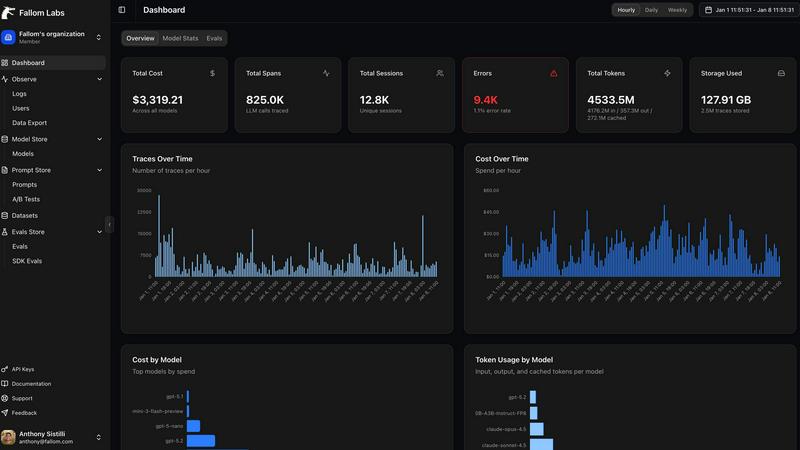
Fallom
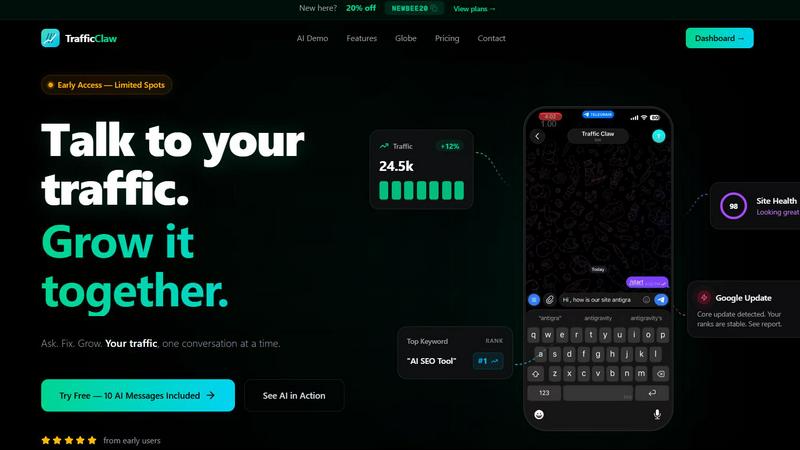
TrafficClaw
Overview
About Fallom
Fallom is an AI-native observability platform engineered to provide comprehensive, granular visibility into production large language model (LLM) and AI agent workloads. It serves as a critical operational layer for engineering, product, and compliance teams building and scaling AI-powered applications. The platform's core value proposition lies in its ability to monitor every LLM interaction in real-time with end-to-end tracing, capturing a complete telemetry dataset including prompts, outputs, tokens, latency, cost, and the intricate details of tool and function calls. This depth of insight is particularly vital for debugging complex, multi-step AI agents, where understanding the sequence and timing of operations is essential. Fallom is built for the enterprise, offering robust session, user, and customer-level context, alongside features like model versioning and consent tracking that address stringent compliance requirements such as the EU AI Act, GDPR, and SOC 2. By utilizing a single, OpenTelemetry-native SDK, Fallom ensures vendor-agnostic instrumentation, enabling rapid deployment, real-time monitoring, and precise cost attribution across models, teams, and end-users. Ultimately, Fallom transforms opaque AI operations into transparent, manageable, and optimizable systems, driving reliability, cost efficiency, and informed decision-making.
About TrafficClaw
Your traffic dropped. Google Analytics says nothing useful. Search Console shows graphs. Cool. Now what? TrafficClaw lets you just ask - "Why did my traffic drop?" and actually get an answer. Backed by your real data, not some generic blog post advice. Connect GA4 + Search Console. Ask questions. Get fixes. That's it.