
FilexHost vs Learniverse
Side-by-side comparison to help you choose the right product.

FilexHost
FilexHost simplifies file hosting and sharing with instant URLs and built-in viewers for various file types.
Last updated: February 26, 2026

Learniverse
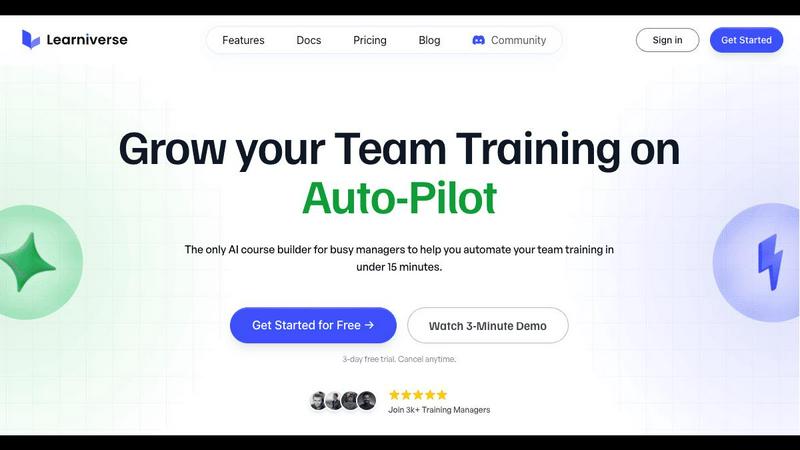
Learniverse effortlessly transforms your scattered training materials into engaging, automated courses in just minutes.
Last updated: February 28, 2026
Visual Comparison
FilexHost

Learniverse
Feature Comparison
FilexHost
Instant Subdomains
FileXHost provides users with instant subdomains for their uploaded files, formatted as your-file.filex.host. This feature eliminates the hassles of domain setup, allowing for immediate sharing of files right after upload.
Free SSL Encryption
Every link generated by FileXHost is secured with free SSL encryption. This ensures that all file transfers are secure, protecting sensitive information from unauthorized access and enhancing user trust in the platform.
Smart View Modes
FileXHost's smart view modes allow users to choose between direct rendering of files or a download page. This flexibility ensures that recipients can either view files inline or download them for offline access, catering to different user preferences.
Optional Password Protection
To enhance security, FileXHost offers optional password protection for shared links. Users can set expiry settings for their files ranging from 24 hours to an indefinite period, allowing them to control access and ensure privacy.
Learniverse
Easy Uploading of Content
Learniverse allows users to effortlessly upload various types of existing content such as PDFs, videos, and manuals. This feature eliminates the need for extensive reformatting or redesigning, thus accelerating the training development process.
AI-Powered Course Creation
Once the content is uploaded, Learniverse's advanced AI technology organizes and converts the material into interactive lessons complete with quizzes and progress tracking. This automation significantly cuts down on the time it takes to develop training courses.
Customizable Training Portals
Organizations can create branded training portals that reflect their unique identity, complete with custom colors, logos, and domains. This feature ensures a professional appearance and fosters a sense of belonging among team members.
Comprehensive Analytics Dashboard
Learniverse provides an analytics dashboard that tracks learner progress, engagement levels, and assessment outcomes. This data helps training managers identify areas where learners may be struggling, allowing for timely interventions and adjustments to the training programs.
Use Cases
FilexHost
Professional Report Sharing
Professionals can utilize FileXHost to share client reports or presentations quickly. The drag-and-drop feature allows for instant uploads, while the secure, shareable links streamline the distribution process, eliminating the need for lengthy email attachments.
Web Development Hosting
Developers can host landing pages or mock APIs effortlessly on FileXHost. The platform's ability to render HTML files as live websites simplifies the testing and demonstration of web projects to clients or stakeholders.
Digital Product Distribution
Creators can distribute digital products such as eBooks, music, or art files without the hassle of email attachment limits. The built-in support for various media types ensures that products are presented professionally and can be accessed easily.
Team Collaboration
FileXHost serves as a valuable tool for teams needing to collaborate on projects. By providing a central repository for files, team members can upload, share, and access necessary documents without complicated permission requests or delays.
Learniverse
Onboarding New Employees
Learniverse is ideal for onboarding new hires, allowing organizations to quickly transform their existing training materials into comprehensive onboarding programs. This ensures that new employees receive consistent and engaging training from day one.
Continuous Professional Development
Training managers can use Learniverse to create ongoing professional development courses that keep employees updated on new skills and industry trends, enhancing their performance and job satisfaction.
Compliance Training
Organizations can easily compile regulatory compliance training materials into structured courses. Learniverse helps ensure that all employees are up to date with necessary compliance standards, reducing the risk of violations.
Skills Training for Teams
Teams can utilize Learniverse to develop specialized courses focused on improving specific skills or processes. This is particularly beneficial for teams undergoing changes in technology or procedures, allowing for a smooth transition and upskilling.
Overview
About FilexHost
FileXHost is an innovative file hosting and sharing solution designed to simplify the way users manage and distribute files online. With its intuitive "Drop & Share" functionality, FileXHost allows users to upload a wide range of file types—from documents and images to entire websites—without the need for cumbersome setups or configurations. It caters to professionals, developers, and creators alike, enabling them to share files quickly and securely. The platform's core value proposition lies in its speed and ease of use, allowing users to generate instant secure URLs for sharing files without requiring recipients to navigate complex access requests. With built-in security features like free SSL encryption and customizable sharing settings, FileXHost ensures that users can deliver their files confidently, knowing they are protected and presented beautifully.
About Learniverse
Learniverse is an innovative AI-powered Learning Management System (LMS) specifically designed to simplify and enhance the process of creating and delivering training content for organizations. This platform caters to teams that require rapid scaling of their training efforts without the complexities often associated with traditional training setups. By allowing users to upload existing materials such as documents, PDFs, and videos, Learniverse automates the transformation of these resources into structured learning paths within minutes. The main value proposition of Learniverse lies in its ability to significantly reduce the time and effort involved in training development while offering extensive customization options that allow branding to align with organizational identity. With features that enhance learner engagement and robust analytics for tracking progress, Learniverse enables training managers to prioritize strategic initiatives rather than becoming mired in administrative tasks. It is particularly suited for busy teams looking to improve training consistency, reduce manual processes, and ensure that employees have access to engaging training materials that ultimately enhance performance.
Frequently Asked Questions
FilexHost FAQ
What is FileXHost?
FileXHost is a file hosting and sharing platform that allows users to upload various file types and generate secure, shareable links instantly. Ideal for professionals, developers, and creators, it emphasizes ease of use and security.
Is it really free?
Yes, FileXHost offers a free plan that allows users to host up to 1,000 files, with a maximum size of 25MB per file. However, this plan includes ads and has a 7-day expiry for hosted files.
What file types are supported?
FileXHost supports a wide range of file types, including PDFs, Excel sheets, images, audio and video files, ZIP archives, and HTML projects, ensuring versatility for various user needs.
How do I update my site?
To update your site, simply upload the new version of your file or website ZIP. FileXHost will generate a new secure link while maintaining the original format and accessibility for recipients.
Learniverse FAQ
How long does it take to set up Learniverse?
Setting up Learniverse is remarkably quick. Users can get started by uploading their content and creating courses within minutes, allowing for immediate training deployment.
Can I track employee progress through the platform?
Yes, Learniverse includes a comprehensive analytics dashboard that allows you to monitor employee progress, engagement, and assessment results, providing insights into training effectiveness.
Is it possible to customize the training portal?
Absolutely. Learniverse enables organizations to customize their training portals with specific branding elements such as logos, colors, and domain names, ensuring a professional and cohesive look.
What types of content can I upload to Learniverse?
Users can upload a variety of content types, including PDF documents, videos, audio recordings, and manuals, making it easy to consolidate all training materials into one platform.
Alternatives
FilexHost Alternatives
FilexHost is a user-friendly file hosting and sharing platform designed to simplify the process of sharing various file types, including documents, media, and websites. By employing a drag-and-drop interface, users can quickly upload files and generate secure, shareable URLs without the need for complex configurations or user accounts. This service falls under the category of productivity and management tools, catering to individuals and professionals alike. Despite its advantages, users often seek alternatives to FilexHost for several reasons, including pricing structures, specific feature sets, and compatibility with different platforms. When exploring alternatives, it is essential to consider factors such as storage capacity, file size limits, security features, and user experience. Additionally, evaluating whether the service offers essential functionalities like password protection, analytics, and ease of access for recipients can aid in making an informed decision.
Learniverse Alternatives
Learniverse is a cutting-edge AI-powered Learning Management System (LMS) designed to facilitate the creation and delivery of training content for organizations. By transforming existing training materials into engaging courses, Learniverse streamlines the onboarding process and enhances the learning experience. As companies grow and evolve, users often seek alternatives to Learniverse due to factors such as pricing, specific feature sets, or the need for integration with other platforms. When considering an alternative, it is essential to evaluate the platform's ease of use, customization capabilities, community engagement features, and analytics tools. These factors can significantly impact the effectiveness of training programs and the overall user experience, making it crucial to select a solution that aligns with organizational goals and user needs.