
Learniverse
Learniverse effortlessly transforms your scattered training materials into engaging, automated courses in just minutes.
Visit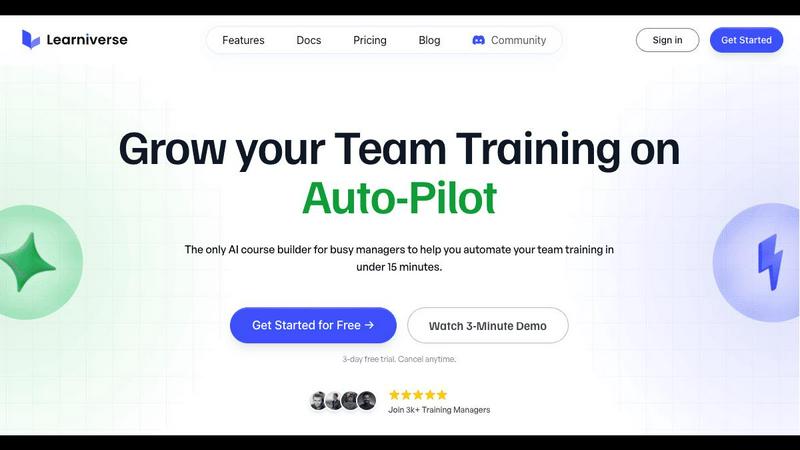
About Learniverse
Learniverse is an innovative AI-powered Learning Management System (LMS) specifically designed to simplify and enhance the process of creating and delivering training content for organizations. This platform caters to teams that require rapid scaling of their training efforts without the complexities often associated with traditional training setups. By allowing users to upload existing materials such as documents, PDFs, and videos, Learniverse automates the transformation of these resources into structured learning paths within minutes. The main value proposition of Learniverse lies in its ability to significantly reduce the time and effort involved in training development while offering extensive customization options that allow branding to align with organizational identity. With features that enhance learner engagement and robust analytics for tracking progress, Learniverse enables training managers to prioritize strategic initiatives rather than becoming mired in administrative tasks. It is particularly suited for busy teams looking to improve training consistency, reduce manual processes, and ensure that employees have access to engaging training materials that ultimately enhance performance.
Features of Learniverse
Easy Uploading of Content
Learniverse allows users to effortlessly upload various types of existing content such as PDFs, videos, and manuals. This feature eliminates the need for extensive reformatting or redesigning, thus accelerating the training development process.
AI-Powered Course Creation
Once the content is uploaded, Learniverse's advanced AI technology organizes and converts the material into interactive lessons complete with quizzes and progress tracking. This automation significantly cuts down on the time it takes to develop training courses.
Customizable Training Portals
Organizations can create branded training portals that reflect their unique identity, complete with custom colors, logos, and domains. This feature ensures a professional appearance and fosters a sense of belonging among team members.
Comprehensive Analytics Dashboard
Learniverse provides an analytics dashboard that tracks learner progress, engagement levels, and assessment outcomes. This data helps training managers identify areas where learners may be struggling, allowing for timely interventions and adjustments to the training programs.
Use Cases of Learniverse
Onboarding New Employees
Learniverse is ideal for onboarding new hires, allowing organizations to quickly transform their existing training materials into comprehensive onboarding programs. This ensures that new employees receive consistent and engaging training from day one.
Continuous Professional Development
Training managers can use Learniverse to create ongoing professional development courses that keep employees updated on new skills and industry trends, enhancing their performance and job satisfaction.
Compliance Training
Organizations can easily compile regulatory compliance training materials into structured courses. Learniverse helps ensure that all employees are up to date with necessary compliance standards, reducing the risk of violations.
Skills Training for Teams
Teams can utilize Learniverse to develop specialized courses focused on improving specific skills or processes. This is particularly beneficial for teams undergoing changes in technology or procedures, allowing for a smooth transition and upskilling.
Frequently Asked Questions
How long does it take to set up Learniverse?
Setting up Learniverse is remarkably quick. Users can get started by uploading their content and creating courses within minutes, allowing for immediate training deployment.
Can I track employee progress through the platform?
Yes, Learniverse includes a comprehensive analytics dashboard that allows you to monitor employee progress, engagement, and assessment results, providing insights into training effectiveness.
Is it possible to customize the training portal?
Absolutely. Learniverse enables organizations to customize their training portals with specific branding elements such as logos, colors, and domain names, ensuring a professional and cohesive look.
What types of content can I upload to Learniverse?
Users can upload a variety of content types, including PDF documents, videos, audio recordings, and manuals, making it easy to consolidate all training materials into one platform.
Explore more in this category:
Similar to Learniverse

AgencyFlo is the AI-native operating system for agencies - one platform for projects, time, CRM, proposals, contracts and invoicing.

AI-powered Upwork job feed. Every new job is scored against your profile and strategy in real time, and you get an instant notification


Back up Zoom cloud recordings to Google Drive automatically. Optional auto-delete frees Zoom storage. 60-second setup, then forget it.

Bg Eraser quickly removes backgrounds from photos in batches, creating clean transparent images with no signup and automatic privacy protection.

SiteSpin is an AI-driven website builder that creates a custom site in minutes, tailored to your needs without templates or complex editors.