
Melograph vs Viral AI Video Maker
Side-by-side comparison to help you choose the right product.

Melograph transforms your music into stunning videos with customizable templates, ready for any platform in minutes.
Last updated: February 28, 2026
Viral AI Video Maker
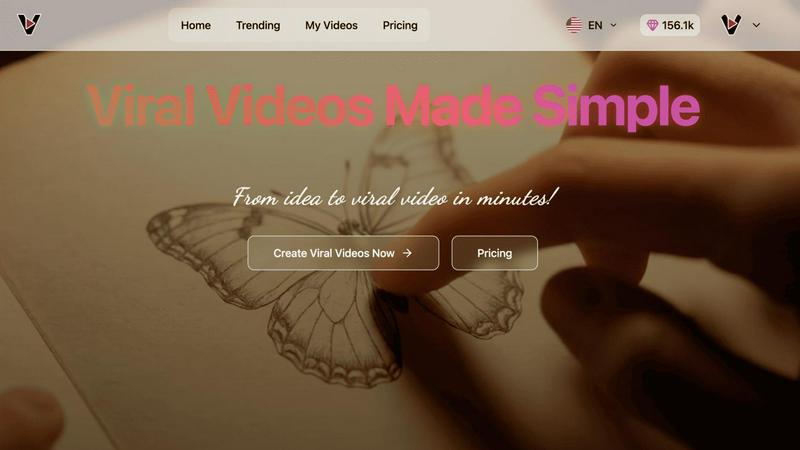
Viral AI Video Maker is an AI-powered platform that enables users to effortlessly create professional, trending videos.
Last updated: February 28, 2026
Visual Comparison
Melograph

Viral AI Video Maker
Feature Comparison
Melograph
Easy Template Selection
Melograph offers a wide array of professionally designed templates that cater to different musical genres and styles. Users can effortlessly choose a template that resonates with their track's vibe, eliminating the need for time-consuming design work.
Audio-Reactive Visuals
One of the standout features of Melograph is its ability to create audio-reactive visuals. Users can upload their music tracks and see the waveform immediately respond to the audio, producing dynamic and engaging visuals that enhance the listening experience.
Quick Customization Options
The platform allows for quick customization, enabling users to easily input their artist name, song title, and upload logos or album covers. This streamlined process ensures that even those with no editing experience can create polished visuals in a fraction of the time it would take with traditional editing tools.
High-Quality Export Formats
Melograph ensures that users can export their projects in high-quality 1080p MP4 format, suitable for various platforms. With export-ready formats, users can share their stunning visuals on social media, websites, or any digital platform without worrying about quality degradation.
Viral AI Video Maker
Google Veo3 AI-Powered Generation
At the heart of the platform is the integration of Google's state-of-the-art Veo3 AI model. This technology is responsible for generating high-fidelity video content based on user inputs and selected templates. It interprets creative prompts and visual styles to produce smooth, realistic, and engaging video sequences that form the core of any project. This advanced AI handles the heavy lifting of animation, scene transitions, and effect application, ensuring that every output maintains a polished, professional aesthetic that rivals manually edited content, all without requiring any technical knowledge from the user.
Pre-Optimized Viral Video Templates
The platform offers a curated library of templates specifically engineered for current viral trends and proven content formats. These are not generic layouts but are pre-optimized for maximum engagement, incorporating popular themes such as ASMR glass cutting, mesmerizing magic coffee art transformations, satisfying kinetic sand videos, and more. Each template provides a complete structural and stylistic blueprint, allowing users to simply input their custom text or minor adjustments. This feature drastically reduces creative block and ensures creators are always aligned with what is currently resonating with audiences across major platforms.
Automated 9:16 Vertical Formatting
Understanding the critical importance of platform-specific formatting, Viral AI Video Maker automatically renders every video in the ideal 9:16 vertical aspect ratio. This is the native format for dominant short-form video platforms like TikTok, Instagram Reels, and YouTube Shorts. The automation ensures that videos are perfectly framed for mobile viewing, eliminating the common pitfalls of black bars, awkward cropping, or landscape-oriented content that fails to capture audience attention in feeds designed for vertical consumption.
No-Skill-Required User Interface
The platform is built with a profoundly user-centric design philosophy, prioritizing accessibility above all. The interface is streamlined and intuitive, guiding users through a simple three-step process: selecting a template, making minor customizations, and generating the video. There are no complex timelines, layers, or editing tools to learn. This deliberate design choice makes professional video creation accessible to absolute beginners, allowing marketers, entrepreneurs, and creators to focus entirely on their creative idea rather than the technical execution.
Use Cases
Melograph
Indie Artists Promoting New Releases
Indie artists can leverage Melograph to create visually appealing music videos for their new releases. By using the platform's templates and audio-reactive features, they can produce eye-catching content that captures their audience's attention and enhances their promotional efforts.
Producers Showcasing Beats
Music producers can utilize Melograph to showcase their beats in a visually engaging manner. By pairing their audio tracks with creative visuals, producers can effectively share their work on platforms like YouTube or Instagram, helping to attract potential clients or collaborators.
Labels Enhancing Artist Visibility
Record labels can use Melograph to create consistent and professional-looking visuals for their artists’ music. By maintaining a cohesive visual identity across all releases, labels can enhance their branding and improve the overall visibility of their roster.
DJs Creating Engaging Performance Content
DJs can benefit from Melograph by creating captivating visuals for their live performances or sets. By generating quick visualizers that react to their mixes, DJs can create an immersive experience for their audience, whether shared online or during live shows.
Viral AI Video Maker
Social Media Marketing Campaigns
Digital marketers and social media managers can leverage the tool to rapidly produce a high volume of engaging, on-brand video content for campaigns. Whether promoting a product launch, highlighting a service, or running a hashtag challenge, users can generate multiple variations of trendy videos to test different messages and aesthetics. This enables consistent, daily posting across platforms like TikTok and Instagram Reels, which is crucial for algorithm favorability and audience growth, all while maintaining a professional standard without straining marketing budgets or timelines.
Personal Brand Building for Influencers
Aspiring and established influencers can use Viral AI Video Maker to consistently create fresh, trend-aligned content that keeps their audience engaged and attracts new followers. The tool allows them to quickly participate in viral trends, create satisfying or educational content in their niche, and maintain a frequent posting schedule without spending hours editing. This consistency is key to building a recognizable personal brand and increasing visibility in a crowded digital landscape.
Small Business and E-commerce Promotion
Small business owners, artisans, and e-commerce store operators can create compelling product showcases and promotional videos with ease. For instance, a coffee shop can generate magical coffee art videos, a glassblower can create ASMR-style cutting videos, or a retailer can showcase products with engaging transformations. This type of visually appealing, platform-native content is far more effective at driving interest and sales than static images or text posts, providing a significant competitive advantage.
Content Repurposing and Ideation
Content creators struggling with writer's block or seeking to extend the lifespan of their existing content can use the platform as an ideation and repurposing engine. A blog post can be transformed into a series of short, punchy video tips. A key product feature can be turned into a satisfying transformation clip. The pre-built templates serve as creative sparks, helping users look at their core material from new angles and adapt it into the most consumed format on social media today.
Overview
About Melograph
Melograph is a cutting-edge web-based music visualizer maker designed specifically for musicians and content creators who seek to produce visually stunning videos without the complexities of traditional video editing software. The platform offers an intuitive interface that simplifies the process of creating audio-reactive videos, enabling users to generate captivating visuals in mere minutes. With a diverse selection of premium templates that cater to various aesthetic styles—ranging from chill and cinematic to retro and futuristic—Melograph allows users to easily match their visuals with the tone of their music. By simply uploading their audio track, adding their artist name and song title, and optionally including a logo or album cover, users can export high-quality videos optimized for social media and other platforms. Ideal for indie artists, producers, labels, and DJs, Melograph streamlines the visual creation process, allowing musicians to focus on their art while effortlessly generating professional-looking content that enhances their music releases.
About Viral AI Video Maker
Viral AI Video Maker is a cutting-edge, web-based content creation platform engineered to democratize the production of high-engagement video content. Accessible via veo3video.me, the tool leverages advanced artificial intelligence, specifically Google's Veo3 model, to automate and streamline the video creation process from concept to final output. Its core function is to enable users, regardless of their technical expertise or access to expensive software, to generate videos designed for virality on social media in under three minutes. The platform is meticulously designed for a broad spectrum of digital content creators, including social media marketers, small business owners, influencers, and aspiring creators who need to consistently produce captivating content to grow their online audience and brand presence. The primary value proposition lies in its powerful combination of AI-driven automation, a library of pre-optimized viral templates, and an intuitive user interface. This synergy effectively removes traditional barriers such as the need for video editing skills, complex software, and significant time investment, empowering users to create professional-quality, platform-optimized videos with unprecedented speed and efficiency.
Frequently Asked Questions
Melograph FAQ
Do I need editing experience to use Melograph?
No, you do not need any editing experience to use Melograph. The platform is designed for ease of use, allowing anyone to select a template and input basic information to create stunning visuals.
Will this work for TikTok, Reels, or Shorts?
Yes, Melograph's video exports are optimized for various social media platforms, including TikTok, Instagram Reels, and YouTube Shorts. You can create content specifically designed for these platforms with ease.
Can I use it for multiple songs?
Absolutely. Melograph allows users to create visuals for multiple tracks. You can purchase export credits or subscribe to plans that enable you to generate visuals for all your music.
What do I get after payment?
After payment, you gain access to Melograph’s full range of features, including premium templates and export credits according to your chosen plan. You can start creating visually appealing videos right away.
Viral AI Video Maker FAQ
Do I need any video editing experience to use Viral AI Video Maker?
No, prior video editing experience is not required. Viral AI Video Maker is specifically designed to be accessible to complete beginners. The platform uses an intuitive, template-driven interface where you simply select a style, add your custom text or basic inputs, and the AI handles the entire creation process. The complex tasks of editing, animating, and formatting are fully automated by the Google Veo3 AI technology.
What social media platforms are the videos optimized for?
The videos are automatically formatted in a 9:16 vertical aspect ratio, which is the native and optimal format for leading short-form video platforms. This includes TikTok, Instagram Reels, YouTube Shorts, and similar vertical video feeds on Facebook and other social networks. The output is ready to upload directly to these platforms without any need for manual resizing or reformatting.
What kind of video templates are available?
The platform offers a library of templates based on viral trends and highly engaging content formats. Current examples include ASMR-style videos (like glass cutting or crushing), magical transformation videos (such as coffee art or paint mixing), satisfying kinetic sand videos, and other visually driven, loopable concepts that perform well on social media. The template library is designed to reflect current popular content styles.
Is there a watermark on the videos created with the free version?
The provided content does not specify details regarding watermarks or the existence of a free tier versus paid plans. For definitive information on output quality, watermarking, and available subscription models, users should refer to the official website at veo3video.me or contact the platform's support directly for the most accurate and current details on their pricing and feature structure.
Alternatives
Melograph Alternatives
Melograph is an innovative music visualizer designed to help musicians and creators generate visually captivating videos by transforming audio tracks into stunning visuals using customizable templates. It falls under the category of video creation tools that specifically cater to the unique needs of artists, producers, and DJs seeking to enhance their music releases without diving into complex video editing processes. Users often look for alternatives to Melograph due to various factors such as pricing, feature sets, and compatibility with different platforms. As they explore options, it is essential to consider the ease of use, quality of templates, audio-reactivity, and the range of customization available. Additionally, evaluating the level of support, export options, and any unique features can significantly influence the choice of an alternative that best fits their creative needs.
Viral AI Video Maker Alternatives
Viral AI Video Maker is a specialized AI video generation tool designed for creating short-form, viral-ready content for platforms like TikTok and Instagram Reels. It falls within the category of automated, template-driven video creation software, leveraging AI to simplify the production process for users without editing expertise. Users often seek alternatives to such tools for various reasons. These can include budget constraints, as pricing models and subscription tiers vary widely. Others may require different feature sets, such as more advanced editing controls, support for longer video formats, or integration with specific platforms. The need for a different aesthetic, more customization freedom, or simply a desire to compare options in a competitive market are also common drivers for exploration. When evaluating an alternative, key considerations should include the core AI capabilities, the quality and variety of templates, output resolution and watermark policies, and the overall ease of use. It is also prudent to assess the tool's compatibility with your target social platforms, the flexibility of its customization options, and the transparency of its pricing structure to ensure it aligns with your specific content creation goals and workflow.