
Playwriter vs TubeAnalytics
Side-by-side comparison to help you choose the right product.


TubeAnalytics
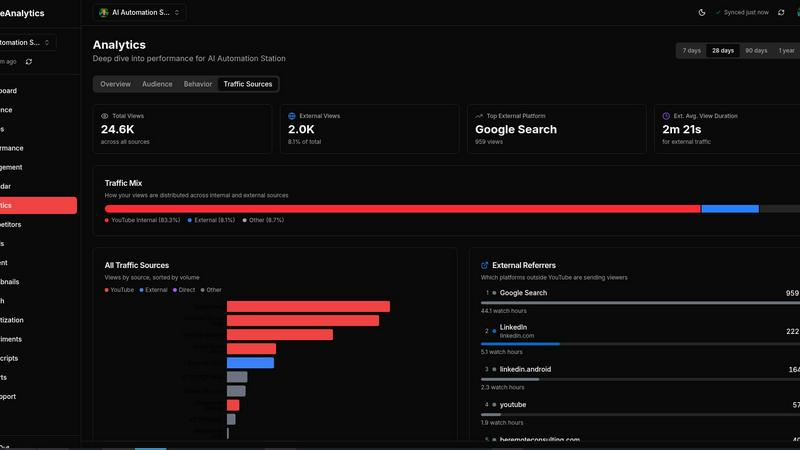
TubeAnalytics transforms your YouTube channel into a growth powerhouse with advanced analytics, competitor insights, and trend discovery tools.
Last updated: March 11, 2026
Visual Comparison
Playwriter

TubeAnalytics
Overview
About Playwriter
AI agents cannot browse the web properly. They either have no browser access, or they get a fresh Chrome with no logins, no extensions, and instant bot detection. Playwriter gives them your actual browser session instead. One Chrome extension, full automation API, everything you are already logged into. Includes accessibility snapshots (5-20KB instead of 100KB+ screenshots), a debugger with breakpoints, live code editing, network interception, and video recording. Works with any MCP client: Cursor, Claude, VS Code, and more. Open source, MIT licensed.
About TubeAnalytics
TubeAnalytics is a cutting-edge YouTube analytics platform designed specifically for serious content creators looking to harness the power of data for growth. With TubeAnalytics, creators can track a myriad of metrics including views, watch time, subscribers, revenue, click-through rates, retention, and audience behavior, all presented within a sleek and intuitive dashboard. This tool empowers YouTube creators by offering clarity in their performance, enabling them to make data-driven decisions that lead to channel growth and increased revenue. It is particularly beneficial for those aiming to outsmart their competitors, spot viral trends early, and optimize their content strategy. By integrating advanced analytics with actionable insights, TubeAnalytics transforms YouTube channels into growth machines, ensuring that creators stop guessing their way to success and start leveraging comprehensive data to expand their audience and revenue streams.