
SpeedTestry
SpeedTestry is a free independent tool for accurately testing your internet speed without ISP interference.
Visit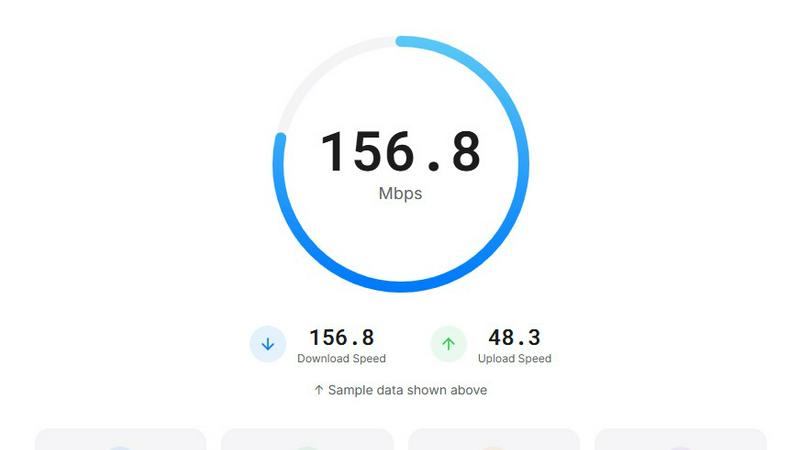
About SpeedTestry
SpeedTestry is a sophisticated, web-based internet performance diagnostic tool engineered to provide users with a precise, rapid, and unbiased assessment of their network connection. It functions as a comprehensive digital speedometer, meticulously measuring four critical network metrics: download speed, upload speed, ping (latency), and jitter. This tool is designed for a broad spectrum of users, from everyday consumers curious about their broadband performance to IT professionals, remote workers, and gamers who require empirical data to troubleshoot issues or validate service level agreements from their Internet Service Provider (ISP). Its core value proposition lies in delivering laboratory-grade accuracy within a consumer-friendly, completely free interface that prioritizes user privacy above all else. By utilizing Cloudflare's globally distributed edge network for its testing servers, SpeedTestry ensures consistent, reliable results that are not influenced by any single ISP, making it an authoritative independent benchmark. The entire testing process is completed in under 30 seconds, offering immediate insights that empower users to make informed decisions about their internet service, optimize their home network setup, or simply verify the quality of their connection for bandwidth-intensive activities.
Features of SpeedTestry
Comprehensive Multi-Metric Analysis
SpeedTestry provides a holistic view of network health by measuring four essential parameters simultaneously. It accurately gauges download and upload speeds in megabits per second (Mbps), which dictate data transfer rates for activities like streaming and file sharing. Crucially, it also measures ping (latency) in milliseconds (ms), indicating the responsiveness of your connection for real-time applications, and jitter, which quantifies the consistency of that latency. This multi-faceted analysis offers a complete diagnostic picture far beyond simple speed checks, enabling precise identification of whether a performance issue is related to bandwidth, latency, or connection stability.
Independent and Unbiased Testing Infrastructure
Unlike ISP-provided tools such as the Spectrum speed test, SpeedTestry operates as a fully independent third-party service. Its testing algorithms connect to a global network of servers powered by Cloudflare, deliberately avoiding servers within an ISP's own network that might be optimized for speed tests. This architecture guarantees unbiased results, providing a true, real-world measurement of your internet performance as experienced by external services and websites, free from potential ISP interference or result inflation.
Privacy-First Data Policy
In an era of pervasive data collection, SpeedTestry distinguishes itself with a stringent privacy-first mandate. The service is explicitly designed not to store any personal user data or historical speed test results. When a test is completed, the results are displayed to the user and are not logged, shared with third parties, or used for profiling. This commitment ensures users can conduct frequent tests with complete peace of mind, a stark contrast to some ISP tools that may log performance data.
Advanced Technical Diagnostics and Reporting
Following each test, SpeedTestry presents a detailed connection report that extends beyond basic speed metrics. This report includes technical details such as the user's IP address (in IPv6 format when available), geographical location code, device type, browser version, operating system, and CPU architecture. This granular data is invaluable for advanced troubleshooting, allowing users or IT support to correlate performance issues with specific hardware, software, or network configurations, facilitating a more targeted resolution process.
Use Cases of SpeedTestry
Verifying ISP Service Level Agreements
Consumers and business clients can use SpeedTestry to objectively verify that the internet speeds they are experiencing align with the tiers and promises made by their Internet Service Provider. By running tests at different times of the day and comparing results to the advertised "up to" speeds, users can gather concrete evidence to present to customer support if consistent underperformance is detected, holding the ISP accountable for service delivery.
Troubleshooting Home Network Performance Issues
When experiencing slow browsing, buffering videos, or dropped video calls, SpeedTestry serves as a first-line diagnostic tool. Users can test their connection wirelessly and then via a wired Ethernet connection to isolate whether the issue stems from their Wi-Fi router or the ISP's incoming line. The detailed ping and jitter metrics are particularly useful for diagnosing problems with real-time applications like VoIP and online gaming.
Pre- and Post-Equipment Upgrade Benchmarking
For users upgrading their internet plan, modem, or router, SpeedTestry provides an empirical method to measure the impact of the change. By conducting a speed test with the old configuration and comparing it directly to a test with the new setup, users can quantitatively validate the improvement (or lack thereof) from their investment, ensuring the new hardware or service tier is functioning as expected.
Providing Evidence for Remote Work and Telehealth Requirements
Remote professionals, particularly those in roles requiring video conferencing, large file transfers, or access to cloud-based systems, can use SpeedTestry to document their home network's capability. This data can be shared with employers or IT departments to demonstrate that a home office setup meets the minimum technical requirements for stable and productive remote work, or to justify the need for potential ISP upgrades or corporate support.
Frequently Asked Questions
How accurate is the SpeedTestry speed test?
SpeedTestry is engineered for high accuracy by utilizing a globally distributed server network via Cloudflare, which provides a real-world test to common internet infrastructure rather than an ISP's optimized servers. For the most accurate results, it is recommended to use a wired Ethernet connection, close other bandwidth-consuming applications on your network, and run multiple tests at different times. The tool's adaptive algorithms are designed to accurately measure connections across a wide spectrum of speeds.
Why is my speed test result slower than the speed I am paying for from my ISP?
There are several common reasons for this discrepancy. Advertised speeds are typically "up to" a maximum under ideal conditions and are shared across all devices on your home network. Wi-Fi interference, distance from your router, an older modem or router, background device updates, and network congestion during peak hours in your neighborhood can all significantly reduce actual throughput. Using SpeedTestry with a wired connection helps determine if the limitation is with your internal network or the ISP's service.
What is considered a good ping speed test result for online gaming?
For online gaming, ping (latency) is often more critical than raw download speed. A ping under 20 milliseconds (ms) is considered excellent and ideal for competitive gaming. A ping between 20ms and 50ms is very good and suitable for most gaming. Pings between 50ms and 100ms are acceptable but may be noticeable in fast-paced titles, while pings over 150ms will likely cause noticeable lag and a poor gaming experience. SpeedTestry's jitter metric also matters, as low jitter indicates a stable connection.
How often should I run a speed test?
The frequency depends on your needs. For general monitoring, running a test once a month or when you notice performance issues is sufficient. If you are troubleshooting a specific problem, testing several times a day at different times (peak evening hours vs. early morning) can help identify patterns like network congestion. It is also advisable to run a test before contacting your ISP about speed issues to have concrete data, and after any change to your network setup (e.g., new router, changed ISP plan).