
AI Photo Assistant vs VideoAny
Side-by-side comparison to help you choose the right product.

AI Photo Assistant
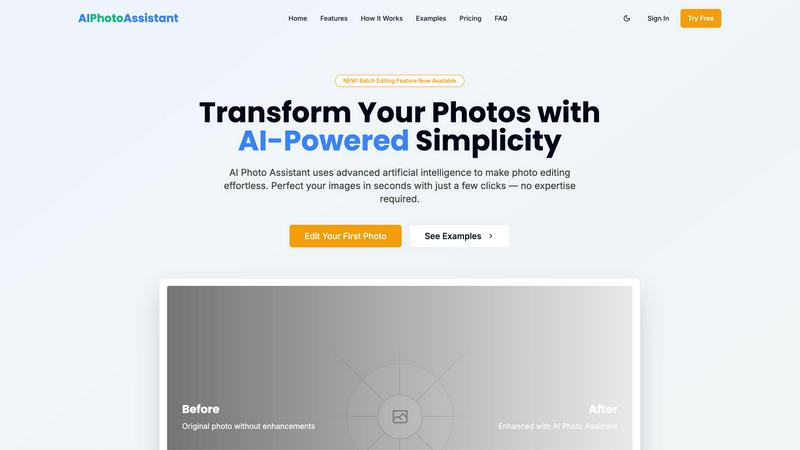
Effortlessly enhance your photos with AI Photo Assistant's one-click technology for professional-quality results.
Last updated: February 28, 2026

VideoAny
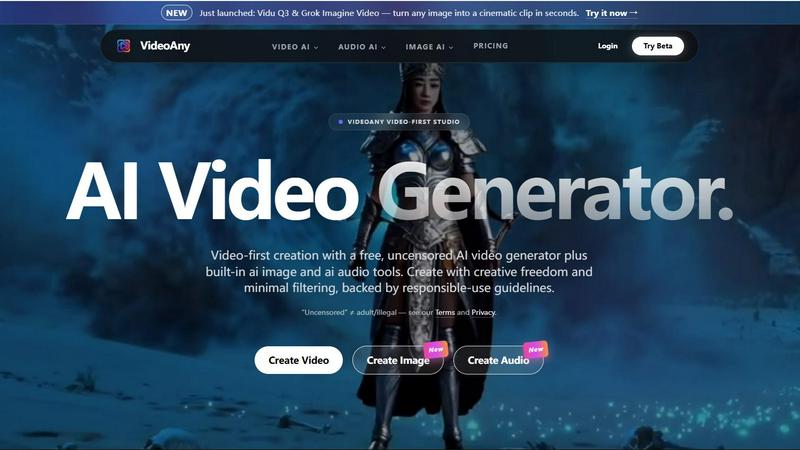
VideoAny is a comprehensive AI video-first studio that integrates video, image, and audio generation tools for creative production.
Last updated: April 13, 2026
Visual Comparison
AI Photo Assistant
VideoAny
Feature Comparison
AI Photo Assistant
Intelligent Editing
The Intelligent Editing feature leverages sophisticated AI algorithms to analyze images and apply perfect adjustments automatically. Users can expect optimized results in terms of lighting, color balance, and overall composition, ensuring that each photo meets professional standards without requiring manual tweaks.
One-Click Enhancement
With the One-Click Enhancement capability, users can transform their photos instantly. This feature allows for quick improvements in brightness, contrast, saturation, and other essential elements, making it effortless to enhance any image with a single click.
Batch Editing
The newly introduced Batch Editing feature allows users to edit multiple photos simultaneously. This time-saving functionality is ideal for those who need to process large volumes of images, such as event photographers or content creators managing social media accounts, enabling swift and consistent enhancements.
Smart Auto-Enhancement
Smart Auto-Enhancement takes the guesswork out of photo editing. By analyzing each image, the AI applies tailored adjustments to create the best possible outcome, ensuring that users achieve optimal results without needing any prior editing skills or experience.
About VideoAny
Uncensored AI Video & Image Generation
VideoAny's flagship feature is its "uncensored" generation mode, which applies minimal filtering to user prompts. This is specifically enabled for its proprietary VideoAny model, allowing for creative exploration of themes and concepts that might be restricted on other platforms due to stringent safety policies. It is crucial to note that this freedom operates within a strict legal and ethical framework that prohibits illegal content. This feature is designed for artists and creators who require fewer constraints on their imaginative process while maintaining responsible creation practices.
Multi-Model AI Studio Integration
The platform aggregates top-tier AI models into one seamless interface. Users are not limited to a single AI's capabilities but can leverage specialized models like Kling 3.0 for high-motion video from images, Vidu Q3 for rapid cinematic clip generation, and Grok Imagine for both video and image tasks. This integration allows creators to choose the best tool for a specific job, whether it's achieving a particular visual style, motion quality, or generation speed, all without leaving the VideoAny ecosystem.
One-Click AI Video Effects Library
VideoAny hosts an extensive library of over 60 pre-built AI video effects that enable rapid, template-style transformations. With a single click, users can apply effects such as making subjects in a photo dance, hug, kiss, or engage in other animated actions. This feature dramatically lowers the barrier to creating engaging, dynamic content from static images, making advanced AI animation accessible to users of all skill levels for creating fun, shareable social media content.
Unified AI Audio Generation Suite
Complementing its visual tools, VideoAny includes a built-in AI audio generator. This suite encompasses text-to-music composition, voice cloning, and sound effects (SFX) generation. This holistic approach ensures creators can score their AI-generated videos, add narrative voiceovers, or include impactful audio cues without relying on external software, enabling a complete, end-to-end production pipeline entirely within the VideoAny studio.
Use Cases
AI Photo Assistant
Social Media Content Creation
Content creators can utilize AI Photo Assistant to quickly enhance their photos for social media platforms. The efficient editing process allows for the rapid production of high-quality images, ensuring that creators can maintain a consistent and visually appealing online presence.
Small Business Marketing
Small business owners can benefit from AI Photo Assistant by producing professional-quality product images without the high costs associated with hiring a photographer. The platform’s automated enhancements help showcase products attractively, thereby improving marketing efforts and customer engagement.
Personal Photo Enhancement
Individuals looking to enhance their personal photos for events, vacations, or family gatherings can use AI Photo Assistant to achieve stunning results. The user-friendly interface allows anyone to elevate their images effortlessly, capturing memories in the best light.
Professional Photography Workflow
Professional photographers can integrate AI Photo Assistant into their workflow to streamline the editing process. By quickly enhancing images with AI technology, they can focus more on creative aspects and client interactions rather than spending excessive time on manual edits.
VideoAny
Viral Social Media Content Creation
Social media managers and influencers can use VideoAny to rapidly ideate and produce eye-catching, trend-based video clips. By leveraging text-to-video for quick concepts, the AI effects library for adding viral-ready animations to photos, and the audio tools for adding trending sounds or music, creators can maintain a consistent and engaging posting schedule designed to maximize shares and audience growth across platforms like TikTok, Instagram Reels, and YouTube Shorts.
Prototyping and Storyboarding for Filmmakers
Independent filmmakers and animators can utilize VideoAny as a powerful pre-visualization tool. The ability to generate cinematic clips from text descriptions or concept art (using models like Vidu Q3) allows for rapid iteration on scenes, visual styles, and narrative flow. This use case enables directors and producers to create dynamic, low-fidelity storyboards and mood reels to secure funding, communicate vision to crews, and test creative ideas before committing to expensive production phases.
Dynamic Digital Marketing and Advertising
Marketing agencies and e-commerce brands can employ VideoAny to create cost-effective, high-impact ad creatives. The platform allows for the quick generation of product demonstration videos, the animation of static product images to show features, and the creation of branded audio jingles or voiceovers. This enables A/B testing of different creative concepts at scale and the personalization of video ads for different target demographics without traditional production overhead.
Experimental Digital Art and Animation
Digital artists and animators exploring the intersection of AI and art can use VideoAny's uncensored generation and diverse model set as a canvas for experimentation. The platform facilitates the creation of unique, AI-driven visual and audio pieces, the exploration of new aesthetic movements, and the blending of multiple generative styles. Artists can push creative boundaries, generate assets for larger projects, or create standalone pieces for exhibition in digital art spaces.
Overview
About AI Photo Assistant
AI Photo Assistant is an innovative photo editing platform that harnesses the power of advanced artificial intelligence to streamline and enhance the photo editing process. This user-friendly tool is suitable for individuals across various skill levels, from novices looking to improve their personal images to seasoned professionals seeking to produce high-quality visuals efficiently. By automatically analyzing photographs and making intelligent adjustments to key elements such as brightness, contrast, and saturation, the AI Photo Assistant enables users to achieve remarkable results with minimal effort. Whether you are a social media influencer aiming to captivate your audience, a small business owner needing eye-catching product photos, or a busy professional requiring quick yet effective image enhancements, AI Photo Assistant proves indispensable. Its intuitive interface allows users to transform their images into stunning visuals in just a few clicks, making the editing experience both accessible and rewarding.
About VideoAny
VideoAny is a comprehensive, video-first AI creative studio designed to consolidate the entire content creation workflow into a single, powerful platform. It distinguishes itself by offering immense creative freedom with minimal content filtering, positioning itself as an "uncensored" hub for creators. This philosophy is built on a foundation of responsible-use guidelines, explicitly prohibiting illegal or adult content, but allowing for a broader range of artistic and conceptual expression than typically found in mainstream AI tools. The platform integrates three core generative AI modalities: video, image, and audio. Creators can start from text prompts or uploaded images to generate high-quality, fluid videos suitable for social media, advertising, and digital storytelling. It supports a wide array of cutting-edge AI models, including Kling 3.0 for bringing images to life with motion, Vidu Q3 for cinematic clips, and Grok Imagine, providing users with state-of-the-art options for different creative needs. VideoAny is built for a broad spectrum of users, from social media influencers and digital marketers seeking to produce viral content quickly, to independent filmmakers and artists exploring the boundaries of AI-assisted creation. Its core value proposition is the elimination of the need for a fragmented "creative stack," offering an all-in-one intelligent platform that promises to be everything a creator needs to go viral.
Frequently Asked Questions
AI Photo Assistant FAQ
What types of images can I edit with AI Photo Assistant?
AI Photo Assistant supports all popular image formats, allowing you to edit a wide variety of photos, including portraits, landscapes, and product images.
Is there a learning curve for using AI Photo Assistant?
No, AI Photo Assistant is designed to be intuitive and user-friendly. You can achieve professional results without any prior photo editing experience or technical knowledge.
Can I download my edited photos in different resolutions?
Yes, the platform offers various export options, including standard and HD resolutions, depending on the plan you choose, ensuring you have the right quality for your needs.
How does the Batch Editing feature work?
The Batch Editing feature allows you to select multiple photos for enhancement at once. The AI processes each image simultaneously, applying the desired adjustments to save you time and effort.
VideoAny FAQ
What does "uncensored" mean on VideoAny?
On VideoAny, "uncensored" refers to a generation mode with minimal automated content filtering, offering wider creative freedom for artistic and conceptual exploration. It is explicitly not a license for adult or illegal content, which remains strictly prohibited under the platform's Terms of Service. This mode is primarily available on VideoAny's proprietary models, while integrated third-party models (like Kling or Vidu) operate under their own content policies and may apply additional safety filters.
Is there a free plan for VideoAny?
Yes, VideoAny offers a free tier that provides access to core features of the AI video, image, and audio generators. This allows users to test the platform's fundamental capabilities. However, free usage typically comes with limitations, such as lower output resolution, watermarks, standard processing queues, and restrictions on commercial usage, which are expanded upon in paid subscription plans.
Can I use the content I create for commercial purposes?
The rights for commercial use depend on your specific subscription plan. Generally, paid subscribers are granted broader licensing rights that allow for the commercial use of generated content in projects like advertisements, client work, and sold media. Users on the free tier are usually limited to personal, non-commercial use only. It is essential to review the specific Terms of Service for your plan to understand the exact scope of usage rights.
How does VideoAny handle the data and images I upload?
VideoAny states that user uploads are encrypted during transmission to protect data security. The platform's data handling practices are governed by its Privacy Policy. Users retain control over their content, deciding what to publish or share publicly. For detailed information on data storage, processing, and retention, creators should consult the official Privacy Policy document provided on the VideoAny website.
Alternatives
AI Photo Assistant Alternatives
AI Photo Assistant is a state-of-the-art photo editing tool that harnesses the power of artificial intelligence to streamline the enhancement process for users at any skill level. Designed for those who seek professional-quality images without extensive editing experience, it automates various adjustments such as brightness, contrast, and saturation, making it an invaluable resource for social media creators and entrepreneurs alike. However, many users find themselves exploring alternatives due to factors like pricing, specific feature requirements, or compatibility with different platforms. When selecting an alternative, it is essential to consider the range of features offered, ease of use, customer support options, and whether the tool aligns with your specific photo editing needs and workflow.
VideoAny Alternatives
VideoAny is a comprehensive AI video and image generation platform, categorized as an AI assistant for creative content production. It functions as a video-first AI studio, integrating tools for generating video, images, and audio from text prompts or existing images, with a noted emphasis on offering creators significant creative freedom. Users often explore alternatives for various practical reasons. These can include seeking different pricing models or subscription tiers, requiring specific features not available in one platform, or needing to comply with different content moderation policies for their target audience. The search may also be driven by a desire for different user interfaces, integration capabilities, or support for particular AI models. When evaluating alternatives, key considerations should include the core AI capabilities for video and image generation, the range of supported models and their output quality, the platform's approach to content guidelines, and the overall value proposition regarding cost, ease of use, and workflow integration. Assessing the tool's suitability for your specific creative or professional needs is paramount.