
AI Photo Assistant
Effortlessly enhance your photos with AI Photo Assistant's one-click technology for professional-quality results.
Visit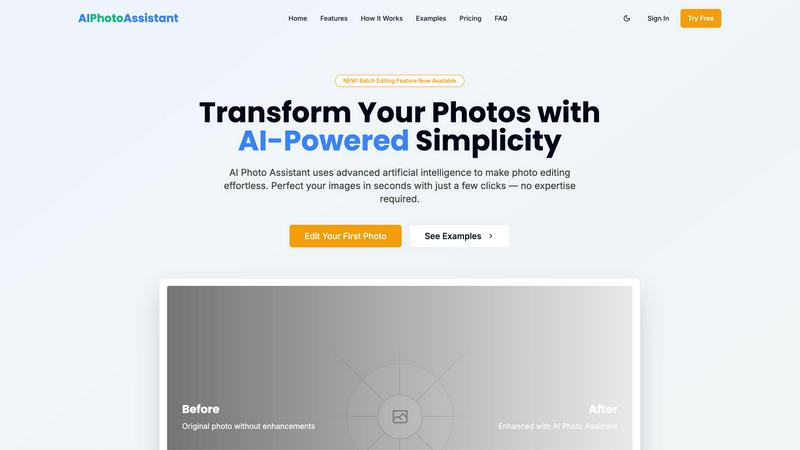
About AI Photo Assistant
AI Photo Assistant is an innovative photo editing platform that harnesses the power of advanced artificial intelligence to streamline and enhance the photo editing process. This user-friendly tool is suitable for individuals across various skill levels, from novices looking to improve their personal images to seasoned professionals seeking to produce high-quality visuals efficiently. By automatically analyzing photographs and making intelligent adjustments to key elements such as brightness, contrast, and saturation, the AI Photo Assistant enables users to achieve remarkable results with minimal effort. Whether you are a social media influencer aiming to captivate your audience, a small business owner needing eye-catching product photos, or a busy professional requiring quick yet effective image enhancements, AI Photo Assistant proves indispensable. Its intuitive interface allows users to transform their images into stunning visuals in just a few clicks, making the editing experience both accessible and rewarding.
Features of AI Photo Assistant
Intelligent Editing
The Intelligent Editing feature leverages sophisticated AI algorithms to analyze images and apply perfect adjustments automatically. Users can expect optimized results in terms of lighting, color balance, and overall composition, ensuring that each photo meets professional standards without requiring manual tweaks.
One-Click Enhancement
With the One-Click Enhancement capability, users can transform their photos instantly. This feature allows for quick improvements in brightness, contrast, saturation, and other essential elements, making it effortless to enhance any image with a single click.
Batch Editing
The newly introduced Batch Editing feature allows users to edit multiple photos simultaneously. This time-saving functionality is ideal for those who need to process large volumes of images, such as event photographers or content creators managing social media accounts, enabling swift and consistent enhancements.
Smart Auto-Enhancement
Smart Auto-Enhancement takes the guesswork out of photo editing. By analyzing each image, the AI applies tailored adjustments to create the best possible outcome, ensuring that users achieve optimal results without needing any prior editing skills or experience.
Use Cases of AI Photo Assistant
Social Media Content Creation
Content creators can utilize AI Photo Assistant to quickly enhance their photos for social media platforms. The efficient editing process allows for the rapid production of high-quality images, ensuring that creators can maintain a consistent and visually appealing online presence.
Small Business Marketing
Small business owners can benefit from AI Photo Assistant by producing professional-quality product images without the high costs associated with hiring a photographer. The platform’s automated enhancements help showcase products attractively, thereby improving marketing efforts and customer engagement.
Personal Photo Enhancement
Individuals looking to enhance their personal photos for events, vacations, or family gatherings can use AI Photo Assistant to achieve stunning results. The user-friendly interface allows anyone to elevate their images effortlessly, capturing memories in the best light.
Professional Photography Workflow
Professional photographers can integrate AI Photo Assistant into their workflow to streamline the editing process. By quickly enhancing images with AI technology, they can focus more on creative aspects and client interactions rather than spending excessive time on manual edits.
Frequently Asked Questions
What types of images can I edit with AI Photo Assistant?
AI Photo Assistant supports all popular image formats, allowing you to edit a wide variety of photos, including portraits, landscapes, and product images.
Is there a learning curve for using AI Photo Assistant?
No, AI Photo Assistant is designed to be intuitive and user-friendly. You can achieve professional results without any prior photo editing experience or technical knowledge.
Can I download my edited photos in different resolutions?
Yes, the platform offers various export options, including standard and HD resolutions, depending on the plan you choose, ensuring you have the right quality for your needs.
How does the Batch Editing feature work?
The Batch Editing feature allows you to select multiple photos for enhancement at once. The AI processes each image simultaneously, applying the desired adjustments to save you time and effort.
Similar to AI Photo Assistant


AI Chat, Chat AI, AI Detector & AI Checker. Chat with AI, detect AI writing, humanize text and create content powered by Chat GPT 5.5.

SOC 2 and ISO 27001 turned into a clear to-do list. AI prepares the first drafts, you approve every call, and the founders actually answer.


Distro is an AI Distribution Operator that helps B2B teams publish content, find buyer conversations, engage prospects, and turn social intent into pi
