
Oneprofile vs StatPecker
Side-by-side comparison to help you choose the right product.

Oneprofile
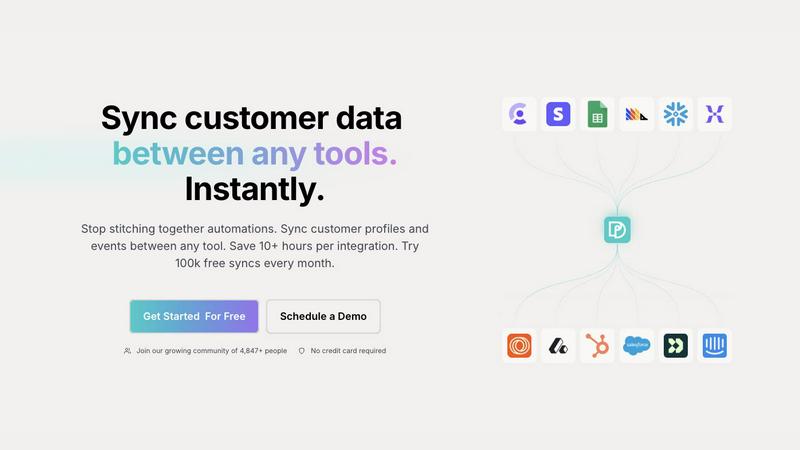
Oneprofile seamlessly syncs customer profiles and events across tools, ensuring data consistency and saving you time.
Last updated: February 26, 2026

StatPecker
StatPecker transforms your data into stunning visuals and AI-driven insights for easy sharing and impactful.
Last updated: March 1, 2026
Visual Comparison
Oneprofile
StatPecker
Feature Comparison
Oneprofile
Real-Time Data Synchronization
Oneprofile ensures that customer profiles and events remain consistent across all tools in real-time. This feature allows businesses to maintain an accurate and up-to-date view of their customers, ensuring that all departments are aligned and informed.
Identity Resolution
With advanced identity resolution capabilities, Oneprofile eliminates duplication and data drift. It intelligently matches customer identities and fields across various systems, ensuring that every tool references the same customer without discrepancies.
Customizable Data Flows
Oneprofile provides users with the flexibility to control how customer data moves between systems. Users can map fields automatically or manually, define sync directions, and specify how updates propagate, allowing for a tailored approach that fits their operational needs.
Easy Integrations
Setting up Oneprofile is a breeze, with integrations that can be completed in minutes rather than weeks. This feature allows teams to connect various tools without the need for extensive engineering resources, saving time and enhancing productivity.
StatPecker
Ask Your Query
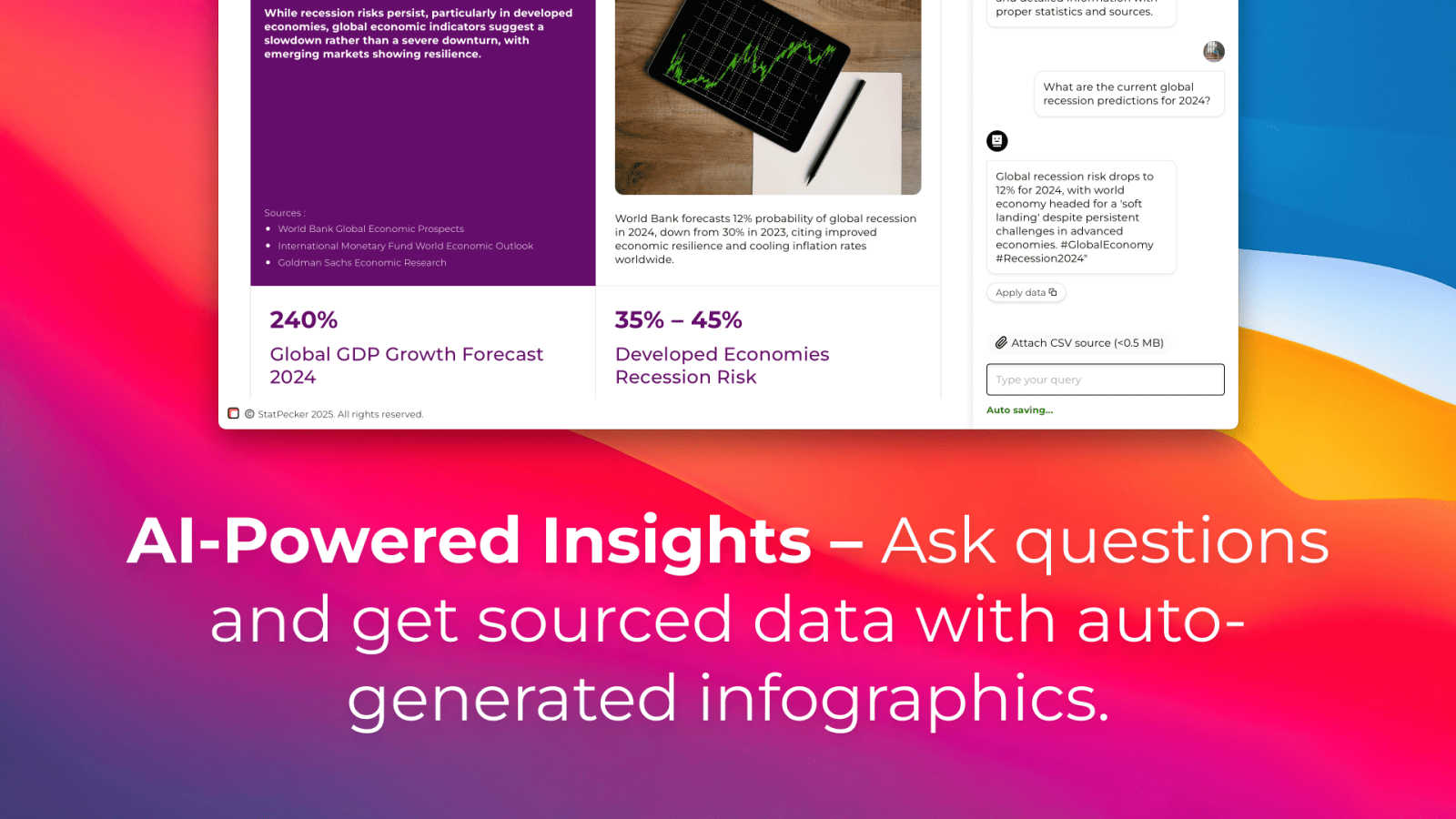
StatPecker allows users to gain instant insights by simply asking questions related to their data. This feature eliminates the complexity often associated with traditional data analysis tools, making it accessible for users without extensive technical expertise.
Publish & Embed
With the ability to make visuals interactive, users can seamlessly integrate their infographics into blogs, articles, and websites. This feature enhances content engagement and allows for more dynamic presentations of data-driven insights.
Upload & Analyze CSVs
Users can upload CSV files of up to 50 MB and analyze them locally without the need for extensive spreadsheet manipulation. This feature ensures that data remains private while being prepared for insightful analysis.
Download & Use Anywhere
StatPecker enables users to export their created infographics as images, making them easy to use in reports, presentations, and other formats. This versatility ensures that users can share their findings across various platforms without limitations.
Use Cases
Oneprofile
Marketing Automation Optimization
Marketers can utilize Oneprofile to ensure that their customer segmentation and targeting efforts are based on accurate and unified data. This leads to more effective campaigns and improved customer engagement.
Customer Support Enhancement
Customer support teams can access real-time customer profiles, allowing them to provide personalized and informed assistance. With all relevant customer information synced, support representatives can resolve issues more efficiently.
Sales Team Alignment
Sales teams benefit from having a single source of truth for customer data. Oneprofile ensures that sales representatives have access to the latest customer interactions and history, enabling them to tailor their pitches and increase conversion rates.
Analytics and Reporting Accuracy
Oneprofile enhances the accuracy of analytics and reporting by providing consistent customer data across tools. This leads to better insights and decision-making, as teams can rely on trustworthy information to guide their strategies.
StatPecker
Content Creation
Content creators can leverage StatPecker to generate visually stunning infographics that enhance their articles and blogs. By integrating compelling visuals, they can attract more readers and effectively communicate their messages.
Data Reporting
Analysts can use StatPecker to automate the creation of reports, transforming complex datasets into clear, understandable visuals. This functionality saves time and allows for more accurate reporting, enabling teams to make informed decisions quickly.
Marketing Insights
Marketers can extract key trends and insights from their data using StatPecker, creating engaging visuals that can be shared across social media and marketing campaigns. This enhances the presentation of marketing strategies and results.
Educational Resources
Educators can utilize StatPecker to create infographics that facilitate better understanding of complex subjects for their students. By visualizing information, teachers can enhance learning experiences and improve knowledge retention.
Overview
About Oneprofile
Oneprofile is an innovative data synchronization tool designed to streamline the management of customer profiles and events across various platforms used by businesses. It addresses the common challenge of data fragmentation, where each system has its own version of customer information, leading to inconsistencies and inefficiencies. With Oneprofile, all customer data is kept in sync automatically between Customer Relationship Management (CRM) systems, analytics platforms, support frameworks, and marketing tools. This ensures that whenever there is a change in customer data, it is reflected across all systems instantly. The main value proposition of Oneprofile lies in its ability to eliminate the need for manual pipelines and reduce the risk of broken integrations. By providing a centralized solution for data synchronization, Oneprofile empowers teams to have the right information at their fingertips, fostering better decision-making and enhancing customer experiences.
About StatPecker
StatPecker is a cutting-edge AI-powered tool that revolutionizes the way users visualize and interpret data. By transforming raw data into engaging infographics in just seconds, StatPecker caters to a diverse audience including content creators, analysts, marketers, and educators. Its main value proposition lies in simplifying the data storytelling process, allowing users to communicate complex information in a visually appealing manner. With the ability to automate visualization, StatPecker eliminates the need for manual reporting or hiring costly designers, significantly saving time and reducing operational costs. Users can effortlessly upload CSV files, interact with the AI for data queries, and generate dynamic visuals that enhance reports and presentations. This platform empowers individuals and teams to present data in an accessible and understandable format, promoting insightful data analysis and informed decision-making.
Frequently Asked Questions
Oneprofile FAQ
How does Oneprofile ensure data consistency across tools?
Oneprofile employs real-time synchronization to ensure that any changes made to customer data are reflected across all integrated systems instantly. This eliminates discrepancies and maintains data integrity.
Can I customize how customer data is synced?
Yes, Oneprofile allows for customizable data flows. Users can map fields, define sync directions, and specify how updates propagate, providing a tailored solution that fits their business processes.
What types of tools can be integrated with Oneprofile?
Oneprofile is designed to integrate with a wide range of tools, including CRMs, marketing platforms, analytics tools, and support systems. This flexibility enables businesses to connect their entire tech stack seamlessly.
Is technical expertise required to set up Oneprofile?
No, Oneprofile is designed for ease of use, allowing teams to set up integrations in minutes without requiring extensive technical expertise or engineering resources. This accessibility helps businesses save time and resources.
StatPecker FAQ
How does StatPecker ensure data privacy?
StatPecker operates with a local SQL agent, which means that all data analysis occurs on the user's device. This ensures that sensitive information remains private and secure during the analysis process.
Can I use StatPecker for free?
Yes, StatPecker offers a free tier that allows users to start creating infographics without any upfront costs. This includes access to unlimited projects, embeds, and a limited number of AI queries and CSV uploads.
What types of files can I upload to StatPecker?
Users can upload CSV files of up to 50 MB for analysis. This feature is designed to simplify data management and extraction of insights without the complexities of traditional spreadsheet software.
What support options are available for StatPecker users?
StatPecker provides users with access to a knowledge base and customer support to assist with any queries or issues they may encounter while using the platform. Users can also provide feedback for feature requests and improvements.
Alternatives
Oneprofile Alternatives
Oneprofile is a powerful tool designed to sync customer profiles and events across various platforms, ensuring that all systems reflect the same up-to-date customer information. As part of the Analytics & Data category, it plays a crucial role in harmonizing data between CRMs, marketing tools, analytics solutions, and support systems. This seamless integration prevents discrepancies and manual updates, making it an attractive option for businesses looking to streamline their operations. Users often seek alternatives to Oneprofile due to factors such as pricing, specific feature requirements, or the need for compatibility with existing software ecosystems. When exploring alternatives, it is essential to consider aspects such as ease of integration, the ability to handle real-time data updates, and the overall user experience. Finding a solution that aligns with the unique needs of a business can lead to more efficient data management and enhanced decision-making capabilities.
StatPecker Alternatives
StatPecker is a cutting-edge AI-powered platform designed to transform complex data into visually striking infographics, making it easier for users to communicate insights effectively. As a tool primarily used in the analytics and data category, it caters to a wide array of professionals, including marketers, educators, and content creators. Users often seek alternatives to StatPecker for various reasons, such as pricing concerns, specific feature requirements, or compatibility with different platforms. When evaluating potential alternatives, it is essential to consider factors like ease of use, the ability to integrate seamlessly with existing tools, and the range of visualization options available to ensure the selected solution meets their unique data storytelling needs.