
AI Photo Assistant vs PhotoWeather
Side-by-side comparison to help you choose the right product.

AI Photo Assistant
Effortlessly enhance your photos with AI Photo Assistant's one-click technology for professional-quality results.
Last updated: February 28, 2026

PhotoWeather
Receive tailored weather alerts for optimal photography conditions, ensuring you never miss a perfect shot again.
Last updated: February 26, 2026
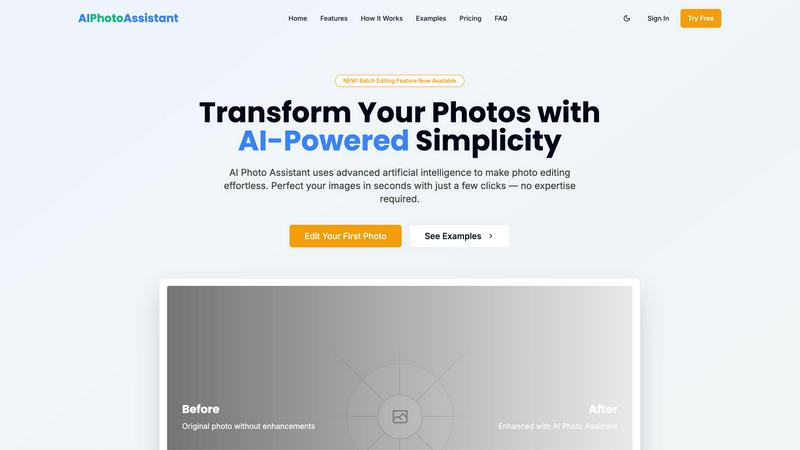
Visual Comparison
AI Photo Assistant
PhotoWeather

Feature Comparison
AI Photo Assistant
Intelligent Editing
The Intelligent Editing feature leverages sophisticated AI algorithms to analyze images and apply perfect adjustments automatically. Users can expect optimized results in terms of lighting, color balance, and overall composition, ensuring that each photo meets professional standards without requiring manual tweaks.
One-Click Enhancement
With the One-Click Enhancement capability, users can transform their photos instantly. This feature allows for quick improvements in brightness, contrast, saturation, and other essential elements, making it effortless to enhance any image with a single click.
Batch Editing
The newly introduced Batch Editing feature allows users to edit multiple photos simultaneously. This time-saving functionality is ideal for those who need to process large volumes of images, such as event photographers or content creators managing social media accounts, enabling swift and consistent enhancements.
Smart Auto-Enhancement
Smart Auto-Enhancement takes the guesswork out of photo editing. By analyzing each image, the AI applies tailored adjustments to create the best possible outcome, ensuring that users achieve optimal results without needing any prior editing skills or experience.
About PhotoWeather
Ready-Made Templates
PhotoWeather offers a variety of pre-made templates designed specifically for photographers, including conditions such as fog and mist, golden and blue hour, aurora visibility, and storm intensity. These templates simplify the setup process, allowing users to start receiving alerts tailored to their photographic interests right away.
Powerful Rule Builder
The platform includes a sophisticated rule builder with over 80 parameters, including cloud cover, visibility, wind speed, humidity, and more. Users can create custom alerts using logical operators like AND, OR, and NOT, enabling them to establish complex conditions for their photography needs, such as "Golden hour + 20-60% clouds + wind <7 m/s."
Smart Notifications
PhotoWeather provides a variety of smart notification options, including daily digests that summarize upcoming opportunities, reminders for important events, and real-time alerts when conditions change. This functionality is enhanced with calendar synchronization, allowing users to integrate their photo opportunities directly into their schedules.
Trusted Forecast Sources
PhotoWeather aggregates data from leading weather services like ECMWF, DWD, NOAA, and more, ensuring that users receive accurate and reliable forecasts. This integration helps photographers make informed decisions about when and where to shoot, based on trusted meteorological data.
Use Cases
AI Photo Assistant
Social Media Content Creation
Content creators can utilize AI Photo Assistant to quickly enhance their photos for social media platforms. The efficient editing process allows for the rapid production of high-quality images, ensuring that creators can maintain a consistent and visually appealing online presence.
Small Business Marketing
Small business owners can benefit from AI Photo Assistant by producing professional-quality product images without the high costs associated with hiring a photographer. The platform’s automated enhancements help showcase products attractively, thereby improving marketing efforts and customer engagement.
Personal Photo Enhancement
Individuals looking to enhance their personal photos for events, vacations, or family gatherings can use AI Photo Assistant to achieve stunning results. The user-friendly interface allows anyone to elevate their images effortlessly, capturing memories in the best light.
Professional Photography Workflow
Professional photographers can integrate AI Photo Assistant into their workflow to streamline the editing process. By quickly enhancing images with AI technology, they can focus more on creative aspects and client interactions rather than spending excessive time on manual edits.
PhotoWeather
Landscape Photography
For landscape photographers, PhotoWeather allows precise monitoring of weather conditions that can dramatically affect outdoor shots. By setting alerts for specific phenomena like fog or cloud cover, photographers can ensure they are in the right place at the right time to capture stunning landscapes.
Astrophotography
Astrophotographers benefit significantly from PhotoWeather's rule builder, which helps them track conditions such as moon phases, cloud cover, and atmospheric clarity. With alerts tailored to astronomical events, users can plan their shoots with confidence, knowing they will be notified of optimal conditions.
Wildlife Photography
Photographers focused on wildlife can utilize PhotoWeather to monitor environmental conditions that affect animal behavior, such as wind patterns and precipitation. By setting specific alerts, they can optimize their chances of capturing rare moments in nature.
Event Photography
For event photographers who need to capture outdoor events in changing weather conditions, PhotoWeather provides timely alerts that help them adapt their plans. Whether it's a wedding or a public gathering, users can ensure they are prepared for the best lighting and weather for their shoots.
Overview
About AI Photo Assistant
AI Photo Assistant is an innovative photo editing platform that harnesses the power of advanced artificial intelligence to streamline and enhance the photo editing process. This user-friendly tool is suitable for individuals across various skill levels, from novices looking to improve their personal images to seasoned professionals seeking to produce high-quality visuals efficiently. By automatically analyzing photographs and making intelligent adjustments to key elements such as brightness, contrast, and saturation, the AI Photo Assistant enables users to achieve remarkable results with minimal effort. Whether you are a social media influencer aiming to captivate your audience, a small business owner needing eye-catching product photos, or a busy professional requiring quick yet effective image enhancements, AI Photo Assistant proves indispensable. Its intuitive interface allows users to transform their images into stunning visuals in just a few clicks, making the editing experience both accessible and rewarding.
About PhotoWeather
PhotoWeather is a specialized weather alert service designed for outdoor photographers who want to optimize their shooting conditions. It provides real-time monitoring of weather forecasts, allowing users to set specific parameters that align with their photographic goals. By eliminating the need for incessant checks on standard weather apps, PhotoWeather ensures that photographers are alerted only when conditions are ideal for capturing breathtaking images — whether it's the enchanting fog at sunrise, the intensity of a storm, or the splendor of the golden hour. The service is tailored specifically for landscape, astrophotography, and wildlife photography enthusiasts, allowing them to focus on their craft without the distraction of irrelevant weather updates. The main value proposition of PhotoWeather lies in its ability to deliver timely and relevant notifications, ensuring that photographers never miss a perfect opportunity to capture the moment.
Frequently Asked Questions
AI Photo Assistant FAQ
What types of images can I edit with AI Photo Assistant?
AI Photo Assistant supports all popular image formats, allowing you to edit a wide variety of photos, including portraits, landscapes, and product images.
Is there a learning curve for using AI Photo Assistant?
No, AI Photo Assistant is designed to be intuitive and user-friendly. You can achieve professional results without any prior photo editing experience or technical knowledge.
Can I download my edited photos in different resolutions?
Yes, the platform offers various export options, including standard and HD resolutions, depending on the plan you choose, ensuring you have the right quality for your needs.
How does the Batch Editing feature work?
The Batch Editing feature allows you to select multiple photos for enhancement at once. The AI processes each image simultaneously, applying the desired adjustments to save you time and effort.
PhotoWeather FAQ
How do I get started?
To start using PhotoWeather, simply sign up for a free account on the website or download the mobile app from the App Store or Google Play. Once registered, you can begin adding your favorite shooting locations and creating custom alerts based on your preferred weather conditions.
How accurate are the forecasts?
PhotoWeather sources its forecasts from reputable meteorological services such as ECMWF, NOAA, and more, ensuring high accuracy and reliability. The platform also incorporates multiple models to provide users with confidence scores for various forecasts.
Can I create my own rules?
Yes, PhotoWeather features a powerful rule builder that allows users to create their own custom alerts using a wide array of weather parameters. This flexibility enables photographers to tailor the service to their unique shooting styles and preferences.
Do you support calendar sync?
Absolutely. PhotoWeather includes calendar synchronization features that allow users to add photo opportunities directly to their calendars. This ensures that users stay organized and are reminded of upcoming conditions that match their photography goals.
Alternatives
AI Photo Assistant Alternatives
AI Photo Assistant is a state-of-the-art photo editing tool that harnesses the power of artificial intelligence to streamline the enhancement process for users at any skill level. Designed for those who seek professional-quality images without extensive editing experience, it automates various adjustments such as brightness, contrast, and saturation, making it an invaluable resource for social media creators and entrepreneurs alike. However, many users find themselves exploring alternatives due to factors like pricing, specific feature requirements, or compatibility with different platforms. When selecting an alternative, it is essential to consider the range of features offered, ease of use, customer support options, and whether the tool aligns with your specific photo editing needs and workflow.
PhotoWeather Alternatives
PhotoWeather is a specialized application designed for photographers, enabling them to receive alerts about ideal weather conditions for capturing stunning images. This tool simplifies the often tedious task of monitoring weather forecasts by providing timely notifications when conditions align with the photographer's goals, such as golden hour lighting, fog, or dramatic clouds. Users often seek alternatives to PhotoWeather due to various reasons, including pricing, the availability of features, or compatibility with different platforms. When selecting an alternative, it's essential to evaluate the breadth of features offered, the flexibility of rule creation, ease of use, and the reliability of notifications. Understanding individual photography needs and preferences will guide users toward the best choice for their specific requirements.