
Fusedash vs StatPecker
Side-by-side comparison to help you choose the right product.

Fusedash transforms raw data into intuitive dashboards and interactive visuals for quick, informed decision-making.
Last updated: March 4, 2026

StatPecker
StatPecker transforms your data into stunning visuals and AI-driven insights for easy sharing and impactful.
Last updated: March 1, 2026
Visual Comparison
Fusedash

StatPecker
Feature Comparison
Fusedash
Flexible Views
Fusedash offers the ability to create various dashboard views tailored to different audiences. Stakeholders can access the insights that matter most without the need for extensive back-and-forth communication. Customization options like layouts, filters, and time ranges ensure that each team receives relevant data in their preferred format.
AI Chart Generator
The AI Chart Generator enables users to create compelling charts from CSV files or APIs in mere minutes. This feature simplifies the process of selecting the appropriate chart type, applying comparisons, and refining labels to effectively communicate the data story, making it easy to integrate these visuals into dashboards or use them independently for reporting.
Dashboard Software
Fusedash combines the functionality of dashboards and reporting into a single workspace. This integration allows teams to monitor KPIs while also providing the necessary context through narrative reporting. By incorporating storytelling elements, users can clarify what changed, the implications of those changes, and future actions, reducing the risk of conflicting reports.
AI Chat
The Smart Chat feature offers users the ability to ask questions in plain language, facilitating quicker navigation through the data. By providing suggested metrics, charts, and breakdowns, Smart Chat allows users to transform insights into shareable dashboard views, making data exploration more intuitive and efficient.
About StatPecker
Ask Your Query
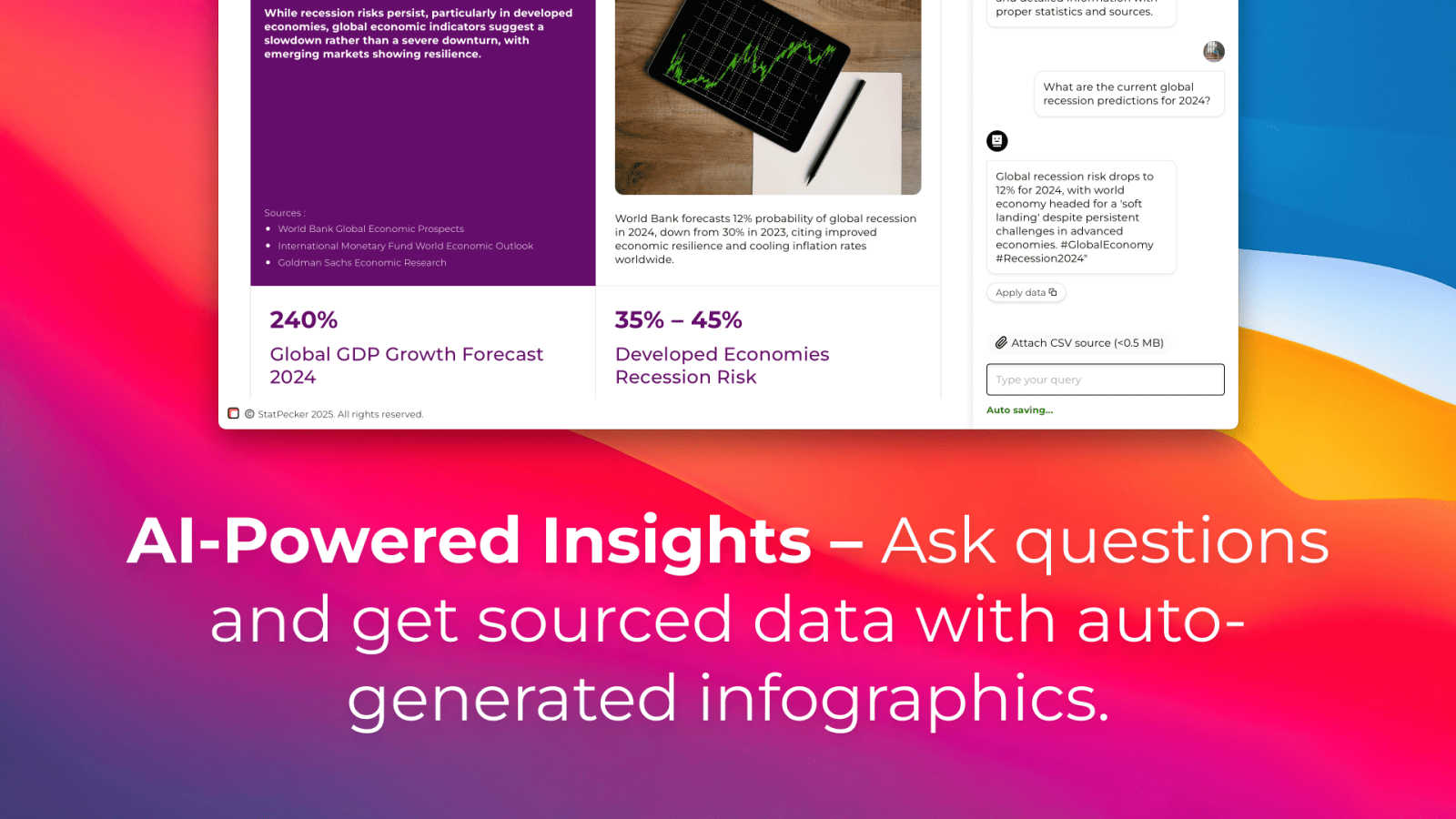
StatPecker allows users to gain instant insights by simply asking questions related to their data. This feature eliminates the complexity often associated with traditional data analysis tools, making it accessible for users without extensive technical expertise.
Publish & Embed
With the ability to make visuals interactive, users can seamlessly integrate their infographics into blogs, articles, and websites. This feature enhances content engagement and allows for more dynamic presentations of data-driven insights.
Upload & Analyze CSVs
Users can upload CSV files of up to 50 MB and analyze them locally without the need for extensive spreadsheet manipulation. This feature ensures that data remains private while being prepared for insightful analysis.
Download & Use Anywhere
StatPecker enables users to export their created infographics as images, making them easy to use in reports, presentations, and other formats. This versatility ensures that users can share their findings across various platforms without limitations.
Use Cases
Fusedash
Marketing Performance Monitoring
Fusedash is invaluable for marketing teams looking to track campaign performance in real-time. By utilizing customizable dashboards, marketers can visualize key metrics, understand audience engagement, and promptly adjust strategies based on actionable insights.
Sales Analytics
Sales teams can leverage Fusedash to monitor sales performance, identify trends, and pinpoint areas for improvement. With interactive charts and real-time data, sales professionals can make informed decisions that enhance revenue generation and customer satisfaction.
Operational Efficiency Tracking
Operations teams can utilize Fusedash to analyze workflow efficiency and resource allocation. By creating detailed maps and dashboards, they can visualize operational bottlenecks and implement changes that improve productivity and reduce costs.
Financial Reporting
Finance departments can benefit from Fusedash by consolidating financial data into comprehensive reports. The ability to create consistent KPIs and metrics ensures that all stakeholders are aligned on financial performance, enabling more strategic decision-making.
StatPecker
Content Creation
Content creators can leverage StatPecker to generate visually stunning infographics that enhance their articles and blogs. By integrating compelling visuals, they can attract more readers and effectively communicate their messages.
Data Reporting
Analysts can use StatPecker to automate the creation of reports, transforming complex datasets into clear, understandable visuals. This functionality saves time and allows for more accurate reporting, enabling teams to make informed decisions quickly.
Marketing Insights
Marketers can extract key trends and insights from their data using StatPecker, creating engaging visuals that can be shared across social media and marketing campaigns. This enhances the presentation of marketing strategies and results.
Educational Resources
Educators can utilize StatPecker to create infographics that facilitate better understanding of complex subjects for their students. By visualizing information, teachers can enhance learning experiences and improve knowledge retention.
Overview
About Fusedash
Fusedash is an advanced AI-powered data visualization platform that streamlines the process of transforming connected data into actionable insights. Designed for teams across various sectors, it serves as a unified workspace where users can create decision-ready dashboards, interactive charts, detailed maps, and narrative reports without the hassle of duplicating efforts across multiple tools. The core value proposition of Fusedash lies in its commitment to consistency and efficiency; users can define key metrics and KPIs once, ensuring that every view and report reflects the same trusted numbers. This feature is particularly advantageous for organizations seeking to eliminate manual reporting cycles and conflicting data narratives. Fusedash empowers users to monitor real-time data while also enabling them to drill down into specific segments, regions, or time periods to understand the underlying reasons behind data trends. With integrated AI functionalities like natural language data chat and smart visualization assistance, Fusedash simplifies data exploration and reporting, turning raw data into a shared source of truth that fosters alignment and drives decisive action.
About StatPecker
StatPecker is a cutting-edge AI-powered tool that revolutionizes the way users visualize and interpret data. By transforming raw data into engaging infographics in just seconds, StatPecker caters to a diverse audience including content creators, analysts, marketers, and educators. Its main value proposition lies in simplifying the data storytelling process, allowing users to communicate complex information in a visually appealing manner. With the ability to automate visualization, StatPecker eliminates the need for manual reporting or hiring costly designers, significantly saving time and reducing operational costs. Users can effortlessly upload CSV files, interact with the AI for data queries, and generate dynamic visuals that enhance reports and presentations. This platform empowers individuals and teams to present data in an accessible and understandable format, promoting insightful data analysis and informed decision-making.
Frequently Asked Questions
Fusedash FAQ
What types of data can Fusedash integrate?
Fusedash can integrate a wide range of data sources, including CSV files, APIs, and public datasets. This flexibility allows users to combine various data types into a single cohesive platform for analysis and reporting.
How does Fusedash ensure data consistency?
Fusedash allows users to define key metrics and KPIs once, which can then be reused across all dashboards and reports. This ensures that everyone in the organization is referencing the same trusted numbers, promoting transparency and alignment.
Is Fusedash suitable for non-technical users?
Yes, Fusedash is designed to be user-friendly, with features like the AI Chart Generator and Smart Chat that simplify data visualization and exploration. This makes it accessible for users without extensive technical expertise.
Can I customize the dashboards in Fusedash?
Absolutely. Fusedash offers extensive customization options for dashboards, including layouts, filters, and time ranges, allowing users to tailor their views to meet the specific needs of different teams and stakeholders.
StatPecker FAQ
How does StatPecker ensure data privacy?
StatPecker operates with a local SQL agent, which means that all data analysis occurs on the user's device. This ensures that sensitive information remains private and secure during the analysis process.
Can I use StatPecker for free?
Yes, StatPecker offers a free tier that allows users to start creating infographics without any upfront costs. This includes access to unlimited projects, embeds, and a limited number of AI queries and CSV uploads.
What types of files can I upload to StatPecker?
Users can upload CSV files of up to 50 MB for analysis. This feature is designed to simplify data management and extraction of insights without the complexities of traditional spreadsheet software.
What support options are available for StatPecker users?
StatPecker provides users with access to a knowledge base and customer support to assist with any queries or issues they may encounter while using the platform. Users can also provide feedback for feature requests and improvements.
Alternatives
Fusedash Alternatives
Fusedash is an AI-powered data visualization platform that belongs to the analytics and business intelligence category. It enables teams to convert raw data into clear dashboards and charts, promoting immediate action on insights. Users often seek alternatives to Fusedash due to various reasons, including pricing concerns, specific feature requirements, or the need for compatibility with existing platforms. Additionally, organizations may look for tools that better fit their unique workflows or user experience preferences. When choosing an alternative to Fusedash, it is essential to consider several factors. Look for platforms that offer similar capabilities in data visualization and dashboard creation, ensuring they can effectively transform raw data into actionable insights. Evaluate the user interface for ease of use, the flexibility of features, and the platform's ability to integrate with other tools your team already utilizes.
StatPecker Alternatives
StatPecker is a cutting-edge AI-powered platform designed to transform complex data into visually striking infographics, making it easier for users to communicate insights effectively. As a tool primarily used in the analytics and data category, it caters to a wide array of professionals, including marketers, educators, and content creators. Users often seek alternatives to StatPecker for various reasons, such as pricing concerns, specific feature requirements, or compatibility with different platforms. When evaluating potential alternatives, it is essential to consider factors like ease of use, the ability to integrate seamlessly with existing tools, and the range of visualization options available to ensure the selected solution meets their unique data storytelling needs.