
SERPView vs StatPecker
Side-by-side comparison to help you choose the right product.

SERPView
SERPView unlocks hidden Google Search Console insights for advanced SEO performance tracking and keyword analysis.
Last updated: March 1, 2026

StatPecker
StatPecker transforms your data into stunning visuals and AI-driven insights for easy sharing and impactful.
Last updated: March 1, 2026
Visual Comparison
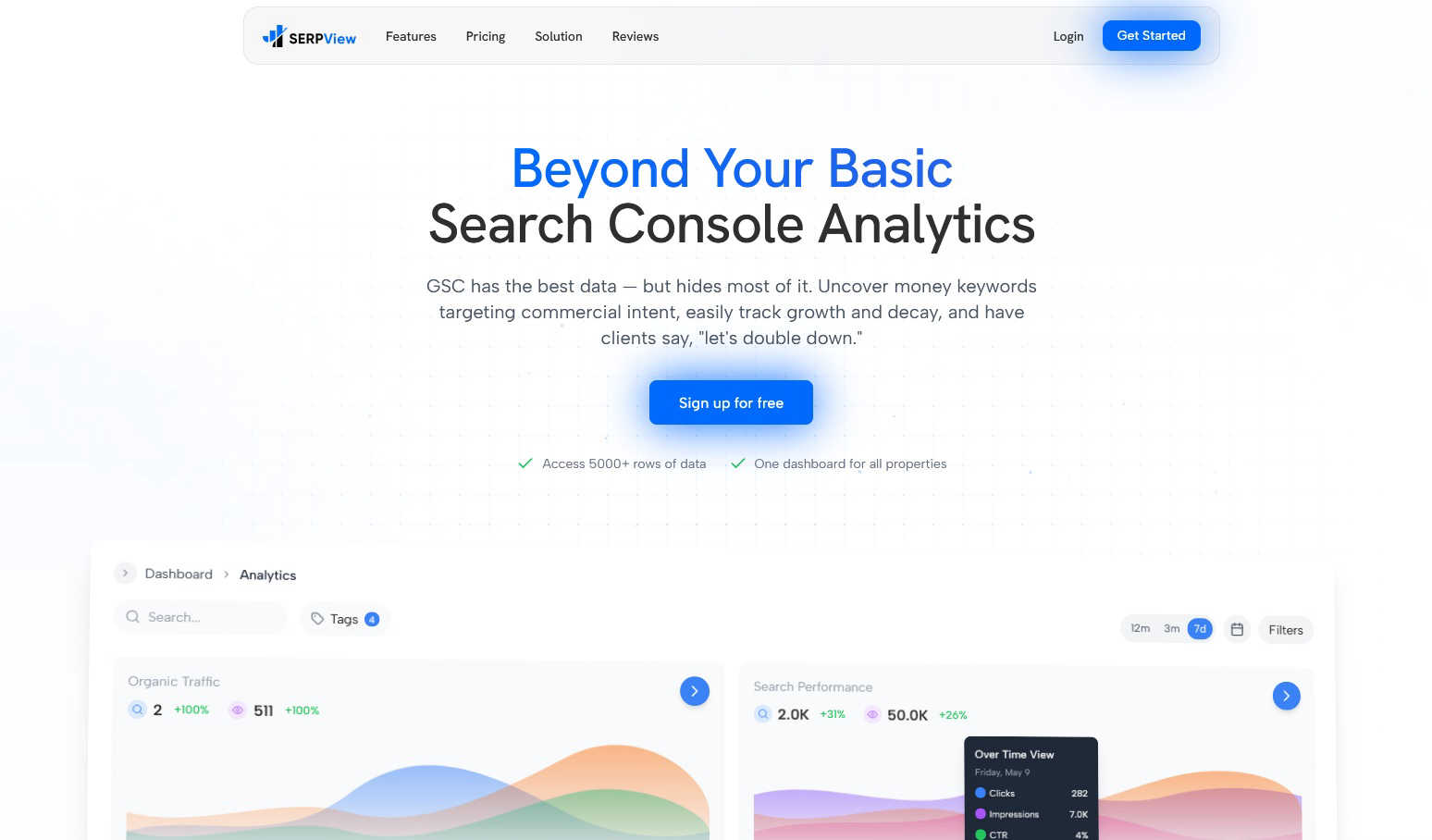
SERPView
StatPecker
Feature Comparison
SERPView
Expanded Data Access & Performance Tracking
SERPView fundamentally removes the data ceiling imposed by Google Search Console, allowing users to export and analyze up to 50,000 rows of historical performance data. This feature enables comprehensive tracking of clicks, impressions, click-through rate (CTR), and average position across an entire site's keyword portfolio without sampling or arbitrary limits. Users can perform deep-dive analyses over extended periods, identify long-term trends, and make strategic decisions based on complete datasets rather than fragmented snapshots, ensuring no critical insight is overlooked due to platform constraints.
Unified Multi-Property Dashboard
This feature consolidates data from multiple Google Search Console properties and websites into a single, centralized interface. Users can connect various domains, subdomains, and URL-prefix properties to view aggregated or comparative analytics without manually logging in and out of different accounts. It streamlines workflow for agencies and businesses managing numerous sites, providing a holistic view of organic search performance and enabling efficient cross-property benchmarking and reporting from one location.
Advanced Keyword & Page Analysis
SERPView provides specialized modules for dissecting keyword and page performance beyond surface-level metrics. The Keyword Analysis tool helps identify "money keywords" with commercial intent and tracks precise ranking fluctuations. Simultaneously, the Page Analysis feature pinpoints top-performing and underperforming content, revealing optimization opportunities by showing which pages drive traffic and which lag in rankings, facilitating targeted content audits and updates.
Mobile vs. Desktop & International SEO Insights
The platform offers dedicated comparative analytics for device and geographical performance. Users can segment data to analyze how their site performs on mobile versus desktop devices, identifying potential UX or technical SEO issues specific to each. Furthermore, the International SEO Insights feature breaks down traffic and rankings by country, allowing marketers to tailor their global SEO strategy, understand regional market penetration, and optimize for specific locales.
StatPecker
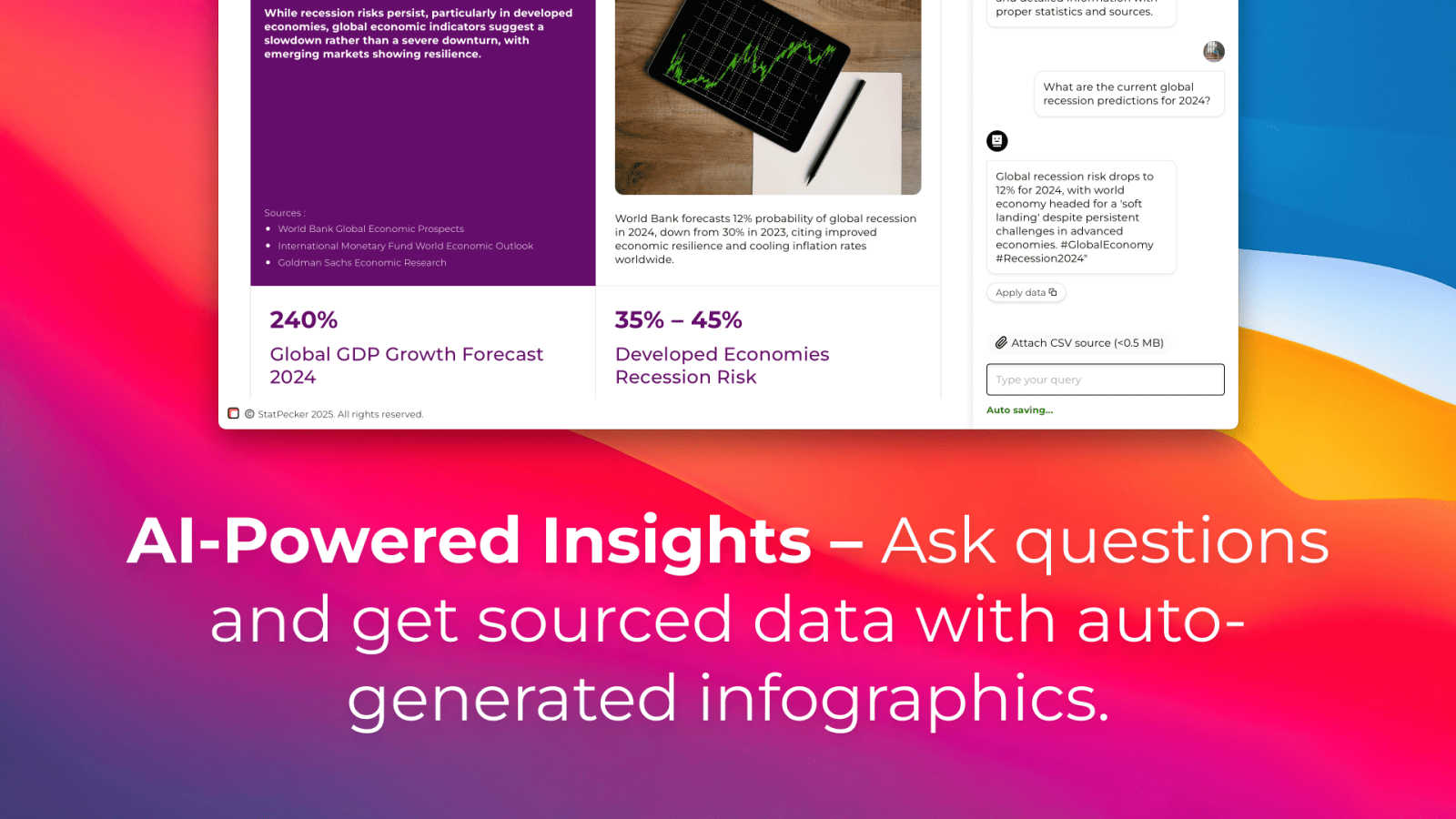
Ask Your Query
StatPecker allows users to gain instant insights by simply asking questions related to their data. This feature eliminates the complexity often associated with traditional data analysis tools, making it accessible for users without extensive technical expertise.
Publish & Embed
With the ability to make visuals interactive, users can seamlessly integrate their infographics into blogs, articles, and websites. This feature enhances content engagement and allows for more dynamic presentations of data-driven insights.
Upload & Analyze CSVs
Users can upload CSV files of up to 50 MB and analyze them locally without the need for extensive spreadsheet manipulation. This feature ensures that data remains private while being prepared for insightful analysis.
Download & Use Anywhere
StatPecker enables users to export their created infographics as images, making them easy to use in reports, presentations, and other formats. This versatility ensures that users can share their findings across various platforms without limitations.
Use Cases
SERPView
SEO Agency Reporting and Client Management
SEO agencies utilize SERPView to manage reporting for multiple clients efficiently. By connecting all client GSC properties to one dashboard, agencies can automate data aggregation, create customized reports with advanced filters, and provide clients with clear, actionable insights into campaign performance, keyword progress, and ROI, all while saving countless hours previously spent on manual data compilation from disparate sources.
In-depth Content Strategy Optimization
Content managers and SEO specialists use SERPView's Page and Keyword Analysis features to audit and refine their content strategy. By identifying which pages rank for valuable commercial keywords and which high-potential keywords are not being targeted, they can prioritize content updates, plan new topic clusters, and re-optimize underperforming articles to better align with search intent and drive more qualified organic traffic.
Technical SEO and Site Health Monitoring
Technical SEO experts leverage the platform's expanded data access and filtering to diagnose site-wide issues. By analyzing performance drops across large sets of keywords or pages, correlating them with Google algorithm updates via annotations, and comparing mobile vs. desktop performance disparities, they can pinpoint technical problems like indexing errors, mobile usability issues, or penalties impacting search visibility.
Global Enterprise SEO Strategy
Large organizations with international websites use SERPView's unified dashboard and country-specific insights to coordinate global SEO efforts. Teams can track performance across different regional domains and languages from a single platform, allocate resources based on regional opportunity, and ensure local SEO strategies are data-informed and aligned with overarching business goals.
StatPecker
Content Creation
Content creators can leverage StatPecker to generate visually stunning infographics that enhance their articles and blogs. By integrating compelling visuals, they can attract more readers and effectively communicate their messages.
Data Reporting
Analysts can use StatPecker to automate the creation of reports, transforming complex datasets into clear, understandable visuals. This functionality saves time and allows for more accurate reporting, enabling teams to make informed decisions quickly.
Marketing Insights
Marketers can extract key trends and insights from their data using StatPecker, creating engaging visuals that can be shared across social media and marketing campaigns. This enhances the presentation of marketing strategies and results.
Educational Resources
Educators can utilize StatPecker to create infographics that facilitate better understanding of complex subjects for their students. By visualizing information, teachers can enhance learning experiences and improve knowledge retention.
Overview
About SERPView
SERPView is a sophisticated, cloud-based analytics and reporting platform engineered to unlock the full potential of data from Google Search Console (GSC). It is designed explicitly for SEO professionals, digital marketers, and website owners who find the native GSC interface limiting for deep, strategic analysis. The core value proposition of SERPView lies in its ability to transcend the inherent restrictions of Google's platform, most notably by providing access to over 50,000 rows of performance data compared to GSC's 1,000-row cap. This allows for comprehensive, unfiltered insights into keyword rankings, page performance, and search traffic trends. Beyond sheer data volume, SERPView aggregates multiple GSC properties into a single, unified dashboard, eliminating the need to switch between accounts manually. The platform enriches this data with advanced analytical features such as granular mobile versus desktop performance breakdowns, international SEO tracking, query counting, and visual annotations for Google algorithm updates. By transforming raw, siloed GSC data into actionable, shareable intelligence, SERPView empowers users to make data-driven decisions, identify untapped opportunities, and significantly enhance their overall organic search strategy and reporting efficiency.
About StatPecker
StatPecker is a cutting-edge AI-powered tool that revolutionizes the way users visualize and interpret data. By transforming raw data into engaging infographics in just seconds, StatPecker caters to a diverse audience including content creators, analysts, marketers, and educators. Its main value proposition lies in simplifying the data storytelling process, allowing users to communicate complex information in a visually appealing manner. With the ability to automate visualization, StatPecker eliminates the need for manual reporting or hiring costly designers, significantly saving time and reducing operational costs. Users can effortlessly upload CSV files, interact with the AI for data queries, and generate dynamic visuals that enhance reports and presentations. This platform empowers individuals and teams to present data in an accessible and understandable format, promoting insightful data analysis and informed decision-making.
Frequently Asked Questions
SERPView FAQ
How is SERPView different from Google Search Console?
SERPView is not a replacement for Google Search Console but a powerful analytics layer built on top of it. While GSC provides the raw data directly from Google, SERPView removes its limitations, such as the 1,000-row data cap and lack of multi-property aggregation. It offers advanced analytics, historical data access, custom reporting, and features like query counting and update annotations that are not available in the native GSC interface, transforming data into actionable business intelligence.
What data does SERPView access, and is it secure?
SERPView accesses data via the official Google Search Console API, using secure OAuth 2.0 authentication. It only reads performance data (clicks, impressions, CTR, position, queries, pages) that you already have access to in your GSC account. The platform does not have permission to modify any settings on your Google properties or websites. Data is encrypted in transit and at rest, adhering to industry-standard security practices to ensure your information remains protected.
Can I track historical data that wasn't collected before I signed up?
SERPView can access and import the 16 months of historical performance data that Google Search Console retains via its API. Once you connect your GSC property, the platform will pull in all available historical data up to that limit. For ongoing tracking, SERPView will continuously sync new data, building a comprehensive, long-term performance database for your site moving forward.
Is SERPView suitable for beginners in SEO?
Yes, while SERPView offers deep analytical capabilities for experts, its intuitive dashboard and visual reporting make it accessible for beginners. Users unfamiliar with GSC's complexities can benefit from the organized presentation of key metrics, clear visualizations of trends, and guided insights that highlight opportunities. It serves as an educational tool that helps newer marketers understand SEO performance more clearly than the native GSC interface.
StatPecker FAQ
How does StatPecker ensure data privacy?
StatPecker operates with a local SQL agent, which means that all data analysis occurs on the user's device. This ensures that sensitive information remains private and secure during the analysis process.
Can I use StatPecker for free?
Yes, StatPecker offers a free tier that allows users to start creating infographics without any upfront costs. This includes access to unlimited projects, embeds, and a limited number of AI queries and CSV uploads.
What types of files can I upload to StatPecker?
Users can upload CSV files of up to 50 MB for analysis. This feature is designed to simplify data management and extraction of insights without the complexities of traditional spreadsheet software.
What support options are available for StatPecker users?
StatPecker provides users with access to a knowledge base and customer support to assist with any queries or issues they may encounter while using the platform. Users can also provide feedback for feature requests and improvements.
Alternatives
SERPView Alternatives
SERPView is a specialized analytics platform that transforms raw Google Search Console data into actionable SEO insights. It falls into the category of SEO analytics and reporting tools, designed to overcome the native limitations of GSC by providing deeper data access and more robust analysis capabilities. Users may explore alternatives to SERPView for various reasons, including budget constraints, specific feature requirements not covered by the platform, or the need to integrate with a different tech stack. Some may seek tools with broader functionality beyond GSC data enrichment, such as rank tracking or backlink analysis, while others prioritize different pricing models or user interface preferences. When evaluating an alternative, key considerations should include the depth of data access from Google Search Console, the ability to consolidate multiple properties, the sophistication of filtering and segmentation options, and the tool's capacity for trend analysis and performance tracking. The ideal solution should efficiently bridge the gap between raw data and strategic SEO decision-making.
StatPecker Alternatives
StatPecker is a cutting-edge AI-powered platform designed to transform complex data into visually striking infographics, making it easier for users to communicate insights effectively. As a tool primarily used in the analytics and data category, it caters to a wide array of professionals, including marketers, educators, and content creators. Users often seek alternatives to StatPecker for various reasons, such as pricing concerns, specific feature requirements, or compatibility with different platforms. When evaluating potential alternatives, it is essential to consider factors like ease of use, the ability to integrate seamlessly with existing tools, and the range of visualization options available to ensure the selected solution meets their unique data storytelling needs.