
NanoBanana 2
NanoBanana 2 is an advanced AI photo editing tool that enhances images with professional quality and intelligent retouching features.
Visit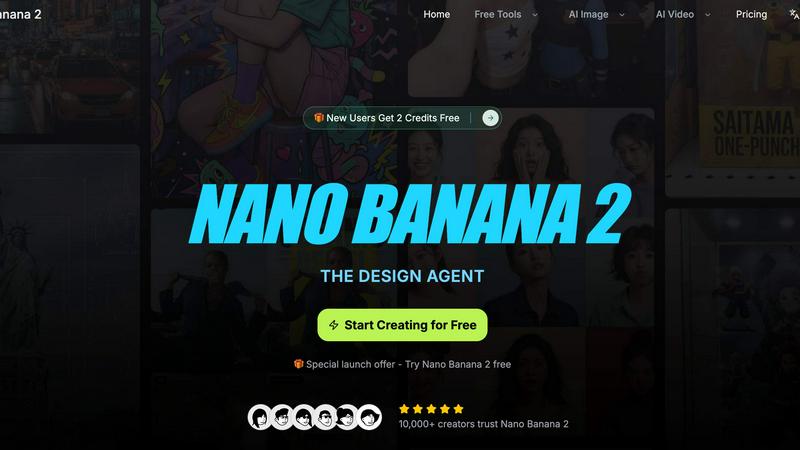
About NanoBanana 2
NanoBanana 2 is an advanced AI image editing tool that elevates photo enhancement to new heights. Building on the foundation of its predecessor, NanoBanana, this next-generation model combines sophisticated machine learning algorithms to deliver unparalleled image editing capabilities. Whether you are a photographer, designer, or content creator, NanoBanana 2 provides a powerful platform for intelligent photo manipulation. The tool is designed to automatically enhance images, ensuring professional quality results with minimal effort. Its intuitive interface allows users to quickly upload images, select enhancement modes, and receive instant feedback. With features like intelligent retouching and one-click processing, NanoBanana 2 stands out as a premier choice for serious image work, trusted by over 10,000 creators worldwide.
Features of NanoBanana 2
AI-Powered Enhancement
NanoBanana 2 employs advanced machine learning algorithms that automatically enhance images, providing results that meet professional standards. The AI analyzes various aspects of each photo, adjusting brightness, contrast, and saturation to create visually stunning outcomes without requiring manual intervention.
Intelligent Retouching
This feature uses AI to understand the context of images, applying intelligent retouching that preserves natural details. Whether it's correcting skin tones or enhancing facial features, NanoBanana 2 ensures that edits look seamless and realistic, making it ideal for portrait photography.
One-Click Processing
With an optimized processing pipeline, NanoBanana 2 allows users to transform their images instantly. The one-click processing feature simplifies the editing workflow, enabling creators to achieve impressive results quickly and efficiently, which is essential for time-sensitive projects.
Advanced Color Correction
The tool's advanced color correction capabilities are powered by deep learning algorithms that provide professional-grade color grading. Users can achieve stunning color accuracy and vibrancy, enhancing the overall aesthetic of their images while ensuring that the colors remain true to life.
Use Cases of NanoBanana 2
Professional Photography
Photographers can utilize NanoBanana 2 to quickly enhance their images post-shoot, allowing for efficient workflows. The AI-powered features enable them to achieve stunning results without the time-consuming manual editing typically associated with high-quality photography.
Social Media Content Creation
Content creators on platforms like Instagram and TikTok can benefit from NanoBanana 2's batch processing capabilities. By editing multiple images simultaneously, they can maintain a consistent aesthetic across their feeds, saving time while enhancing their visual content.
E-commerce Product Photography
E-commerce businesses can leverage NanoBanana 2 to enhance product images, ensuring that they are visually appealing and accurately represent the item. The intelligent retouching and color correction features help create product photos that attract customers and increase sales.
Graphic Design
Graphic designers can use NanoBanana 2 to streamline their image editing process, integrating enhanced photos into their projects more efficiently. The tool's advanced features allow for high-quality image manipulation that complements their creative designs.
Frequently Asked Questions
What image formats does NanoBanana 2 support?
NanoBanana 2 supports all major image formats, including JPEG, PNG, and WEBP, making it versatile for different types of image files.
Is there a free version of NanoBanana 2?
Yes, NanoBanana 2 offers a free version known as NanoBanana Lite, allowing users to explore its basic features before committing to the paid model.
Can I batch process images using NanoBanana 2?
Absolutely. NanoBanana 2 includes batch processing capabilities, enabling users to edit multiple images at once, which is particularly useful for large projects.
How does NanoBanana 2 ensure professional-quality results?
The tool's advanced AI algorithms perform intelligent auto-enhancements and retouching, ensuring that the final images meet high professional standards, suitable for various creative needs.
Similar to NanoBanana 2

Turn table photos and screenshots into editable Excel files. Merge images, remove duplicates, preview free.


AIQualityHQ is a free browser tool that instantly evaluates your AI prompts for structure, safety, and privacy, providing actionable optimization.

EchoLeads AI is an enterprise-grade omnichannel platform using intelligent AI voice agents to automate cold calling, lead qualification, and.

VideoAny is an all-in-one AI creation studio for generating videos, images, and audio from text or photos with advanced models like Seedance 2.0 and.

GeoRank combines interactive map layers with AI to help you compare places worldwide on sunshine, cost, taxes, and visas for relocation decisions.