
SVG to 3D
Quickly transform your SVG files into high-quality, web-ready 3D models with advanced customization options.
Visit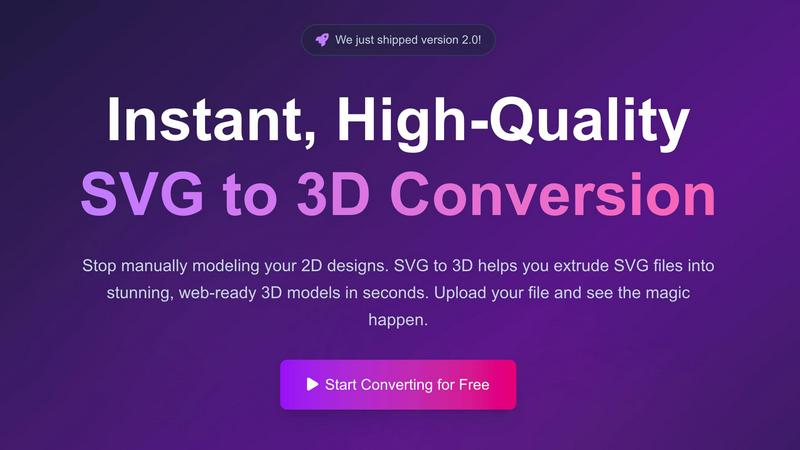
About SVG to 3D
SVG to 3D is a revolutionary online tool designed to facilitate the conversion of 2D SVG vector graphics into stunning, high-quality 3D models. It caters specifically to web developers, designers, and 3D printing enthusiasts who seek an efficient solution to the often cumbersome process of 3D modeling. Instead of relying on heavyweight software like Blender or Cinema 4D, users can effortlessly upload their SVG files and transform them into 3D models in seconds. The platform emphasizes speed and quality, allowing users to create models optimized for web applications, 3D printing, and interactive design projects without the steep learning curve typically associated with traditional modeling tools. With advanced features and a user-friendly interface, SVG to 3D makes high-quality 3D design accessible to everyone.
Features of SVG to 3D
One-Click to GLB for the Web
This feature allows users to export their 3D models as GLB files with a single click, making it incredibly convenient for web developers. The GLB files are optimized for seamless integration into web projects using frameworks such as Three.js or React Three Fiber, enhancing the visual appeal of websites with minimal effort.
3D-Print Ready
SVG to 3D supports clean STL exports, making it ideal for users looking to turn their designs into physical objects. This feature ensures that the 3D models are ready for 3D printing without requiring additional processing or complex CAD software, streamlining the workflow for designers and engineers alike.
Real-Time Browser Modeling
Users can engage in advanced modeling directly in their browser, going beyond simple extrusion. The tool allows for the adjustment of thickness, bevels, and the application of PBR materials, all while providing a real-time preview. This interactivity enhances the design process, making it simpler to achieve the desired look and feel.
Advanced Export Options
SVG to 3D offers multiple export formats, including GLB, GLTF, OBJ, and STL. This flexibility ensures that users can obtain clean, optimized geometry that is compatible with popular 3D frameworks and engines, catering to a wide range of projects from web applications to physical prototypes.
Use Cases of SVG to 3D
Creating Interactive Web Graphics
Developers can easily convert SVG icons and logos into 3D models for use in websites and applications. This use case enhances user engagement by adding depth and interactivity to web graphics, making them visually appealing and modern.
3D Printing Custom Designs
Artists and designers looking to fabricate their digital designs can use SVG to 3D to convert their SVG files into 3D-printable STL models. This capability allows for the rapid prototyping and production of custom parts, art pieces, or functional prototypes for various industries.
Enhancing UI/UX Presentations
With the ability to generate 3D models from SVG files, UX/UI designers can present their designs with added depth and realism. This feature helps impress clients and stakeholders by showcasing concepts in a more interactive and visually captivating manner.
Rapid Prototyping for Developers
Developers can leverage SVG to 3D to quickly mock up 3D models for applications or games. This rapid prototyping capability allows for faster iterations and testing of design concepts, reducing time spent on modeling and focusing on functionality and user experience.
Frequently Asked Questions
How do I convert my SVG files to 3D models?
To convert your SVG files, simply upload your SVG file using the drag-and-drop interface or by selecting it from your device. After that, you can adjust the 3D settings and export your model in the desired format.
Is SVG to 3D free to use?
Yes, SVG to 3D offers a free version that allows users to convert SVG files into 3D models without any registration requirements. Users can start creating and downloading models immediately.
What file formats can I export my 3D models to?
SVG to 3D supports multiple export formats including GLB, GLTF, OBJ, and STL. This variety ensures compatibility with different platforms and applications, whether for web use or 3D printing.
Is my design data safe when using SVG to 3D?
Yes, SVG to 3D prioritizes user privacy and security. Files are processed locally in your browser whenever possible, meaning your designs are not uploaded to external servers, ensuring that your intellectual property remains secure.
Similar to SVG to 3D

Planning a relocation or long-term stay abroad? Compare places on sunshine, cost, tax, visa and stay duration, then ask AI about your shortlist.

SlabCalc is a free suite of 34 concrete calculators plus AI tools for crack diagnosis and quote analysis. Instant answers for your concrete project.


Automatically get personalized actions from your YT, podcast, and email subscriptions.


AI Chat, Chat AI, AI Detector & AI Checker. Chat with AI, detect AI writing, humanize text and create content powered by Chat GPT 5.5.