
3D AI Maker vs NanoBanana 2
Side-by-side comparison to help you choose the right product.

3D AI Maker
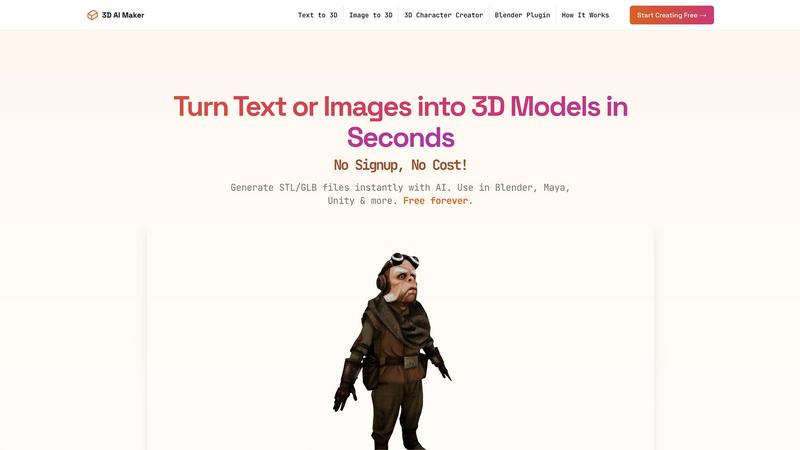
Instantly transform text or images into stunning 3D models for free with seamless Blender integration and no signup.
Last updated: February 28, 2026

NanoBanana 2
NanoBanana 2 is an advanced AI photo editing tool that enhances images with professional quality and intelligent retouching features.
Last updated: March 18, 2026
Visual Comparison
3D AI Maker
NanoBanana 2

Feature Comparison
3D AI Maker
AI-Powered 3D Generation
3D AI Maker utilizes state-of-the-art artificial intelligence to transform simple text prompts or 2D images into fully textured 3D models. This feature streamlines the 3D creation process, allowing users to generate intricate designs that would typically require hours of manual effort.
Direct Blender Integration
The platform features a seamless plugin for Blender, enabling users to generate and manipulate 3D models directly within their preferred software environment. This integration is particularly beneficial for Blender users seeking a cost-effective alternative to other modeling tools.
Export Options for Multiple Formats
3D AI Maker allows users to download their generated models in both GLB and STL formats. This versatility ensures that creators can easily use their models for various applications, including animations in Blender or 3D printing, facilitating a smooth workflow across different platforms.
Completely Free Access
3D AI Maker stands out for its commitment to providing services at no cost. With no hidden fees or sign-up requirements, users can start creating professional-quality 3D characters and assets without the financial burden often associated with similar tools.
About NanoBanana 2
AI-Powered Enhancement
NanoBanana 2 employs advanced machine learning algorithms that automatically enhance images, providing results that meet professional standards. The AI analyzes various aspects of each photo, adjusting brightness, contrast, and saturation to create visually stunning outcomes without requiring manual intervention.
Intelligent Retouching
This feature uses AI to understand the context of images, applying intelligent retouching that preserves natural details. Whether it's correcting skin tones or enhancing facial features, NanoBanana 2 ensures that edits look seamless and realistic, making it ideal for portrait photography.
One-Click Processing
With an optimized processing pipeline, NanoBanana 2 allows users to transform their images instantly. The one-click processing feature simplifies the editing workflow, enabling creators to achieve impressive results quickly and efficiently, which is essential for time-sensitive projects.
Advanced Color Correction
The tool's advanced color correction capabilities are powered by deep learning algorithms that provide professional-grade color grading. Users can achieve stunning color accuracy and vibrancy, enhancing the overall aesthetic of their images while ensuring that the colors remain true to life.
Use Cases
3D AI Maker
Custom 3D Character Design
Game developers can leverage 3D AI Maker to create unique 3D characters tailored for their projects. By inputting specific text prompts or images, they can quickly generate diverse character designs that enhance gameplay and storytelling.
3D Printing Prototyping
Hobbyists and professionals looking to create prototypes for 3D printing can convert images or descriptions into STL files effortlessly. This capability allows users to bring their concepts to life quickly and efficiently, reducing the time from design to physical product.
Virtual Reality and Augmented Reality
Developers in the VR/AR space can use 3D AI Maker to create immersive environments and objects. The ability to generate detailed 3D models in seconds allows for rapid prototyping and iteration, essential in fast-paced development cycles.
Educational Tools
Educators and students interested in 3D modeling can utilize 3D AI Maker as a learning resource. The intuitive platform helps users grasp the fundamentals of 3D design while allowing them to experiment with generating models from text and images.
NanoBanana 2
Professional Photography
Photographers can utilize NanoBanana 2 to quickly enhance their images post-shoot, allowing for efficient workflows. The AI-powered features enable them to achieve stunning results without the time-consuming manual editing typically associated with high-quality photography.
Social Media Content Creation
Content creators on platforms like Instagram and TikTok can benefit from NanoBanana 2's batch processing capabilities. By editing multiple images simultaneously, they can maintain a consistent aesthetic across their feeds, saving time while enhancing their visual content.
E-commerce Product Photography
E-commerce businesses can leverage NanoBanana 2 to enhance product images, ensuring that they are visually appealing and accurately represent the item. The intelligent retouching and color correction features help create product photos that attract customers and increase sales.
Graphic Design
Graphic designers can use NanoBanana 2 to streamline their image editing process, integrating enhanced photos into their projects more efficiently. The tool's advanced features allow for high-quality image manipulation that complements their creative designs.
Overview
About 3D AI Maker
3D AI Maker is a groundbreaking tool that allows users to effortlessly create fully textured 3D models from textual descriptions or 2D images. This innovative platform employs advanced artificial intelligence technology, enabling model generation in approximately 20 seconds without requiring any sign-up or payment. Designed for a broad spectrum of users—including game developers, 3D artists, VR/AR creators, and hobbyists interested in 3D printing—3D AI Maker stands out for its ability to democratize the 3D modeling process. It empowers individuals of all skill levels to produce high-quality models suitable for various applications. The tool's integration with popular software like Blender enhances its utility, providing users with an accessible alternative to expensive 3D generation tools. With over 2 million models generated, 3D AI Maker is swiftly becoming a favorite among those seeking efficiency and creativity in their projects, making it an essential resource for modern 3D design.
About NanoBanana 2
NanoBanana 2 is an advanced AI image editing tool that elevates photo enhancement to new heights. Building on the foundation of its predecessor, NanoBanana, this next-generation model combines sophisticated machine learning algorithms to deliver unparalleled image editing capabilities. Whether you are a photographer, designer, or content creator, NanoBanana 2 provides a powerful platform for intelligent photo manipulation. The tool is designed to automatically enhance images, ensuring professional quality results with minimal effort. Its intuitive interface allows users to quickly upload images, select enhancement modes, and receive instant feedback. With features like intelligent retouching and one-click processing, NanoBanana 2 stands out as a premier choice for serious image work, trusted by over 10,000 creators worldwide.
Frequently Asked Questions
3D AI Maker FAQ
Is 3D AI Maker really free?
Yes, 3D AI Maker is completely free to use. There are no hidden costs or signup requirements, allowing users to create and download models without any financial commitment.
How does this compare to Meshy and other tools?
3D AI Maker offers unlimited free exports and a user-friendly interface, making it an appealing alternative to tools like Meshy. Its direct integration with Blender further simplifies the workflow for 3D artists.
Can I use models commercially?
Yes, users can utilize the generated models commercially. However, it is advisable to review the terms of use to ensure compliance with any guidelines regarding commercial applications.
How do I install the Blender plugin?
Installing the Blender plugin is straightforward. Users can download the plugin from the 3D AI Maker website and follow the provided instructions to integrate it into their Blender software, enabling seamless model generation.
NanoBanana 2 FAQ
What image formats does NanoBanana 2 support?
NanoBanana 2 supports all major image formats, including JPEG, PNG, and WEBP, making it versatile for different types of image files.
Is there a free version of NanoBanana 2?
Yes, NanoBanana 2 offers a free version known as NanoBanana Lite, allowing users to explore its basic features before committing to the paid model.
Can I batch process images using NanoBanana 2?
Absolutely. NanoBanana 2 includes batch processing capabilities, enabling users to edit multiple images at once, which is particularly useful for large projects.
How does NanoBanana 2 ensure professional-quality results?
The tool's advanced AI algorithms perform intelligent auto-enhancements and retouching, ensuring that the final images meet high professional standards, suitable for various creative needs.
Alternatives
3D AI Maker Alternatives
3D AI Maker is an innovative tool in the realm of AI-powered design, specifically categorized as an AI assistant for 3D modeling. This platform allows users to seamlessly convert text descriptions or 2D images into intricate, fully-textured 3D models in a matter of seconds. As the demand for quick and accessible 3D generation continues to rise, many users seek alternatives due to various factors such as pricing structures, specific feature sets, and compatibility with different platforms. When exploring alternatives to 3D AI Maker, it is essential to consider the tool's ease of use, the quality of the 3D models produced, integration capabilities with popular software, and overall versatility in export options. Understanding these aspects will help users find a solution that best meets their creative and technical needs without sacrificing quality or efficiency.
NanoBanana 2 Alternatives
NanoBanana 2 is a cutting-edge AI image editing solution that enhances photo editing capabilities through advanced artificial intelligence. As an evolution of its predecessor, NanoBanana, this software falls within the AI Assistants category, making it an appealing choice for anyone looking to elevate their photo editing experience. Users often seek alternatives to NanoBanana 2 for a variety of reasons, including budget constraints, specific feature requirements, or compatibility with certain platforms. When exploring alternatives, it is essential to consider factors such as pricing models, the range of features offered, user-friendliness, and the level of support provided. Additionally, understanding the specific needs of your photo editing projects can help guide your decision, ensuring that the chosen alternative aligns with your expectations and workflow.