
Doodle Duel vs SVG to 3D
Side-by-side comparison to help you choose the right product.

Doodle Duel
Doodle Duel lets you sketch and compete with friends in real-time drawing battles judged by AI for a fun, no-download.
Last updated: February 28, 2026
SVG to 3D
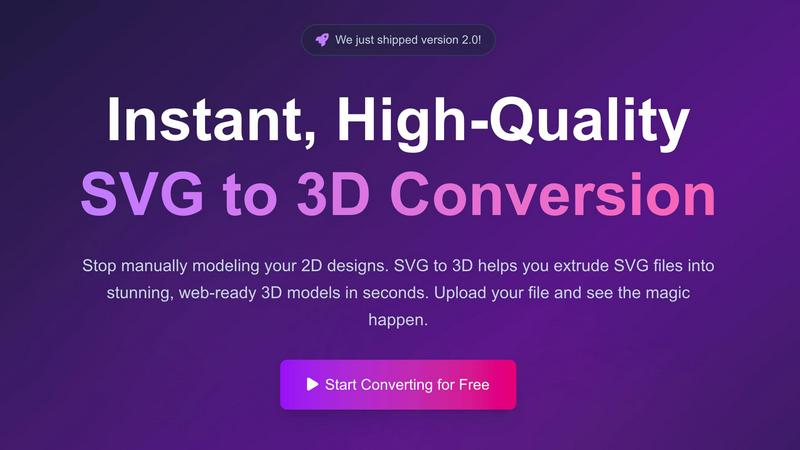
Quickly transform your SVG files into high-quality, web-ready 3D models with advanced customization options.
Last updated: February 26, 2026
Visual Comparison
Doodle Duel
SVG to 3D
Feature Comparison
Doodle Duel
Real-Time Drawing Battles
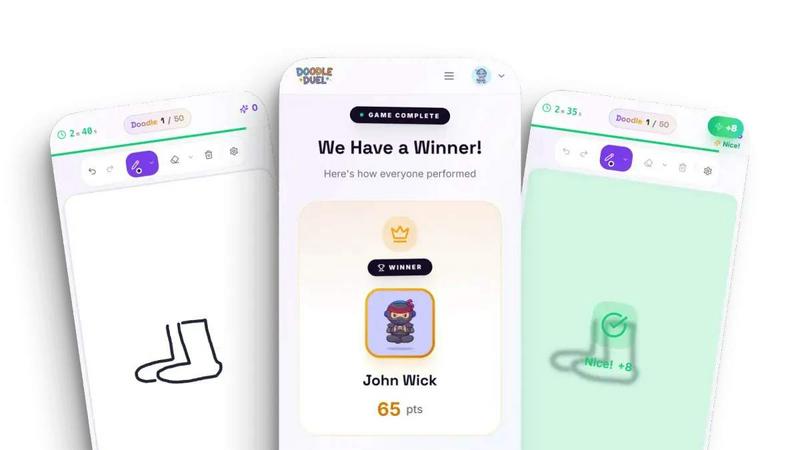
Doodle Duel allows players to engage in real-time drawing challenges where everyone receives the same prompt. Participants must sketch quickly as they race against the clock, making the gameplay dynamic and exciting.
AI Judging System
The AI judge evaluates each drawing based on multiple criteria, including accuracy and creativity. This impartial system ensures a fair competition, eliminating bias and enhancing the game's integrity while adding an element of humor to the feedback.
Multi-Player Capability
With the ability to host up to 30 players at once, Doodle Duel promotes chaotic fun and encourages social interaction. Players can create rooms, share codes, and easily join friends for a lively drawing experience without waiting in lobbies.
Solo Arcade Mode
For those who prefer to hone their skills alone, Doodle Duel offers a Solo Arcade mode featuring 50 levels of increasing difficulty. Players can track their scores and compete against global leaderboards, providing a structured way to improve their drawing abilities.
About SVG to 3D
One-Click to GLB for the Web
This feature allows users to export their 3D models as GLB files with a single click, making it incredibly convenient for web developers. The GLB files are optimized for seamless integration into web projects using frameworks such as Three.js or React Three Fiber, enhancing the visual appeal of websites with minimal effort.
3D-Print Ready
SVG to 3D supports clean STL exports, making it ideal for users looking to turn their designs into physical objects. This feature ensures that the 3D models are ready for 3D printing without requiring additional processing or complex CAD software, streamlining the workflow for designers and engineers alike.
Real-Time Browser Modeling
Users can engage in advanced modeling directly in their browser, going beyond simple extrusion. The tool allows for the adjustment of thickness, bevels, and the application of PBR materials, all while providing a real-time preview. This interactivity enhances the design process, making it simpler to achieve the desired look and feel.
Advanced Export Options
SVG to 3D offers multiple export formats, including GLB, GLTF, OBJ, and STL. This flexibility ensures that users can obtain clean, optimized geometry that is compatible with popular 3D frameworks and engines, catering to a wide range of projects from web applications to physical prototypes.
Use Cases
Doodle Duel
Party Entertainment
Doodle Duel is an excellent choice for parties, allowing guests to engage in friendly competition as they create whimsical drawings based on various prompts. The laughter and creativity foster a vibrant atmosphere that keeps everyone entertained.
Family Bonding
Families can enjoy quality time together by playing Doodle Duel. The game is accessible to all ages, making it a fun way for family members to connect, share laughs, and engage in creative expression.
Team Building Activities
In a professional setting, Doodle Duel can serve as a unique team-building exercise. Colleagues can collaborate in drawing battles, promoting camaraderie and teamwork while breaking the ice in a fun and relaxed environment.
Skill Development
Individuals looking to improve their drawing skills can use Doodle Duel as a practice tool. The Solo Arcade mode allows users to challenge themselves, track their progress, and gain confidence in their artistic abilities.
SVG to 3D
Creating Interactive Web Graphics
Developers can easily convert SVG icons and logos into 3D models for use in websites and applications. This use case enhances user engagement by adding depth and interactivity to web graphics, making them visually appealing and modern.
3D Printing Custom Designs
Artists and designers looking to fabricate their digital designs can use SVG to 3D to convert their SVG files into 3D-printable STL models. This capability allows for the rapid prototyping and production of custom parts, art pieces, or functional prototypes for various industries.
Enhancing UI/UX Presentations
With the ability to generate 3D models from SVG files, UX/UI designers can present their designs with added depth and realism. This feature helps impress clients and stakeholders by showcasing concepts in a more interactive and visually captivating manner.
Rapid Prototyping for Developers
Developers can leverage SVG to 3D to quickly mock up 3D models for applications or games. This rapid prototyping capability allows for faster iterations and testing of design concepts, reducing time spent on modeling and focusing on functionality and user experience.
Overview
About Doodle Duel
Doodle Duel is a groundbreaking real-time drawing game that combines creativity, competition, and humor, making it an ideal choice for players of all skill levels. Whether you are a seasoned artist or a complete beginner, this game allows you and up to 29 friends to dive into exhilarating drawing battles without the need for account creation or downloads. The gameplay begins with a prompt, and participants have 60 seconds to sketch their interpretation, racing against the clock to showcase their creativity. What sets Doodle Duel apart is its AI judge, powered by advanced technologies like Google Gemini or OpenAI, which assesses each submission based on accuracy, creativity, and style, providing funny yet fair feedback. This unique format not only fosters a lively and engaging atmosphere but also makes Doodle Duel a perfect addition to parties, family gatherings, or casual get-togethers. With flexible modes that cater to solo players or multiplayer duels, Doodle Duel ensures that everyone can enjoy a thrilling drawing experience tailored to their preferences.
About SVG to 3D
SVG to 3D is a revolutionary online tool designed to facilitate the conversion of 2D SVG vector graphics into stunning, high-quality 3D models. It caters specifically to web developers, designers, and 3D printing enthusiasts who seek an efficient solution to the often cumbersome process of 3D modeling. Instead of relying on heavyweight software like Blender or Cinema 4D, users can effortlessly upload their SVG files and transform them into 3D models in seconds. The platform emphasizes speed and quality, allowing users to create models optimized for web applications, 3D printing, and interactive design projects without the steep learning curve typically associated with traditional modeling tools. With advanced features and a user-friendly interface, SVG to 3D makes high-quality 3D design accessible to everyone.
Frequently Asked Questions
Doodle Duel FAQ
How do I start a game in Doodle Duel?
Starting a game is easy. Simply create a room, share the generated room code with friends, and everyone can join without needing to sign up or download anything.
Can I play Doodle Duel on any device?
Yes, Doodle Duel is designed to be accessible on any device with internet access. You can play it directly in your web browser, ensuring instant fun without downloads.
Is there a limit to how many players can join?
Doodle Duel can accommodate up to 30 players in a single game session. However, the free version allows up to 4 players, while the Pro version expands this capacity.
What happens if I run out of time while drawing?
If you run out of time, your drawing will automatically be submitted. The AI judge will evaluate what you have created, so every round is an opportunity to engage, regardless of completion time.
SVG to 3D FAQ
How do I convert my SVG files to 3D models?
To convert your SVG files, simply upload your SVG file using the drag-and-drop interface or by selecting it from your device. After that, you can adjust the 3D settings and export your model in the desired format.
Is SVG to 3D free to use?
Yes, SVG to 3D offers a free version that allows users to convert SVG files into 3D models without any registration requirements. Users can start creating and downloading models immediately.
What file formats can I export my 3D models to?
SVG to 3D supports multiple export formats including GLB, GLTF, OBJ, and STL. This variety ensures compatibility with different platforms and applications, whether for web use or 3D printing.
Is my design data safe when using SVG to 3D?
Yes, SVG to 3D prioritizes user privacy and security. Files are processed locally in your browser whenever possible, meaning your designs are not uploaded to external servers, ensuring that your intellectual property remains secure.
Alternatives
Doodle Duel Alternatives
Doodle Duel is an engaging real-time drawing game that falls under the category of multiplayer creative gaming. It invites players to compete in drawing battles while an AI judge evaluates their artistic interpretations. Users often seek alternatives to Doodle Duel for various reasons, such as the desire for different features, pricing structures, or compatibility with various platforms. Whether they are looking for more intricate gameplay mechanics, additional artistic tools, or simply a game that fits their specific device preferences, the search for alternatives is driven by individual needs and experiences. When choosing an alternative to Doodle Duel, it is essential to consider several factors. Users should evaluate the game’s accessibility, including whether it requires downloads or accounts, and assess the community and competitive aspects of the game. Additionally, the variety of game modes, the quality of AI judging, and the overall user experience are critical elements to help ensure that the chosen game will provide a similar level of fun and creativity.
SVG to 3D Alternatives
SVG to 3D is a specialized tool designed to convert 2D SVG vector graphics into high-quality 3D models. It falls under the category of AI Assistants, catering to designers, developers, and 3D printing enthusiasts who require a streamlined solution for transforming their graphics. Users often seek alternatives due to various factors such as pricing, feature sets, and platform compatibility. An ideal alternative should offer similar capabilities while ensuring ease of use, flexibility, and integration options that meet the specific needs of the user. When considering an alternative, it's essential to evaluate the user interface and overall usability, as well as the range of features provided, such as different export formats and real-time modeling capabilities. Additionally, compatibility with existing workflows, like web development frameworks or 3D printing software, is crucial for ensuring a smooth transition and maximizing productivity.