
SVG to 3D vs URL to Any
Side-by-side comparison to help you choose the right product.
SVG to 3D
Quickly transform your SVG files into high-quality, web-ready 3D models with advanced customization options.
Last updated: February 26, 2026

URL to Any
URL to Any seamlessly transforms web content into various formats, ensuring accessibility and versatility for all users.
Last updated: March 2, 2026
Visual Comparison
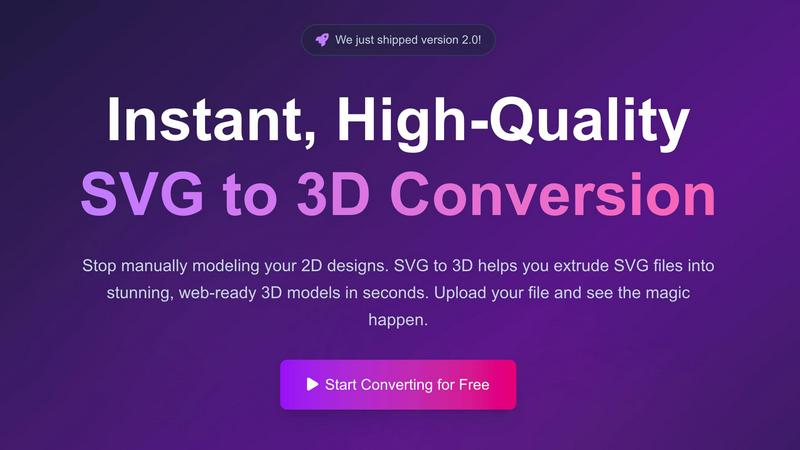
SVG to 3D
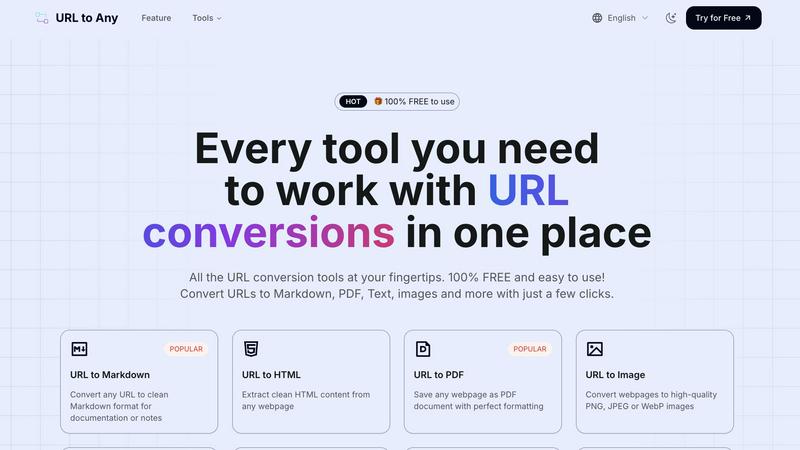
URL to Any
Feature Comparison
SVG to 3D
One-Click to GLB for the Web
This feature allows users to export their 3D models as GLB files with a single click, making it incredibly convenient for web developers. The GLB files are optimized for seamless integration into web projects using frameworks such as Three.js or React Three Fiber, enhancing the visual appeal of websites with minimal effort.
3D-Print Ready
SVG to 3D supports clean STL exports, making it ideal for users looking to turn their designs into physical objects. This feature ensures that the 3D models are ready for 3D printing without requiring additional processing or complex CAD software, streamlining the workflow for designers and engineers alike.
Real-Time Browser Modeling
Users can engage in advanced modeling directly in their browser, going beyond simple extrusion. The tool allows for the adjustment of thickness, bevels, and the application of PBR materials, all while providing a real-time preview. This interactivity enhances the design process, making it simpler to achieve the desired look and feel.
Advanced Export Options
SVG to 3D offers multiple export formats, including GLB, GLTF, OBJ, and STL. This flexibility ensures that users can obtain clean, optimized geometry that is compatible with popular 3D frameworks and engines, catering to a wide range of projects from web applications to physical prototypes.
About URL to Any
URL to Markdown
This feature allows users to convert any URL into clean Markdown format, which is ideal for documentation or note-taking. Markdown is a lightweight markup language that is easy to read and write, making it a popular choice among developers and writers for creating formatted text.
URL to PDF
With the URL to PDF feature, users can save any webpage as a PDF document while preserving its formatting. This ensures that the visual integrity of the content is maintained, making it perfect for sharing or archiving web content in a universally accepted format.
URL to Image
The URL to Image feature enables users to convert webpages into high-quality images in formats such as PNG, JPEG, or WebP. This is particularly useful for capturing visual content or for creating thumbnails that can be easily shared or embedded in presentations.
URL to JSON
This feature allows users to convert webpage content into structured JSON format. JSON is a lightweight data interchange format that is easy for humans to read and write, and easy for machines to parse and generate, making it an essential tool for developers working with APIs or data integrations.
Use Cases
SVG to 3D
Creating Interactive Web Graphics
Developers can easily convert SVG icons and logos into 3D models for use in websites and applications. This use case enhances user engagement by adding depth and interactivity to web graphics, making them visually appealing and modern.
3D Printing Custom Designs
Artists and designers looking to fabricate their digital designs can use SVG to 3D to convert their SVG files into 3D-printable STL models. This capability allows for the rapid prototyping and production of custom parts, art pieces, or functional prototypes for various industries.
Enhancing UI/UX Presentations
With the ability to generate 3D models from SVG files, UX/UI designers can present their designs with added depth and realism. This feature helps impress clients and stakeholders by showcasing concepts in a more interactive and visually captivating manner.
Rapid Prototyping for Developers
Developers can leverage SVG to 3D to quickly mock up 3D models for applications or games. This rapid prototyping capability allows for faster iterations and testing of design concepts, reducing time spent on modeling and focusing on functionality and user experience.
URL to Any
Content Creation
Content creators can utilize URL to Any to convert online articles and resources into preferred formats like PDF or Markdown, facilitating easier documentation and reference during their writing processes.
Research and Development
Developers and researchers can quickly convert relevant web pages into JSON or XML formats, streamlining data collection and integration into their projects or applications for more efficient workflows.
Educational Purposes
Educators can convert online resources into PDF or image formats to create teaching materials. This feature enables the easy distribution of content in a format that is accessible to students.
Marketing and SEO
Marketers can leverage the URL Meta Tags Extractor to analyze meta tags from web pages, providing insights on SEO performance. This allows them to optimize their web content effectively and improve visibility in search engines.
Overview
About SVG to 3D
SVG to 3D is a revolutionary online tool designed to facilitate the conversion of 2D SVG vector graphics into stunning, high-quality 3D models. It caters specifically to web developers, designers, and 3D printing enthusiasts who seek an efficient solution to the often cumbersome process of 3D modeling. Instead of relying on heavyweight software like Blender or Cinema 4D, users can effortlessly upload their SVG files and transform them into 3D models in seconds. The platform emphasizes speed and quality, allowing users to create models optimized for web applications, 3D printing, and interactive design projects without the steep learning curve typically associated with traditional modeling tools. With advanced features and a user-friendly interface, SVG to 3D makes high-quality 3D design accessible to everyone.
About URL to Any
URL to Any is an innovative web content conversion tool that empowers users to seamlessly transform online content into a variety of formats. Catering to a diverse audience including content creators, developers, and professionals, it offers efficient methods to convert web pages into Markdown, PDF, HTML, images, and QR codes. Its main value proposition lies in its user-friendly interface, enabling users to convert any webpage instantly without the need for registration or complex procedures. URL to Any distinguishes itself by providing a completely free service, making it accessible to individuals and businesses alike. With just a few clicks, users can achieve their desired content format, enhancing productivity and simplifying document management. This tool is designed to meet the demands of modern workflows, enabling users to save time while ensuring that the content they need is at their fingertips, ready for sharing or further editing.
Frequently Asked Questions
SVG to 3D FAQ
How do I convert my SVG files to 3D models?
To convert your SVG files, simply upload your SVG file using the drag-and-drop interface or by selecting it from your device. After that, you can adjust the 3D settings and export your model in the desired format.
Is SVG to 3D free to use?
Yes, SVG to 3D offers a free version that allows users to convert SVG files into 3D models without any registration requirements. Users can start creating and downloading models immediately.
What file formats can I export my 3D models to?
SVG to 3D supports multiple export formats including GLB, GLTF, OBJ, and STL. This variety ensures compatibility with different platforms and applications, whether for web use or 3D printing.
Is my design data safe when using SVG to 3D?
Yes, SVG to 3D prioritizes user privacy and security. Files are processed locally in your browser whenever possible, meaning your designs are not uploaded to external servers, ensuring that your intellectual property remains secure.
URL to Any FAQ
What types of content can I convert using URL to Any?
URL to Any allows you to convert a wide range of online content into various formats including Markdown, PDF, HTML, images, JSON, XML, and more. This versatility caters to different user needs and preferences.
Is URL to Any really free to use?
Yes, URL to Any is completely free to use. There are no hidden fees or requirements for registration, making it accessible to everyone who needs to convert web content.
How do I ensure my data is secure while using URL to Any?
URL to Any processes your data securely and does not store it on their servers. This commitment to privacy ensures that your information remains confidential throughout the conversion process.
Can I use URL to Any on my mobile device?
Absolutely! URL to Any is designed to be accessible from any device, including desktops, laptops, tablets, and smartphones, allowing users to convert web content anytime and anywhere.
Alternatives
SVG to 3D Alternatives
SVG to 3D is a specialized tool designed to convert 2D SVG vector graphics into high-quality 3D models. It falls under the category of AI Assistants, catering to designers, developers, and 3D printing enthusiasts who require a streamlined solution for transforming their graphics. Users often seek alternatives due to various factors such as pricing, feature sets, and platform compatibility. An ideal alternative should offer similar capabilities while ensuring ease of use, flexibility, and integration options that meet the specific needs of the user. When considering an alternative, it's essential to evaluate the user interface and overall usability, as well as the range of features provided, such as different export formats and real-time modeling capabilities. Additionally, compatibility with existing workflows, like web development frameworks or 3D printing software, is crucial for ensuring a smooth transition and maximizing productivity.
URL to Any Alternatives
URL to Any is an advanced web content conversion tool that belongs to the category of AI Assistants. It allows users to transform online content into various formats such as Markdown, PDF, HTML, images, and QR codes, enhancing accessibility and versatility for content creators and professionals alike. Users often seek alternatives to URL to Any for various reasons, including specific platform needs, varying feature sets, or concerns regarding pricing and usability. When choosing an alternative, it is essential to evaluate factors such as ease of use, the range of supported formats, pricing structures, and any additional features that may enhance the conversion process. A user-friendly interface and the absence of registration requirements are also critical components in making a decision.