
Filator
Filator is a free online platform with 500+ tools for creating, converting, and automating tasks seamlessly.
Visit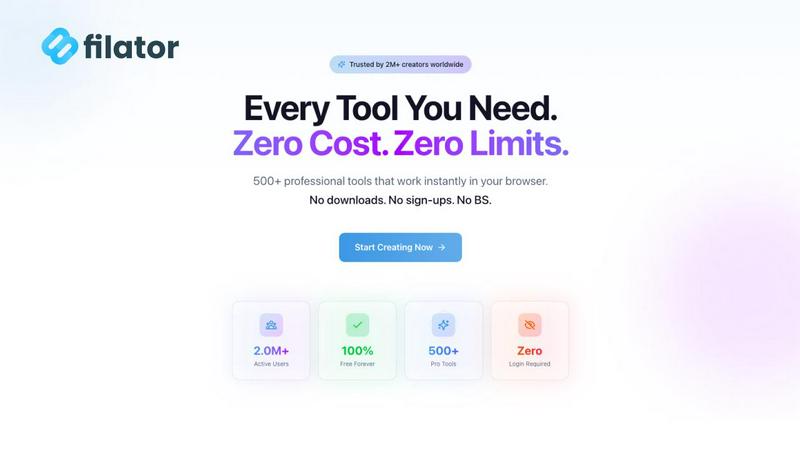
About Filator
Filator is a revolutionary digital workspace meticulously designed for professionals who require a comprehensive suite of online tools without the hassle of sign-ups or data collection. With over 500 utilities at their disposal, users can enhance their productivity across various domains such as image conversion, PDF processing, and developer utilities, all while maintaining their privacy. Filator caters to a diverse audience, including developers, designers, marketers, and business professionals, who seek efficient solutions to streamline their workflows. The platform's commitment to instant results and offline functionality through Progressive Web Apps (PWA) ensures that users can work efficiently, regardless of their internet connectivity. With more than 2 million users spanning over 150 countries, Filator has established itself as a trusted platform that prioritizes user control and satisfaction, making it a preferred choice for those looking to maximize productivity without compromising on privacy or data security.
Features of Filator
Instant Results
Filator provides users with immediate access to professional-grade tools, eliminating waiting times and queues. This feature ensures that users can obtain the results they need right when they need them, thereby enhancing their workflow and productivity.
Zero Signup Requirement
One of the standout features of Filator is its no-signup policy, which allows users to access tools without the need for creating accounts or sharing personal information. This means no emails, no passwords to remember, and no verification processes, enabling users to start working instantly.
Extensive Tool Variety
Filator boasts an extensive range of over 500 tools categorized for easy discovery. This includes AI tools, PDF processing, image conversion, social media utilities, and more. The platform's diverse functionalities ensure that users can find the perfect tool for any task, facilitating seamless task completion.
AI-Powered Features
With a suite of AI tools, Filator enhances user experience by offering intelligent processing and smart suggestions tailored to user needs. Features like AI background removal, image generation from text, and document chat functionalities streamline tasks and improve efficiency.
Use Cases of Filator
Content Creation
Filator serves content creators by providing tools that enable quick generation and editing of text, images, and videos. Whether crafting social media posts or creating blog content, users can utilize the AI Essay Writer and AI Image Generator to enhance their output significantly.
Business Documentation
Professionals can use Filator for processing various business documents, such as merging PDFs, generating invoices, or converting files into different formats. The platform’s PDF tools and document management features streamline these tasks, saving valuable time.
Social Media Management
Marketers and social media managers can leverage Filator's social media tools to create engaging posts, including fake tweets and Instagram posts. The QR Code Generator also aids in creating dynamic content that enhances audience interaction.
Development and Coding
Developers can utilize Filator's developer utilities, such as JSON Formatter and other coding tools, to simplify their workflows. This allows for quick debugging and formatting, which is crucial for maintaining productivity in software development.
Frequently Asked Questions
What makes Filator different from other online tools?
Filator distinguishes itself by offering over 500 tools with no signup requirements, prioritizing user privacy and immediate access to functionalities. Unlike many platforms, it does not collect user data or impose premium tiers, allowing for a seamless experience.
Is Filator suitable for individual users and businesses alike?
Yes, Filator caters to a wide range of users, from individual professionals to large businesses. Its extensive toolset and focus on productivity make it an ideal solution for anyone looking to streamline their workflows, regardless of their industry.
Can I use Filator offline?
Filator supports offline functionality through its Progressive Web Apps (PWA), allowing users to access crucial tools and features even without an internet connection. This ensures that workflows can continue uninterrupted.
What types of AI tools does Filator offer?
Filator includes a variety of AI-powered tools designed to assist users in generating content quickly and efficiently. Key tools include the AI Background Remover, AI Image Generator, and AI Chat functionalities, all aimed at enhancing user productivity and creativity.
Explore more in this category:
Similar to Filator


AI Chat, Chat AI, AI Detector & AI Checker. Chat with AI, detect AI writing, humanize text and create content powered by Chat GPT 5.5.

SOC 2 and ISO 27001 turned into a clear to-do list. AI prepares the first drafts, you approve every call, and the founders actually answer.


Distro is an AI Distribution Operator that helps B2B teams publish content, find buyer conversations, engage prospects, and turn social intent into pi
