
AssetCenter
AssetCenter is an asset management software that unifies acquisition, lifecycle events, and decommission into a single timeline for complete.
Visit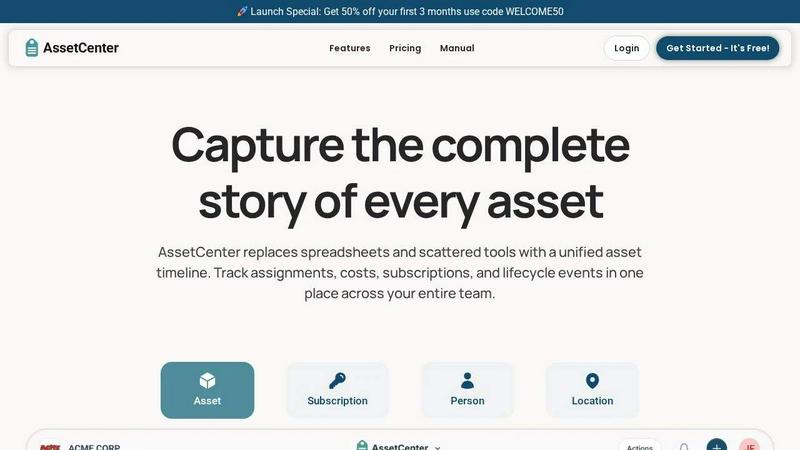
About AssetCenter
AssetCenter is a comprehensive, modern asset management platform designed to provide organizations with complete visibility and control over every asset throughout its entire lifecycle. The platform unifies all asset-related data into a single, chronological timeline, capturing every event from acquisition through assignment, maintenance, transfer, and eventual decommission. By consolidating information that is typically scattered across multiple disparate systems, AssetCenter creates a single source of truth that is both easy to understand and actionable. The product is built for maximum flexibility, supporting any industry through fully customizable categories and fields that allow teams to model their real-world workflows without being constrained by rigid, predefined structures. Assets can be assigned to people, locations, or departments, with every change automatically recorded to ensure full accountability and traceability. AssetCenter includes built-in lifecycle tracking, depreciation insights, and an intuitive dashboard that brings together cost tracking, expiration monitoring, and recent activity across all resources. The platform is tailored for industries including healthcare, construction, education, government, nonprofit, IT, agriculture, manufacturing, and entertainment. With a free trial that includes 25 assets with no time limit and no credit card required, AssetCenter is accessible to teams of all sizes looking to stop guessing and start tracking their assets, subscriptions, and costs in one unified system.
Features of AssetCenter
Unified Timeline for All Events
AssetCenter provides a single, chronological timeline for every asset, subscription, person, and location within the organization. This timeline captures all events at a glance, including acquisition details such as purchase cost and vendor information, current assignments showing where the resource is located and who is responsible for it, quick notes for informal updates, to-do items for follow-up tasks, and specific events like maintenance, repairs, vandalism, oil changes, firmware updates, and factory resets. The timeline also records decommission events such as retirement or resale. This unified view eliminates the need to jump between multiple systems or spreadsheets to understand an asset's history.
Customizable Timeline Events
Every asset naturally progresses through three primary stages: acquisition, lifecycle, and decommission. AssetCenter includes prebuilt events for each stage, allowing teams to start using the platform immediately. However, the true power lies in the ability to fully customize these events or create entirely new ones to match how an organization actually operates. Users can define custom event types, add specific fields, and adjust the workflow to reflect their unique processes. This flexibility ensures that the software adapts to the business, rather than forcing the business to adapt to rigid software constraints.
Dashboard for Organizational Visibility
The AssetCenter dashboard consolidates all critical information into a single, intuitive view. It allows teams to track costs across all assets, stay ahead of upcoming expirations for subscriptions and warranties, and identify end-of-life assets that need replacement or decommissioning. The dashboard also displays recent activity across all resources, providing a real-time snapshot of what is happening throughout the organization without requiring users to navigate between multiple pages. This centralized visibility enables proactive decision-making and helps reduce inefficiencies.
Bulk Import and Custom Categories
AssetCenter streamlines the onboarding process through bulk import functionality. Users can download pre-formatted Excel templates from the bulk import page, fill them in with all their assets, subscriptions, people, and locations, and then upload the completed file to quickly import everything into the application. Additionally, the platform supports the creation of unlimited, industry-specific custom categories. Whether an organization is tracking vehicles, machinery, software licenses, or office equipment, they can organize assets and subscriptions exactly as their business requires. Categories can be easily added or adjusted as the organization grows.
Use Cases of AssetCenter
IT Asset Management
IT departments can use AssetCenter to track all hardware and software assets from procurement to retirement. The platform captures purchase details, warranty information, software license expirations, and assignment history for each device. IT teams can log maintenance events like firmware updates or hardware repairs, assign assets to specific employees or departments, and use the dashboard to monitor upcoming renewals and end-of-life dates. This ensures that IT resources are fully utilized, compliance is maintained, and budget planning is based on accurate, real-time data rather than guesswork.
Healthcare Equipment Tracking
Hospitals and clinics can leverage AssetCenter to manage expensive medical equipment such as MRI machines, ventilators, infusion pumps, and diagnostic tools. The platform allows healthcare administrators to record acquisition costs, track maintenance schedules and calibration events, assign equipment to specific departments or locations, and log repairs or incidents. The unified timeline provides a complete history for each piece of equipment, which is critical for regulatory compliance and patient safety. The dashboard also helps identify underutilized assets that could be redeployed to other areas of the facility.
Construction and Heavy Equipment Management
Construction companies can use AssetCenter to manage their fleet of heavy machinery, vehicles, tools, and safety equipment. The platform tracks each asset from purchase through its entire lifecycle, including maintenance events such as oil changes, tire replacements, and major repairs. Assets can be assigned to specific job sites, operators, or crews, with every transfer automatically recorded for accountability. The bulk import feature is particularly useful for quickly onboarding an existing fleet, while custom categories allow for differentiating between equipment types like excavators, bulldozers, and generators.
Educational Institution Asset Oversight
Schools, colleges, and universities can deploy AssetCenter to manage a diverse range of assets including laptops, tablets, laboratory equipment, furniture, and audiovisual technology. The platform enables tracking of check-in and check-out events for shared resources, maintenance logs for lab equipment, and assignment of devices to students or faculty. Educational institutions benefit from the ability to create custom categories for different departments or campuses, and the dashboard provides visibility into asset utilization and lifecycle costs, supporting informed budget decisions for technology refresh cycles.
Frequently Asked Questions
How does the free trial work and what are the limitations?
AssetCenter offers a free trial that includes 25 assets with no time limit and no credit card required. During the trial, you get full access to the entire platform, including all features such as unified timelines, custom categories, bulk import, and the dashboard. This allows you to thoroughly evaluate how AssetCenter can help your organization gain better visibility and control over your assets. There is no obligation to upgrade, and you can cancel at any time.
Can AssetCenter be customized for my specific industry?
Yes, AssetCenter is built for maximum flexibility and can be tailored to fit any industry. The platform allows you to create unlimited, industry-specific custom categories and fields. Whether you are tracking vehicles, machinery, software licenses, medical equipment, or office supplies, you can organize assets and subscriptions exactly how your business needs. You can also customize the timeline events to match your specific workflows, from acquisition through lifecycle management to decommission.
What types of events can be recorded on the asset timeline?
The asset timeline in AssetCenter can capture a wide variety of events. These include acquisition events (recording purchase cost and vendor information), assignment events (showing where the resource is currently assigned and who is responsible), quick notes for informal updates, to-do items for follow-up tasks, and specific lifecycle events such as maintenance, repairs, vandalism, oil changes, firmware updates, and factory resets. Decommission events like retirement or resale are also supported. All events are fully customizable.
How do I import my existing assets into AssetCenter?
AssetCenter provides a straightforward bulk import process. You start by going to the bulk import page within the application to download pre-formatted Excel templates. You then fill in these templates with all of your assets, subscriptions, people, and locations. Once the template is complete, you upload the filled-out file back into AssetCenter, and the system quickly imports all the data. This process is designed to get you up and running in minutes, even if you have a large existing inventory.
Explore more in this category:
Similar to AssetCenter

SideKik helps small businesses turn more enquiries into customers with simple CRM, follow-ups, task management and daily growth tasks.

Secure, auditable time tracking for compliance.


AgencyFlo is the AI-native operating system for agencies - one platform for projects, time, CRM, proposals, contracts and invoicing.

AI-powered Upwork job feed. Every new job is scored against your profile and strategy in real time, and you get an instant notification


