
Budgeting App
Walleta is a free iOS budgeting app that uses AI receipt scanning and on-device tracking to simplify expense management.
Visit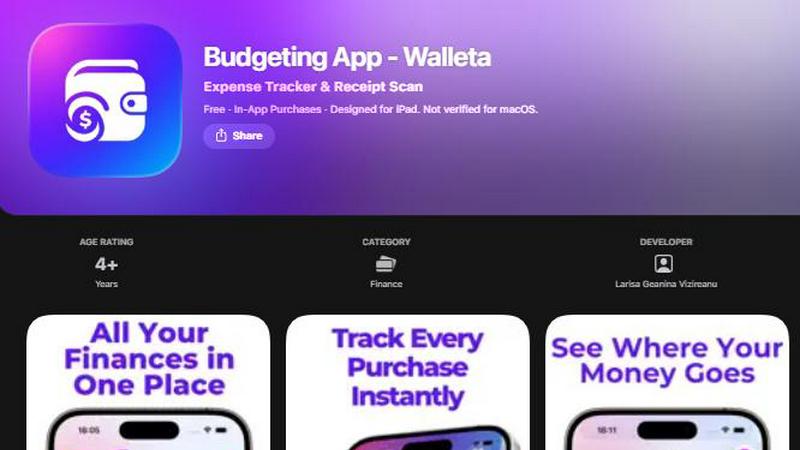
About Budgeting App
Budgeting App, also known as Walleta, is a free iOS budget planner and AI expense tracker designed for iPhone and iPad users who want to manage their personal finances without linking a bank account. Developed by Larisa Geanina Vizireanu and available on the App Store, this application provides a comprehensive, on-device solution for logging expenses, scanning receipts, setting monthly spending limits, and analyzing financial habits through visual analytics. The core value proposition of Budgeting App lies in its privacy-first architecture: all data stays on the user's device, with no requirement for email signup, cloud synchronization, bank connections, or ad tracking pixels. This makes it an ideal tool for travelers, expats, students, and privacy-conscious households who want to track where their money goes without exposing sensitive financial information to third-party servers. The app replaces the need for multiple finance tools by integrating receipt scanning, manual expense logging, monthly budgets, calendar views, spending history, multi-currency support, and detailed analytics into one streamlined interface. With fourteen built-in categories including food, groceries, transport, shopping, health, rent, bills, subscriptions, coffee, travel, and fun, users can log spending in seconds with a single tap. The AI-powered receipt scanner reads merchant names, totals, dates, and categories from photos, allowing users to snap, verify, and save expenses effortlessly. Free users receive three AI scans to test the feature, while Walleta Pro unlocks unlimited scans. The app requires iOS 18.2 or later and is designed for individuals who prefer manual, offline expense tracking with the convenience of modern optical character recognition technology.
Features of Budgeting App
AI Receipt Scanning
The AI receipt scanning feature uses on-device optical character recognition to extract key information from receipt photos, including the merchant name, total amount, date, and expense category. Users simply point their iPhone or iPad camera at any readable receipt, and the AI processes the image to populate the expense fields automatically. Before saving, users can verify and edit the extracted details to ensure accuracy. This feature significantly reduces the time spent on manual data entry, making expense tracking as simple as taking a photo. Free users get three complimentary AI scans to evaluate the functionality, while Walleta Pro subscribers gain unlimited scanning capabilities. The system works best with clear, well-lit receipts where text is legible; faded or damaged receipts may require manual entry.
One-Tap Expense Logging
Budgeting App streamlines the process of recording daily purchases through a one-tap logging system that covers fourteen predefined expense categories. Users can select from categories such as Food, Groceries, Transport, Shopping, Health, Rent, Bills, Subscriptions, Coffee, Travel, and Fun, with each selection instantly saving the transaction to the spending history. This feature eliminates the friction of typing merchant names or amounts for common purchases, allowing users to log expenses in seconds during their daily routine. The category system helps users organize their spending patterns and makes it easier to analyze where money goes each week, month, or year. Manual logging remains completely free and is available to all users without any subscription requirement.
Monthly Budget Caps and Alerts
Users can define monthly spending limits for their overall budget or specific categories, and the app tracks real-time progress against these caps. A visual indicator shows how much of the budget has been used and how much remains, giving users an immediate understanding of their financial standing. When spending approaches or exceeds the set limits, Budgeting App sends alerts to notify users and help them avoid overspending. This proactive budgeting feature is particularly valuable for individuals who want to maintain control over their finances without constant manual calculations. The budget caps work in conjunction with the expense logging system, ensuring that every recorded transaction updates the progress display automatically.
Comprehensive Analytics and Visualization
Budgeting App provides a suite of analytical tools that transform raw expense data into actionable insights. Users can view their spending patterns through pie charts that show category breakdowns, bar graphs that compare spending across time periods, and calendar day views that display expenses for each date in a month. The analytics support weekly, monthly, and yearly review cycles, allowing users to identify trends, spot areas of overspending, and make informed financial decisions. Multi-currency codes are supported for travelers and expats who deal with different currencies. A spending history archive preserves past cycles, enabling users to reset their active expenses without losing access to historical data for comparison and long-term financial planning.
Use Cases of Budgeting App
Privacy-Focused Personal Expense Tracking
Individuals who are concerned about sharing their financial data with third-party services or cloud platforms can use Budgeting App as a completely offline, on-device expense tracker. Since the app requires no bank connection, email signup, cloud sync, or tracking pixels, all financial information remains solely on the user's iPhone or iPad. This use case is ideal for privacy advocates, security-conscious users, and anyone who wants to maintain complete control over their personal financial data. Users can log expenses manually or scan receipts without ever connecting to the internet, ensuring that sensitive information like merchant names, totals, and spending habits never leaves their device.
Travel and Expatriate Expense Management
Travelers, expats, and digital nomads who deal with multiple currencies can benefit from Budgeting App's multi-currency support and flexible logging system. The app allows users to set any currency code manually or auto-detects the local currency, making it easy to track expenses incurred in different countries. The calendar view helps travelers see exactly what they spent on each day of their trip, while category analytics reveal spending patterns across food, transport, accommodation, and entertainment. Since the app does not require a bank link, users can log cash transactions, foreign currency purchases, and payments made through various methods without compatibility issues.
Student Budgeting and Financial Literacy
Students who need to manage limited funds while developing financial discipline can use Budgeting App to set monthly budget caps and monitor their spending in real time. The fourteen predefined categories cover common student expenses such as food, groceries, transport, subscriptions, and entertainment, making it easy to track where money goes. The visual analytics, including pie charts and bar graphs, help students understand their spending habits at a glance and identify areas where they can cut back. The app's privacy-first design is particularly appealing to students who may be wary of sharing financial data with apps that require accounts or cloud synchronization.
Household Expense Monitoring for Families
Families that want to track shared expenses without linking bank accounts or using complex cloud-based systems can use Budgeting App as a simple, shared device tracker. Multiple household members can log expenses on the same iPhone or iPad, with each transaction categorized and recorded in the spending history. The monthly budget caps help families stay within their collective spending limits, while the analytics provide a clear picture of where household funds are being allocated across categories like groceries, bills, rent, and health. The absence of email signup and cloud sync means no family member's data is exposed to potential breaches or unauthorized access.
Frequently Asked Questions
How does the AI receipt scanning work in Budgeting App?
The AI receipt scanning feature uses on-device optical character recognition to analyze receipt photos taken with your iPhone or iPad camera. When you point the camera at a receipt, the AI extracts the merchant name, total amount, date, and expense category from the image. You can then verify and edit these details before saving the expense to your spending history. Free users receive three AI scans to try the feature, while Walleta Pro subscribers unlock unlimited scans. The scanning works best with clear, readable receipts where all text is legible; faded, damaged, or poorly lit receipts may require manual entry. All processing happens on your device, so no receipt images are uploaded to any server.
Is Budgeting App truly private and does it require an account?
Yes, Budgeting App is designed as a completely private expense tracker. It does not require any account creation, email signup, or bank connection to function. All your financial data, including receipt scans, expense logs, budgets, and analytics, stays on your device and is never uploaded to the cloud or shared with third parties. The app contains no ad tracking pixels or analytics software that could compromise your privacy. This makes it one of the few finance apps that operates entirely offline and without any data collection, giving you full control over your personal financial information.
What happens if a receipt is damaged or unreadable?
If a receipt is faded, damaged, or otherwise unreadable by the AI scanner, you can still log the expense manually using the one-tap logging feature. Simply select the appropriate category, enter the merchant name, total amount, and date manually, and save the expense to your spending history. The manual logging system is always available and completely free for all users. It is recommended to verify all AI-extracted details before saving and to use manual entry for any receipt where the text is unclear, crumpled, or partially missing.
Can I track expenses in multiple currencies with Budgeting App?
Yes, Budgeting App supports multi-currency tracking, making it suitable for travelers, expats, and anyone who deals with different currencies. The app can auto-detect your local currency or allows you to set any currency code manually for each expense. This flexibility ensures that you can accurately log purchases made in foreign currencies without needing to convert them manually. The analytics and budget features work with the currencies you enter, so you can monitor your spending patterns regardless of where in the world you are making purchases.
Similar to Budgeting App


Money Tracker App is a private iOS tool for effortlessly tracking expenses and income, offering receipt scanning and budget insights without bank.

CalcFi provides over five hundred free, instantly updated financial calculators with cited formulas and live data for every major money decision.

Redbark automatically syncs your Australian bank and brokerage data to apps like Google Sheets and YNAB.

Ricco is an engaging financial literacy game that teaches budgeting, investing, and money management through real-life.

BudgetSheet automates the import of bank transactions into Google Sheets for effortless financial tracking and.

ConvertBankToExcel swiftly transforms PDF bank statements into editable Excel, CSV, QBO, and OFX formats with 99%.

Manage personal, couple, and group finances effortlessly with ExpenseManager's all-in-one expense tracking and.