
KPI Studio
KPI Studio transforms your data into stunning video animations in under 60 seconds, streamlining your workflow without design tools.
Visit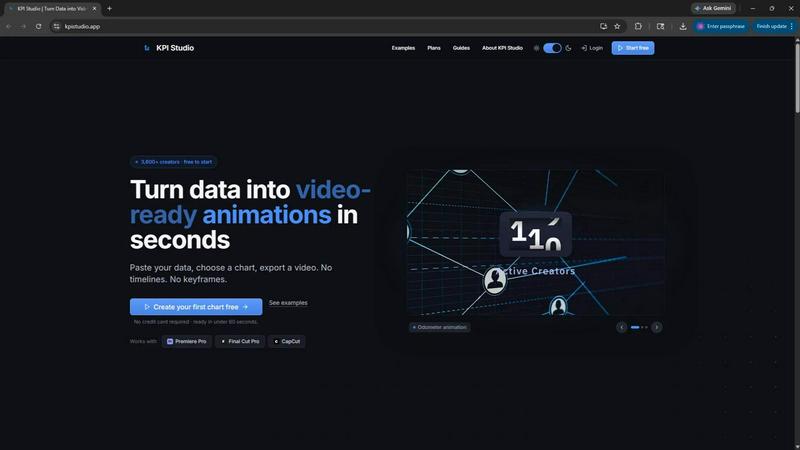
About KPI Studio
KPI Studio is a revolutionary tool designed specifically for data-driven video creators who require dynamic charts integrated into their content but lack the time for complex motion design. This software eliminates the traditional challenges associated with creating animated visuals. Conventional methods, such as using screenshots, Canva templates, or After Effects, often result in subpar quality or consume excessive time and resources. KPI Studio streamlines the creation process, allowing users to paste their data, select a chart type, and export fully animated, video-ready visuals in under 60 seconds. With no need for timelines or keyframes, this tool is ideal for creators who operate on tight publishing schedules. The exported visuals also come with a transparent background, making them seamlessly compatible with popular editing software such as Premiere Pro, Final Cut, or After Effects. Whether you are a YouTuber, social media manager, or a video marketer, KPI Studio empowers you to transform raw data into engaging animated visuals swiftly and effectively.
Features of KPI Studio
Instant Chart Generation
KPI Studio allows users to generate animated charts quickly by simply pasting their data into the platform. This feature reduces the time spent on manual chart creation, enabling creators to focus on storytelling and content production.
Versatile Export Options
The tool offers various export formats, including MP4, GIF, MOV, and PNG with transparency. This versatility ensures that users can integrate their animated visuals into any video editing software without additional editing, facilitating a smooth workflow.
Customization Capabilities
Users can personalize their charts to fit their specific needs, adjusting visual styles, colors, and formats. This customization ensures that the charts align with brand identity and enhance the overall aesthetic of the video content.
JSON Export for Advanced Users
KPI Studio supports JSON exports, allowing for deeper editing and integration into custom workflows. This feature is particularly beneficial for advanced users who require tailored solutions and expanded capabilities within their video production pipelines.
Use Cases of KPI Studio
YouTube Content Creation
YouTubers can utilize KPI Studio to create engaging animated charts that illustrate data trends, growth metrics, or comparisons directly in their video content. This capability enhances viewer engagement and retention by visually representing information.
Social Media Marketing
Social media managers can leverage KPI Studio to produce eye-catching animated visuals that highlight key performance indicators (KPIs) for campaigns. These animations can significantly boost viewer interest and interaction across platforms like Instagram and TikTok.
Corporate Presentations
Businesses can use KPI Studio to generate professional-grade animated charts for internal and external presentations. The ability to quickly produce visuals ensures that teams can communicate important data effectively without relying on external designers.
E-Learning and Educational Content
Educators and e-learning developers can incorporate animated charts into their instructional videos, making complex data more digestible for learners. This enhances the learning experience and improves information retention by providing visual context.
Frequently Asked Questions
How does KPI Studio help save time in video production?
KPI Studio significantly reduces the time spent on creating animated charts by allowing users to paste data and export visuals in under 60 seconds. This eliminates the need for complex design software and lengthy editing processes.
Can I customize the charts created with KPI Studio?
Yes, KPI Studio offers extensive customization options, allowing users to adjust colors, styles, and formats of their charts to ensure they match their branding and visual preferences.
What video editing software is compatible with KPI Studio exports?
KPI Studio exports visuals in formats compatible with major video editing software, including Premiere Pro, Final Cut Pro, and CapCut. Users can easily drop the animations into their timelines without additional editing.
Is there a free trial available for KPI Studio?
Yes, KPI Studio offers a free version that allows users to try the tool with no credit card required. This enables creators to test the functionality and decide if it fits their needs before committing to a paid plan.
Similar to KPI Studio

StopScroll helps YouTube creators generate AI thumbnails and improve images for higher-click videos.

Free online AI image and deepfake checker. Upload a photo for AI-generated and deepfake scores, a clear verdict, and optional generator hints.

Merge two photos free in your browser: side by side, stacked, overlay, or AI. Download a clean PNG, no watermark.

AI English for classrooms, built by a teacher.


AIQualityHQ is a free browser tool that instantly evaluates your AI prompts for structure, safety, and privacy, providing actionable optimization.

EchoLeads AI is an enterprise-grade omnichannel platform using intelligent AI voice agents to automate cold calling, lead qualification, and.

Kirkify AI instantly transforms any photo into viral memes by seamlessly swapping faces with Charlie Kirk's iconic appearance using advanced.