
AnyToURL
AnyToURL allows you to effortlessly convert files into secure shareable URLs in seconds with global delivery.
Visit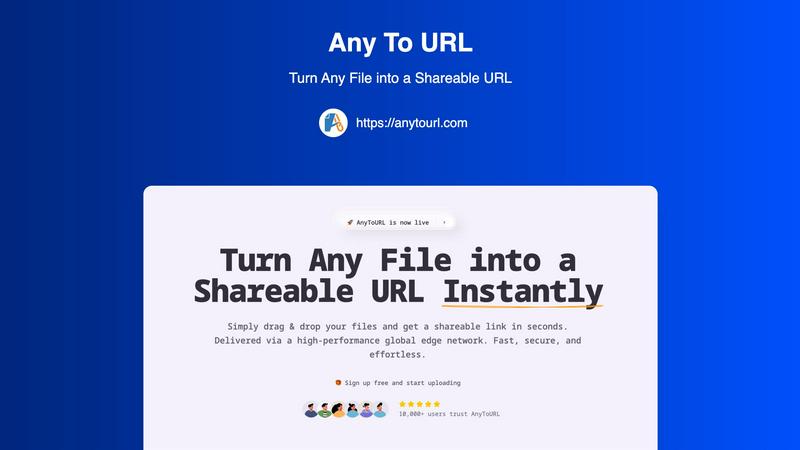
About AnyToURL
AnyToURL is an innovative file-sharing platform that facilitates the seamless sharing of digital files by converting them into direct, shareable URLs. Designed with simplicity in mind, the platform employs a user-friendly drag-and-drop interface, allowing users to upload a diverse range of file types—such as images, videos, PDFs, and code snippets—instantly. This feature is particularly advantageous for professionals in various fields, including UX design, marketing, and product management, who often require quick and efficient methods to distribute their materials. Powered by a robust global edge Content Delivery Network (CDN), AnyToURL ensures rapid and reliable file delivery across the globe, catering to users from different geographical locations. Furthermore, the platform emphasizes security, incorporating features like password protection, making it an excellent choice for sharing sensitive information. Overall, AnyToURL merges convenience, performance, and security, providing users with an unparalleled file-sharing experience that enhances productivity and collaboration.
Features of AnyToURL
Drag & Drop Upload
AnyToURL simplifies the file upload process through its intuitive drag-and-drop feature. Users can easily drag their files onto the designated upload area or click to browse their local storage. This eliminates the need for complicated forms or multiple steps, enhancing user experience and reducing the time it takes to share files.
Instant Shareable Links
Upon uploading a file, AnyToURL generates a short, shareable URL almost instantaneously. This allows users to copy the link with a single click and share it through various channels, including email, chat, or social media. This feature is particularly useful for quick communications and ensures that sharing files is as effortless as possible.
Smart File Preview
AnyToURL enhances the recipient's experience by enabling smart file previews. Users can view images, PDFs, and documents directly in their browser without the need for downloads. This feature ensures that recipients can access and review files immediately, making the sharing process more efficient and user-friendly.
Global Edge CDN
The platform utilizes a high-performance global edge Content Delivery Network (CDN), specifically through Cloudflare. This infrastructure guarantees that files are delivered with lightning speed to users worldwide, ensuring quick access regardless of the recipient's location. This global reach is essential for businesses with remote teams or clients in various regions.
Use Cases of AnyToURL
UX Designers
For UX designers, AnyToURL serves as an invaluable tool for sharing design mockups, wireframes, and prototypes with clients. The ability to send instant links and enable browser previews allows for quicker feedback and enhances collaborative efforts in the design process.
Marketing Teams
Marketing professionals can leverage AnyToURL to distribute campaign assets, branding materials, and media files to their teams efficiently. The platform's instant link generation and smart file preview capabilities ensure that marketing teams can access the resources they need without unnecessary delays.
Product Managers
Product managers benefit from AnyToURL by sharing product specifications, documentation, and resources with their distributed teams. The global CDN delivery ensures that all team members have fast access to important files, facilitating better collaboration and communication across different locations.
Educators and Trainers
Educators and trainers can use AnyToURL to share educational materials, course documents, and multimedia resources with students or participants. The password protection feature allows them to secure sensitive content, ensuring that only authorized individuals can access the materials.
Frequently Asked Questions
How does AnyToURL ensure the security of my files?
AnyToURL prioritizes file security by incorporating features like password protection and strict isolation protocols. This means that only individuals with the password can access sensitive files, providing an additional layer of security for users concerned about data privacy.
What file types does AnyToURL support?
AnyToURL supports a wide variety of file types, including images, PDFs, videos, documents, and code snippets. This versatility makes it suitable for various professional needs, allowing users to share different formats effortlessly.
What is the maximum file size I can upload for free?
For free users, the maximum file size allowed is 50MB. Additionally, files uploaded by free users will expire after 24 hours, encouraging users to upgrade to paid plans for permanent storage options.
Can I track who has accessed my files?
Currently, AnyToURL does not provide tracking features to monitor who has accessed your files. However, the platform focuses on ensuring fast and secure file sharing, with robust privacy measures in place to protect your data.
Explore more in this category:
Similar to AnyToURL

AgencyFlo is the AI-native operating system for agencies - one platform for projects, time, CRM, proposals, contracts and invoicing.

AI-powered Upwork job feed. Every new job is scored against your profile and strategy in real time, and you get an instant notification


Back up Zoom cloud recordings to Google Drive automatically. Optional auto-delete frees Zoom storage. 60-second setup, then forget it.

Bg Eraser quickly removes backgrounds from photos in batches, creating clean transparent images with no signup and automatic privacy protection.

SiteSpin is an AI-driven website builder that creates a custom site in minutes, tailored to your needs without templates or complex editors.