
BoltShot
BoltShot provides a fast API for capturing high-quality screenshots from any URL without browser operations, perfect for developers and marketers.
Visit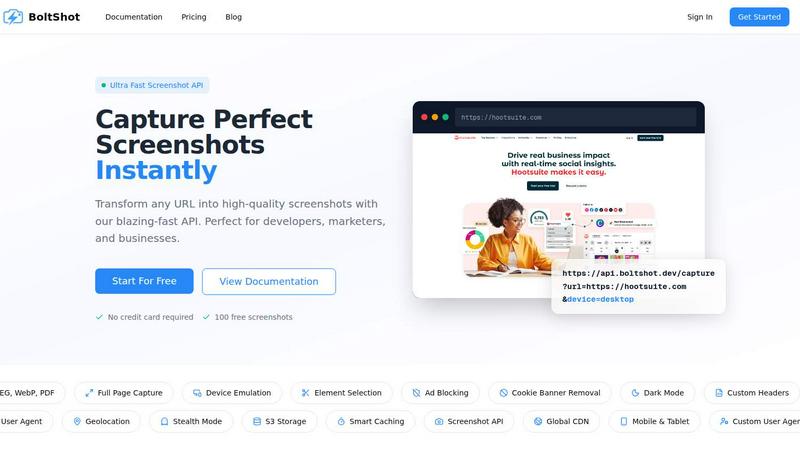
About BoltShot
BoltShot is an advanced website screenshot API designed to transform any URL into high-quality screenshots with a simple API request. This versatile tool caters to developers, marketers, and businesses by offering the ability to generate images in multiple formats, such as PNG, JPEG, WebP, and PDF. With features like full-page capture, device emulation for mobile, tablet, and desktop views, and customizable viewport settings, BoltShot provides a flexible solution for various screenshot needs. Users can specify the exact elements they wish to capture using CSS selectors, ensuring precise results. Additional functionalities such as ad blocking, cookie banner removal, and smart caching enable users to produce clean and professional-looking screenshots without distractions. Furthermore, BoltShot's advanced capabilities, including S3 uploads with global CDN delivery, custom user agents, geolocation emulation, and stealth mode, make it an indispensable tool for e-commerce previews, automated reporting, web archiving, and compliance monitoring. Developers can seamlessly integrate BoltShot into their workflows without the hassle of managing browser clusters or complex infrastructure.
Features of BoltShot
Ultra Fast Screenshot API
BoltShot provides a blazing-fast API that allows users to capture screenshots from URLs with remarkable speed. This feature is particularly advantageous for developers and businesses that require instant access to visual representations of web pages, making it ideal for automated reporting and e-commerce previews.
Flexible Sizing
With BoltShot, users can capture screenshots in a variety of sizes and settings. The API supports full-page captures, element targeting, and custom viewports, ensuring that users can obtain pixel-perfect images tailored to their specific needs. This flexibility is essential for accurately representing web content in different formats.
Clean Capture
The clean capture feature enables users to produce high-quality screenshots free of distractions. BoltShot automatically removes cookie banners, ads, and pop-ups, resulting in clear images that focus solely on the desired content. This enhances the professionalism of the screenshots, making them suitable for presentations and reports.
Performance with Smart Caching
BoltShot boasts built-in caching and storage solutions, ensuring that screenshots are delivered quickly and securely. With fast S3 uploads, a global CDN, and customizable storage options, users can maintain control over their data while benefiting from rapid response times and high reliability.
Use Cases of BoltShot
E-commerce Previews
Businesses can utilize BoltShot to generate stunning previews of their product pages and marketing materials. By capturing high-quality screenshots, they can enhance their promotional efforts and provide potential customers with a clearer understanding of their offerings.
Automated Reporting
Marketers and analysts can integrate BoltShot into their reporting workflows to automate the process of generating visual content. This capability allows for the quick compilation of screenshots alongside data, making it easier to convey insights and findings to stakeholders.
Web Archiving
BoltShot serves as an effective tool for web archiving projects, enabling users to capture snapshots of web pages over time. This is particularly useful for researchers and organizations looking to document changes in online content for compliance or historical purposes.
Compliance Monitoring
Companies can leverage BoltShot for compliance monitoring by taking screenshots of their web pages to ensure adherence to regulatory standards. This feature helps organizations maintain transparency and accountability while documenting their online presence.
Frequently Asked Questions
How does BoltShot capture screenshots?
BoltShot captures screenshots by sending an API request with the desired URL and parameters such as device type and format. The API processes the request and returns a high-quality image of the specified webpage.
Can I capture specific elements on a webpage?
Yes, BoltShot allows users to capture specific elements of a webpage using CSS selectors. This feature enables precise targeting, ensuring that users get exactly the content they need in their screenshots.
What file formats does BoltShot support?
BoltShot supports multiple file formats including PNG, JPEG, WebP, and PDF. This variety provides users with the flexibility to choose the format that best suits their needs for different applications.
Is there a free trial available for BoltShot?
Yes, BoltShot offers a free trial that includes 100 free screenshots, allowing users to explore the capabilities of the API without the need for a credit card. This trial is an excellent way for potential customers to assess the product before committing to a subscription.
Similar to BoltShot

The launch platform for indie makers — schedule your launch, get in front of buyers, and blast across directories.


MCPize is a marketplace where developers can discover, install, and manage 1,000+ premium MCP servers while publishers keep 80% of revenue.

Agyn is an open-source, Kubernetes-native platform that enables teams to securely deploy and manage AI agents with enterprise-grade access control.

JustHunt is a comprehensive startup launchpad offering guaranteed visibility, powerful SEO benefits, and community feedback to boost your domain.

act101 is an AI-powered development tool that enables agents to refactor and port code across 163 programming languages with ease.
