

Explore 20 alternatives to Opal. Compare features, pricing, and find the best fit for your needs.
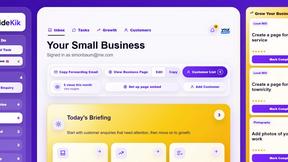
SideKik
SideKik helps small businesses turn more enquiries into customers with simple CRM, follow-ups, task management and daily growth tasks.
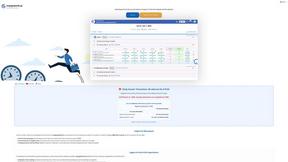
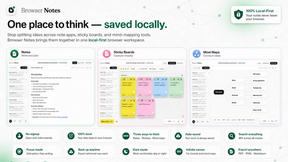
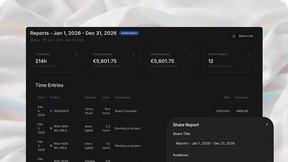
AgencyFlo
AgencyFlo is the AI-native operating system for agencies - one platform for projects, time, CRM, proposals, contracts and invoicing.
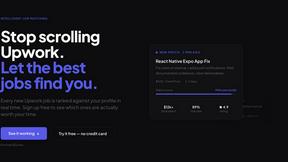
Vibeworker
AI-powered Upwork job feed. Every new job is scored against your profile and strategy in real time, and you get an instant notification
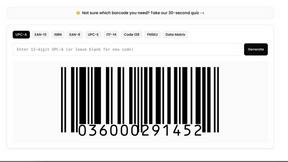

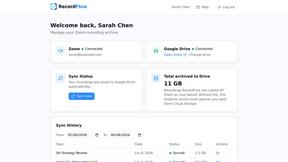
RecordFlow
Back up Zoom cloud recordings to Google Drive automatically. Optional auto-delete frees Zoom storage. 60-second setup, then forget it.

Bg Eraser
Bg Eraser quickly removes backgrounds from photos in batches, creating clean transparent images with no signup and automatic privacy protection.

SiteSpin
SiteSpin is an AI-driven website builder that creates a custom site in minutes, tailored to your needs without templates or complex editors.
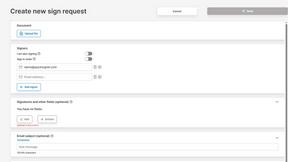
QuickSigner
QuickSigner simplifies the eSigning process with secure, legally binding signatures for any document, all within a user-friendly online platform.
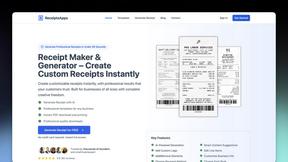
ReceiptsApps
Create and customize professional receipts online in minutes with ReceiptsApps, featuring 150+ templates and instant PDF downloads.

SubcueAI
SubcueAI provides real-time AI-driven answer suggestions and analytics to enhance your performance in video interviews across platforms.

LaunchPact
LaunchPact is a mutual upvote network that connects founders launching on Product Hunt to form verified pacts and climb rankings together.
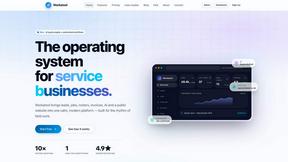
Workatool
Workatool is an all-in-one platform that streamlines your service business management, automating quotes, scheduling, invoicing, and more.

Meme Library
Meme Library is a free, private meme organizer that lets you instantly find any reaction by searching the text inside images.
hiFred
hiFred transforms product management workflows by integrating with Jira, Microsoft, and GitHub to automate discovery and alignment, delivering.
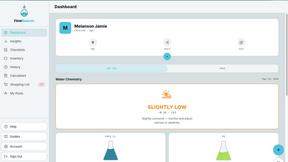
FlowBeacon
FlowBeacon is an all-in-one pool service app that simplifies water testing, chemical dosing, and maintenance tracking for both DIY homeowners and.
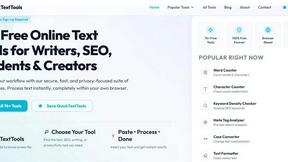
QuickTextTools
QuickTextTools provides 76+ free online utilities for writers and creators to effortlessly enhance productivity and optimize text in-browser.
About Opal Alternatives
Opal is a visual knowledge and project management workspace designed for individuals who prefer a spatial approach to organizing their thoughts and projects. This innovative tool allows users to create an infinite digital canvas where they can easily drag and drop notes, documents, files, and links. By visually arranging their information, users can enhance their recall and reduce the frustration of navigating through nested folders or traditional applications. Opal is particularly beneficial for solopreneurs, consultants, agency owners, and writers who require a dynamic environment to keep track of their active projects and creative ideas. Users often seek alternatives to Opal for several reasons, including pricing, specific feature requirements, or compatibility with existing platforms. As each user has unique needs based on their workflows and business models, finding the right fit may involve evaluating various aspects such as ease of use, integration capabilities, and the flexibility of the workspace. When choosing an alternative, consider your primary use cases, the types of projects you manage, and how well the solution aligns with your personal or team-based working style. A thorough assessment of these factors can guide you in selecting a tool that meets your productivity and organizational needs.
FAQs about Opal Alternatives
What is Opal?
Opal is a visual knowledge and project management workspace that enables users to organize their projects and notes on an infinite digital canvas. It is designed for those who think spatially, allowing them to arrange information visually, similar to a physical desk. This approach facilitates instant retrieval of information by helping users remember where things are located.
Who is Opal for?
Opal is ideal for solopreneurs, consultants, agency owners, writers, and anyone whose work involves managing conversations, details, and commitments. It caters to individuals who prefer a visual method of organizing their thoughts and projects, making it suitable for creative professionals and those who thrive in dynamic work environments.
Is Opal free?
Opal offers a range of pricing options, including free trials or tiered subscription plans, which may vary based on features and user needs. While some basic functionalities might be accessible at no cost, users typically need a subscription to unlock the full suite of features. It is advisable to check the official Opal website for the most current pricing and plan details.
What are the main features of Opal?
Opal's main features include an infinite digital canvas for organizing notes and documents, drag-and-drop functionality for easy rearrangement of content, and a spatial memory approach that enhances information retrieval. Additionally, it allows users to keep all active projects, client details, and creative ideas visible and easily accessible, fostering a productive workflow.