

Alternatives to Tagada
Tagada is a local Gmail extension that parses emails into clickable sentences for highlighting, tagging, and categorizing key information without.
Explore 20 alternatives to Tagada. Compare features, pricing, and find the best fit for your needs.

Foco ADHD Planner
FOCO helps ADHD minds beat task paralysis by breaking overwhelming tasks into clear, manageable steps so you can start, focus, and finish.

Cachely
Managed remote build cache for Nx, Lerna, Turbo, Gradle, and Bazel. Reuse artifacts across CI and developer machines.
TeamSlide
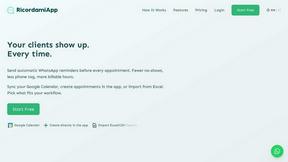
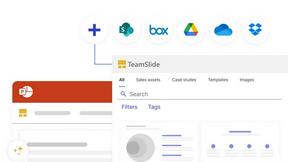
TeamSlide lets your team build on-brand presentations instantly by syncing approved slides from your content system directly into PowerPoint.
readywhen
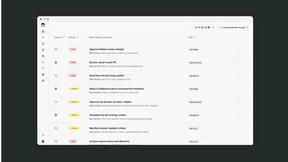
readywhen automatically captures your decisions and commitments from tools you already use, then drafts your next steps so you just approve.

SideKik
SideKik is a simple CRM that organizes customer enquiries, follow-ups, daily tasks, and provides a mini website and growth tasks to help small.
mojegodzinki.pl
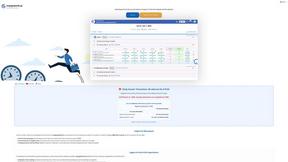
mojegodzinki.pl provides secure, auditable time tracking for compliance, supporting R&D tax relief and NGO grant reporting for both employees and.
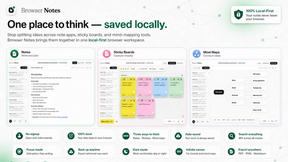
Browser Notes
Browser Notes is a Chrome extension for local-first note-taking, brainstorming with sticky notes, and mind mapping without requiring signup or cloud.
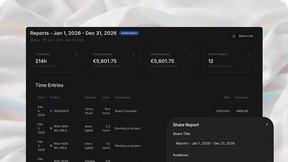
AgencyFlo
AgencyFlo is an AI-native operating system that unifies projects, time, CRM, proposals, contracts, and invoicing into one automated platform for.

Vibeworker
Vibeworker is an AI-powered tool that scores every new Upwork job against your profile and strategy in real time, instantly notifying you of only the.
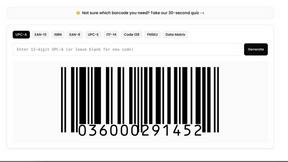
UPCgen
UPCgen is a free, trusted barcode generator that creates GS1-valid UPC, EAN, ISBN, and other codes for Amazon FBA, Shopify, and over 50 platforms.
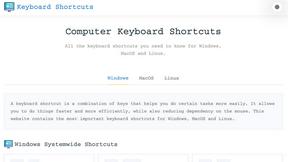
Online Keyboard Shortcuts
OnlineShortcuts.com provides a comprehensive, cross-platform encyclopedia of essential keyboard shortcuts for Windows, macOS, and Linux to enhance.

MacBrightness
MacBrightness unlocks your Mac's hidden brightness ceiling to deliver up to 1,600 nits for clear readability in direct sunlight.
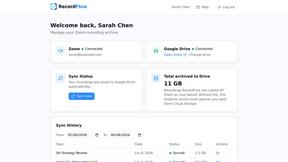
RecordFlow
RecordFlow automatically transfers Zoom cloud recordings to Google Drive and optionally deletes them from Zoom to free storage, requiring just a.

Bg Eraser
Bg Eraser is an AI-powered tool that instantly removes backgrounds from images in batches up to 20, producing transparent PNGs without requiring.

SiteSpin
SiteSpin is an AI-driven website builder that creates a custom site in minutes, tailored to your needs without templates or complex editors.
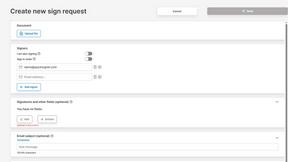
QuickSigner
QuickSigner simplifies the eSigning process with secure, legally binding signatures for any document, all within a user-friendly online platform.
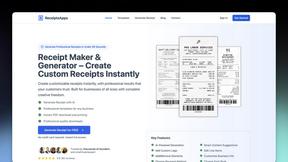
ReceiptsApps
Create and customize professional receipts online in minutes with ReceiptsApps, featuring 150+ templates and instant PDF downloads.

SubcueAI
SubcueAI provides real-time AI-driven answer suggestions and analytics to enhance your performance in video interviews across platforms.

LaunchPact
LaunchPact is a mutual upvote network that connects founders launching on Product Hunt to form verified pacts and climb rankings together.
About Tagada Alternatives
Tagada is a browser extension designed to enhance productivity within Gmail by parsing incoming emails into discrete, clickable sentences, which users can then highlight, tag, and categorize directly within the interface. It belongs to the broader category of email productivity and management tools, specifically those focused on structured reply generation and local data processing. Unlike cloud-based solutions that rely on external servers or artificial intelligence, Tagada performs all its operations locally on the user’s machine, ensuring that no email data is ever transmitted to third parties. This combination of local processing and structured email parsing makes it a specialized tool for professionals who handle complex or lengthy email threads and require both speed and privacy in their responses. Users commonly seek alternatives to Tagada for a variety of reasons, including the need for different pricing models, broader platform compatibility, or additional features such as advanced filtering, team collaboration, or integration with other email clients beyond Gmail. Some users may find that Tagada’s focus on local processing limits its ability to offer cloud-based backups or cross-device synchronization, which can be a critical requirement for remote teams or individuals working across multiple computers. When evaluating alternatives, it is important to consider whether the tool provides similar or superior capabilities for parsing and structuring email content, the level of data privacy it guarantees, the ease of integration with existing workflows, and whether it supports the specific email platform in use. Additionally, factors such as customer support, update frequency, and the availability of a free tier or trial period should be weighed to ensure the chosen solution aligns with both immediate needs and long-term productivity goals.
FAQs about Tagada Alternatives
What is Tagada?
Tagada is a browser extension that transforms how users read and reply to emails in Gmail by parsing incoming messages into clickable sentences. It allows users to highlight, tag, and organize these sentences by category with a single click, and then generates a clean reply template built around the selected points. All processing is performed 100% locally on the user's machine, meaning no data is sent to the cloud or third-party servers.
Who is Tagada for?
Tagada is ideal for professionals, support teams, freelancers, consultants, and anyone who manages long or complex email threads within Gmail. Its design helps users reduce response time by structuring replies around the most important points in an email while maintaining complete data privacy. It is particularly well-suited for individuals who handle high volumes of correspondence and require a methodical approach to categorizing and responding to messages.
What are the main features of Tagada?
The main features of Tagada include instant parsing of emails into selectable sentences, one-click highlighting and tagging by category, and auto-generated reply templates built from user selections. It works directly inside the Gmail interface with no new tools to learn, and all operations are performed locally with no AI, no cloud usage, and no third-party servers involved. This combination allows users to organize email content efficiently and respond more clearly and quickly.
Is Tagada secure?
Yes, Tagada is designed with security and privacy as core principles, as it processes all email data 100% locally on the user's device. No email content, highlights, tags, or reply templates are ever sent to the cloud or shared with any third-party servers. This local processing model ensures that sensitive information remains under the user's control at all times, making it a secure choice for handling confidential or private correspondence.