
Gemini Omni AI Video Generator
Gemini Omni AI Video Generator is a unified omni-model that lets you generate, edit, and remix cinematic 4K videos with built-in audio from text.
Visit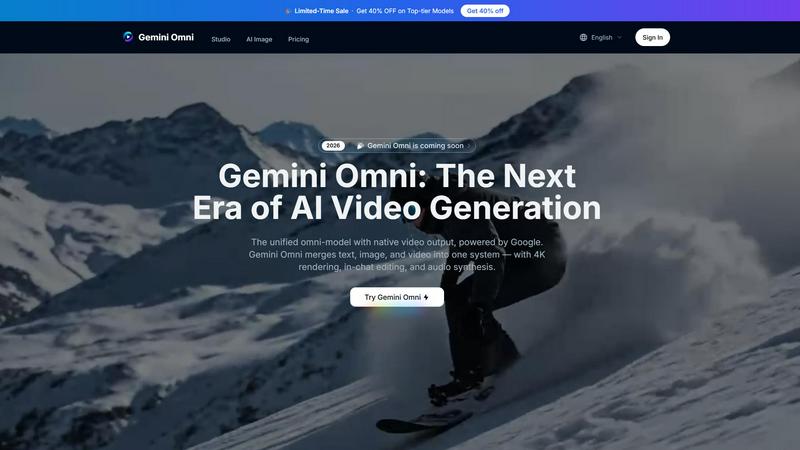
About Gemini Omni AI Video Generator
Gemini Omni AI Video Generator is Google's first unified omni-model designed to revolutionize video creation by merging text, image, and video generation into a single conversational system. Unlike standalone AI video generators that handle only one modality at a time, Gemini Omni allows users to generate, remix, edit, and rewrite video scenes directly within a chat interface, eliminating the need for tool-switching or complex software pipelines. The platform delivers native 4K resolution at up to 120fps, ensuring cinematic-grade output for professional and creative projects. It features persistent world-state memory for maintaining character consistency across scenes, in-chat video editing through natural language commands, and integrated Foley and dialogue synthesis that generates audio simultaneously with video in a single diffusion pass. The target audience includes solo creators, marketing professionals, film studios, and content producers who need a streamlined, powerful tool for producing high-quality video content. The main value proposition lies in its ability to handle multiple input types, including text prompts, images, video clips, and audio, and output polished video without requiring separate pipelines or external software. Additionally, Gemini Omni includes an AI avatar system that replicates a user's face and voice from a single photo, enabling consistent digital representation across all generated clips. The platform also offers sketch-to-video capabilities, turning rough drawings into fully animated scenes, and built-in world knowledge for accurate historical, scientific, and cultural context. With a studio workspace that provides early access tools, prompt guides, and hands-on resources, Gemini Omni empowers creators to harness its capabilities alongside current models like Veo 3.1 and Seedance 2.0, making it a comprehensive solution for modern video production.
Features of Gemini Omni AI Video Generator
Unified Omni-Model Architecture
Gemini Omni is natively multimodal from the ground up, meaning it can accept text, images, video clips, or audio as input and generate polished video output without requiring separate pipelines or tool-chaining. This unified approach eliminates the complexity of managing multiple AI models or software applications, allowing creators to feed any combination of media into a single system and receive coherent, high-quality video. The model processes all inputs simultaneously, ensuring that visual references, audio cues, and textual descriptions are integrated seamlessly into the final output.
In-Chat Video Editing via Natural Language
Users can remix clips, swap objects, remove watermarks, and rewrite entire scenes through simple natural language instructions, all directly within the chat interface. This feature eliminates the need for external video editing software, as Gemini Omni interprets commands like "change the background to a futuristic city" or "replace the car with a motorcycle" and executes them instantly. The editing process is iterative and conversational, allowing creators to refine their vision through multiple rounds of feedback without leaving the platform.
AI Avatars with Consistent Likeness
Gemini Omni creates a digital avatar that mirrors a user's face and voice from a single photograph, enabling consistent representation across every generated video clip. The avatar maintains facial geometry, expressions, and vocal characteristics even through dramatic camera moves or scene changes, making it ideal for presentations, social media content, and personalized video messages. This feature leverages persistent world-state memory to ensure that the avatar's appearance remains stable across multiple generations and edits.
Integrated Foley and Dialogue Synthesis
Sound effects, ambient noise, and spoken dialogue are generated natively alongside the video in a single diffusion pass, eliminating the need for a separate sound-design step. Gemini Omni synthesizes audio that is contextually appropriate to the visual scene, whether it is the clatter of a 1920s jazz club, the hum of a spaceship engine, or a character's spoken lines. This integrated approach ensures that audio and video are perfectly synchronized, reducing post-production time and complexity.
Use Cases of Gemini Omni AI Video Generator
Advertising and Text Animation
Marketing professionals can drop a script into Gemini Omni and receive each word delivered with a unique animated style, perfectly paced to a rhythm that captures audience attention. The platform creates scroll-stopping ad sizzle reels where bold typography and dynamic motion do the selling, eliminating the need for After Effects or other motion graphics software. Campaigns can be iterated quickly by simply editing the text prompt, allowing for rapid A/B testing of different messaging and visual styles.
Film and Visual Effects Production
Filmmakers can use Gemini Omni to transform a mirror into rippling liquid, shift an arm to reflective chrome in the same shot, or create complex material transitions that would traditionally require extensive VFX work. The platform handles complex material interactions and physics-based effects, enabling independent creators and small studios to achieve Hollywood-grade visual effects without a large team or budget. Scene rewrites and object swaps can be performed through natural language, speeding up the post-production pipeline.
Educational and Scientific Visualization
Educators and science communicators can prompt Gemini Omni to generate accurate visualizations of historical events, scientific processes, or cultural contexts using its built-in world knowledge. For example, a user can request a cellular mitosis sequence or a 1920s jazz club scene, and the platform will produce detailed, contextually appropriate animations with correct period details and scientific accuracy. This capability makes complex subjects more accessible and engaging for learners of all ages.
Personalized Content Creation
Solo creators and influencers can use the AI avatar feature to generate personalized video content, such as presentations, social media clips, or brand messages, without needing to film themselves repeatedly. By uploading a single photo, Gemini Omni creates a digital twin that can be placed in any scene, delivering consistent messaging across multiple platforms. The avatar's voice and expressions are synthesized from the source image, ensuring authenticity and reducing production time for recurring content.
Frequently Asked Questions
What input types does Gemini Omni support?
Gemini Omni supports text, images, video clips, and audio as input modalities. Users can provide a text prompt describing a scene, upload a reference image or portrait, submit a video clip for remixing, or include audio for dialogue and sound effects. The unified omni-model processes all these inputs simultaneously and generates polished video output without requiring separate pipelines or software.
How does the in-chat video editing feature work?
The in-chat video editing feature allows users to modify generated videos by typing natural language commands directly into the chat interface. For example, you can say "change the background to a forest" or "remove the watermark from the bottom right corner" and Gemini Omni will execute the edit instantly. The editing is iterative, meaning you can continue to refine the video through multiple rounds of commands without leaving the platform.
Can Gemini Omni maintain character consistency across multiple clips?
Yes, Gemini Omni features persistent world-state memory that tracks character appearances, facial geometry, and object details across multiple generations and edits. This ensures that when you generate a new clip featuring the same character, their likeness remains consistent even through dramatic camera moves or scene changes. The AI avatar feature takes this further by creating a digital twin from a single photo that stays consistent across all clips.
What video quality and format options are available?
Gemini Omni supports native 4K resolution at up to 120fps, with options for 720P, 1080P, and 4K output. Users can choose between landscape and portrait aspect ratios, and video length can be set up to 10 seconds per continuous clip. The platform also generates audio natively with the video, including Foley effects, ambient noise, and spoken dialogue, all synchronized in a single diffusion pass.
Explore more in this category:
Similar to Gemini Omni AI Video Generator


Make AI deepfake videos, DeepFake AI image-to-video clips, stylized images, and AI music in one workflow.

StopScroll helps YouTube creators generate AI thumbnails and improve images for higher-click videos.


VideoAny is an all-in-one AI creation studio for generating videos, images, and audio from text or photos with advanced models like Seedance 2.0 and.

Best Face Swap delivers frame-consistent AI face replacement for photos and videos, with dedicated workflows for free trials, NSFW intent, and a.

Easymotion is an AI-powered tool that transforms static images, data, and maps into professional motion graphics and social media videos in minutes.
