
Very Good Calendar Sync
Very Good Calendar Sync seamlessly syncs your work, personal, and client calendars while safeguarding your privacy without linking accounts.
Visit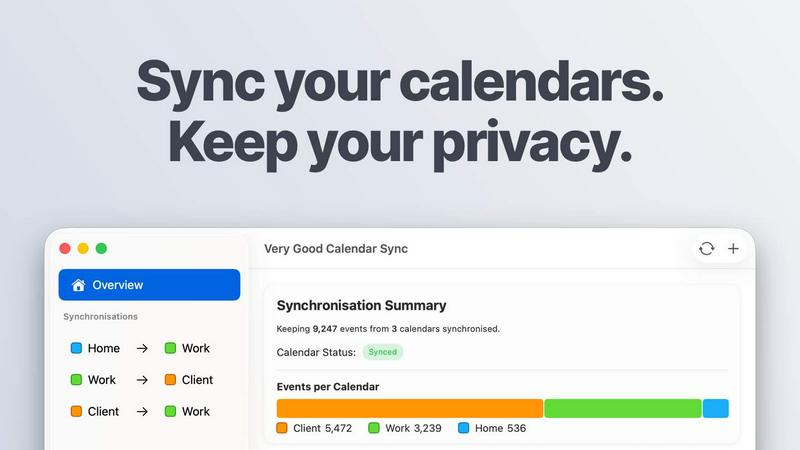
About Very Good Calendar Sync
Very Good Calendar Sync is a powerful tool designed to streamline the way users manage their calendars. It enables seamless synchronization between multiple calendars on macOS, allowing users to keep their work, personal, and client schedules perfectly aligned without the hassle of manual updates. The primary value proposition of this application lies in its ability to operate entirely on the user's Mac, ensuring that sensitive calendar data remains private and secure. By eliminating the need for cloud storage or third-party access, Very Good Calendar Sync offers a reliable solution for individuals and teams who want to avoid double-bookings and calendar chaos. Ideal for consultants, freelancers, and employees juggling various commitments, this app ensures that all appointments are accurately reflected across all connected calendars, facilitating better time management and productivity.
Features of Very Good Calendar Sync
Automatic Synchronization
Very Good Calendar Sync operates quietly in the background, automatically syncing changes across selected calendars. Once set up, users can forget about the app as it continuously monitors for updates and reflects them in real-time, ensuring that any new meetings or events are instantly visible across all calendars.
Customizable Syncing Options
Users have complete control over what gets synchronized. They can choose specific weekdays for syncing, set daily hours to limit synchronization to work hours, and even define a start date for synchronization. This level of customization allows users to tailor the app to their unique scheduling needs.
Privacy-Focused Design
This application takes user privacy seriously. By running entirely on the user's Mac, it does not share any calendar data with third parties or require any external credentials. Users can rest assured that their calendar information remains confidential, with no risk of exposure to unauthorized access.
Flexible Event Sharing
Very Good Calendar Sync allows users to manage how much information they share. Users can clone events with full details or redact sensitive information, sharing only their availability. This feature is particularly useful for professionals who need to communicate their busy status without disclosing personal details.
Use Cases of Very Good Calendar Sync
Consultants Managing Client Calendars
For consultants who juggle multiple client appointments, Very Good Calendar Sync provides a streamlined way to keep all client calendars in sync. This reduces the risk of double-bookings and ensures that availability is accurately represented at all times.
Employees with Multiple Calendars
Employees often find themselves managing both work and personal calendars. This app helps them seamlessly integrate these schedules, preventing conflicts such as missing important meetings due to overlapping personal appointments.
Freelancers Balancing Multiple Projects
Freelancers frequently work on various projects with different deadlines and requirements. By using Very Good Calendar Sync, they can synchronize all their project deadlines and client meetings, allowing for better time management and prioritization.
Teams Coordinating Internal and Client Meetings
For cross-functional teams or agencies, maintaining a clear view of everyone's availability is crucial. Very Good Calendar Sync aligns internal and client-facing calendars, ensuring that all team members have access to real-time availability and can schedule meetings without confusion.
Frequently Asked Questions
Do you store any of my calendar data?
No, Very Good Calendar Sync does not store any of your calendar data. The app operates locally on your Mac, ensuring that your information remains private and secure without any external storage or access.
Which calendar providers are supported?
Very Good Calendar Sync works with any calendar that appears in macOS' Calendar.app, including popular services like Google Calendar, Microsoft Outlook/Exchange, and Apple iCloud, as well as any CalDAV accounts.
Does it sync when my Mac is off or asleep?
The app requires your Mac to be powered on and awake to perform synchronization. If your Mac is off or in sleep mode, changes will sync automatically once the computer is active again.
Is this app available for Windows?
Currently, Very Good Calendar Sync is designed exclusively for macOS and is not available for Windows. The app leverages macOS native functionalities to provide its synchronization features.
Pricing of Very Good Calendar Sync
Very Good Calendar Sync offers a flexible pricing model to suit various needs. The first synchronization between two calendars is free. After that, users can choose from the following plans:
- Monthly plan at £1.99 per month, allowing for flexible month-to-month billing with the option to cancel anytime.
- Annual plan at £19.99 per year, providing the best value with savings over 15% compared to the monthly option.
- Lifetime plan at £39.99, a one-time payment that includes all future updates, ensuring users have the app for life without ongoing costs.
All plans include unlimited synchronizations across all calendar providers and email support, making it a comprehensive solution for calendar management.
Explore more in this category:
Similar to Very Good Calendar Sync

AgencyFlo is the AI-native operating system for agencies - one platform for projects, time, CRM, proposals, contracts and invoicing.

AI-powered Upwork job feed. Every new job is scored against your profile and strategy in real time, and you get an instant notification


Back up Zoom cloud recordings to Google Drive automatically. Optional auto-delete frees Zoom storage. 60-second setup, then forget it.

Bg Eraser quickly removes backgrounds from photos in batches, creating clean transparent images with no signup and automatic privacy protection.

SiteSpin is an AI-driven website builder that creates a custom site in minutes, tailored to your needs without templates or complex editors.